
Free Presentation Templates
Beautiful slide templates, 100% interactive! Save hours and engage better with slide deck templates for meetings, lessons and quiz nights.


Aktiviti Menyusun Ayat Tunggal dan Ayat Majmuk
Murid dikehendaki untuk menyusun ayat tunggal dan ayat majmuk mengikut susunan yang betul










quiz/numerique/FSEF/Sable-sur-Sarthe
A destination des professionnels de la FSEF pour amorcer un échange autour des pratiques du numérique.





Tarea #3 Aportes Neuro. Ing.
Preguntas sobre Neurociencias y educacion






QUÈS ÉS LA SALUT?
Activitas d'inici del tema: Salut i malaltia
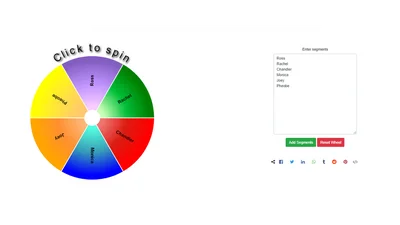
Spin the Wheel tool to Enjoy Activities
These spin the wheel ideas can add an element of surprise and spontaneity to your daily life and gatherings. Customize the topics to suit your preferences and interests, and have a blast spinning the



Teen Express, Unit 1, Lesson 1.1-1.3+suffixes
Match words with suffixes, Leaderboard on intuitive senses, freshness, clarity, food spoilage, and textures.

MR.BEST
เป็นเกมตอบคำถาม
1371 -Week 4- Auxiliary Views
Auxiliary views illustrate the true size of inclined and oblique surfaces, using planes that are parallel to one principal projection and inclined to others.


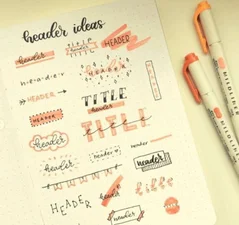
Quiz
Comunicación

Team Building Trivia
20 questions about various topics

Frequently asked questions
How do I access the AhaSlides template library?
You can access templates from the Templates tab in your dashboard after logging in, from the Templates section on our website, or directly in the Editor app.
What are the templates designed for?
Official templates help you prepare interactive presentations for training, meetings, classes, and workshops. Community templates are created by users and shared to inspire others.
How do I host a session using a template?
Select a template, customise it by editing slides, themes, multimedia, and settings, then host it just like any other presentation.
Do I need to pay to use templates?
All templates are free to download and host, but some may exceed the free plan limits (5 quiz questions or 3 polls), which require a paid plan.
If I publish a template to share with my team, will it be visible to all other users?
Yes. Published templates are added to the public library and visible to all users. To keep a template private, share it with team members as collaborators instead.