



Most brainstorming sessions produce a lot of talking and not much output. The wrong tool makes it worse: a freeform canvas that nobody knows how to use, a polling feature that requires a download, or a whiteboard that works fine for two people and breaks down with twenty.
The right tool does not guarantee a good session, but it removes the friction that kills one. This guide covers 14 options suited to professional settings, grouped by type so you can match the right one to what your session actually needs.
How we evaluated these tools
Each tool was assessed on criteria that matter to meeting facilitators and L&D professionals: ease of use for both facilitator and participant, quality of real-time collaboration features, suitability for professional settings rather than casual use, integration with tools teams already use, pricing transparency, and whether the tool requires participants to create an account or download anything before joining.
Tools that scored well on participant friction, specifically those that let people join instantly without setup, were rated more favorably for live session use. Tools better suited to async or individual work are noted as such.
Interactive presentation and live participation tools
These tools combine slide presentation with real-time audience input. They work well when the facilitator needs to maintain structure while still collecting ideas from the whole room.
1. AhaSlides
Best for: L&D trainers, HR professionals, and meeting facilitators who need structured participation without switching applications
Key functions: Real-time idea submission and voting, anonymous participation, auto-grouping, integrated reporting
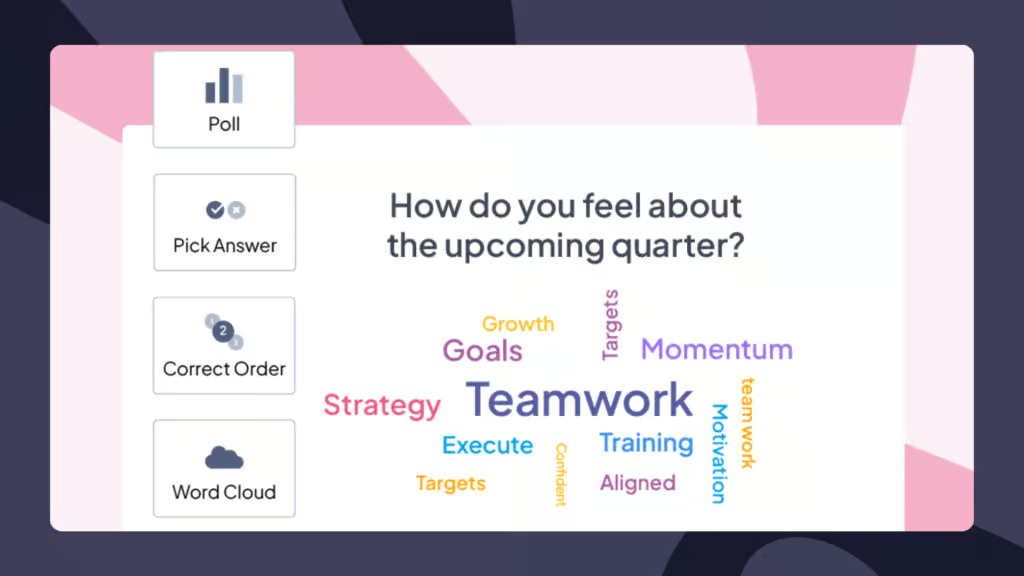
AhaSlides sits in a different category from most tools on this list. Rather than providing a freeform canvas, it works like a presentation where attendees contribute via their phones. That structure matters in professional settings: participants know what they're being asked to do, facilitators stay in control, and no one has to learn a new interface during the meeting.
The anonymous submission feature removes the status dynamics that suppress honest input in many teams. When people know their ideas won't be attributed to them in front of the room, they're more likely to share things that deviate from the group consensus which is where the useful ideas usually live [2].
After the session, AhaSlides generates a report showing individual contributions and engagement metrics, which is particularly useful for training contexts where demonstrating ROI matters.
Integration: PowerPoint and Google Slides import, Zoom, Microsoft Teams, Google Meet, enterprise SSO
Pricing: Free plan covers unlimited features for up to 50 participants. Paid plans from $7.95/month add advanced analytics and branding removal. No credit card required to start.
Digital whiteboards for visual collaboration
Whiteboard tools give teams an infinite canvas for freeform mapping, clustering, and visual thinking. They work best when the problem is complex enough to benefit from spatial organization.
2. Miro
Best for: Large enterprise teams running design sprints, strategy workshops, and agile retrospectives
Key functions: Infinite canvas, 1,000+ pre-built templates, real-time multi-user collaboration, AI-assisted clustering
Miro is the established enterprise standard for digital whiteboarding. The template library is genuinely useful. Frameworks like SWOT analysis, customer journey maps, and sprint retrospectives are ready to go without starting from scratch. The AI features added in recent updates can automatically cluster related sticky notes, which saves meaningful time when a large group has generated a lot of material.
The trade-off is that participants need some orientation before a session. For groups that meet regularly, that learning investment pays off. For one-off sessions with mixed audiences, the complexity can create friction.
Integration: Slack, Microsoft Teams, Zoom, Google Workspace, Jira, Asana, and others
Pricing: Free plan (3 boards). Paid plans from $8/user/month.
3. Lucidspark
Best for: Facilitators running structured workshop formats with explicit time controls
Key functions: Virtual whiteboard, breakout boards with timers, voting features, freehand annotation
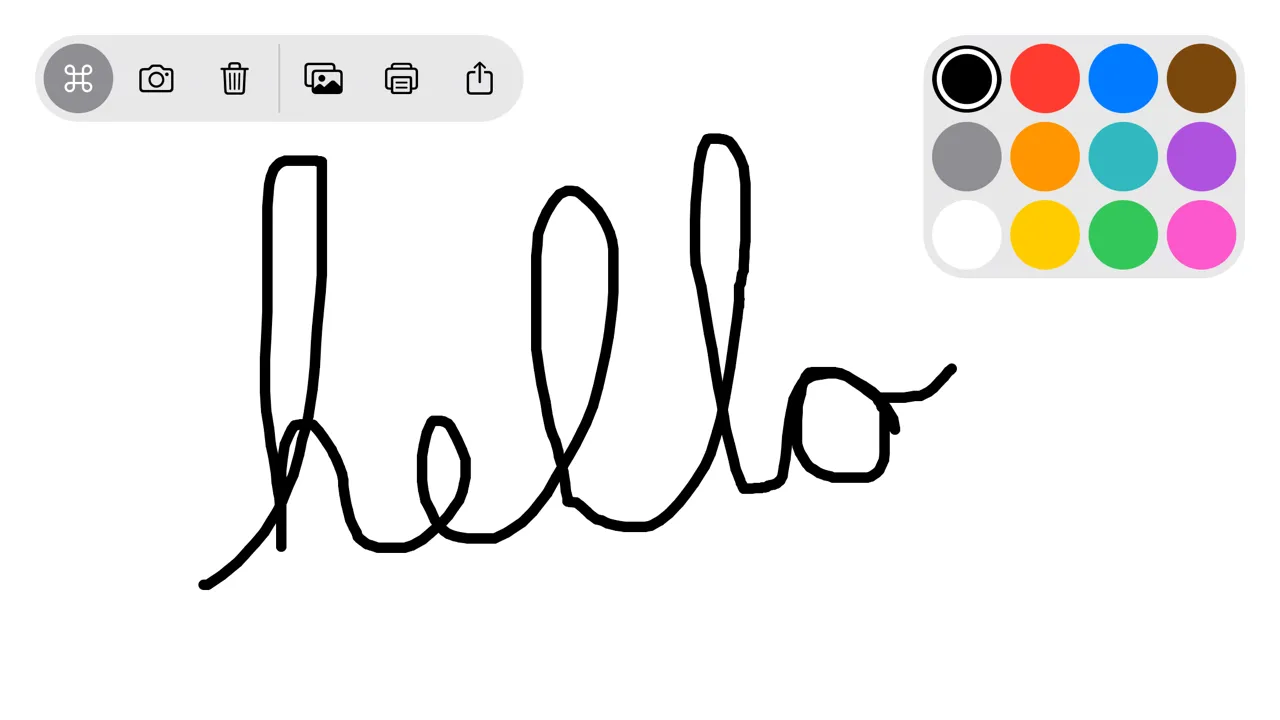
Lucidspark's standout feature is the breakout board function: split a large group into smaller working teams, assign each one a timer, then bring everyone back to share. It's a digital version of what well-designed in-person workshops already do, and it works reliably in remote settings.
For teams that run design sprints or structured retrospectives on a regular schedule, Lucidspark gives facilitators more control over the session flow than a pure freeform canvas does.
Integration: Zoom (dedicated app), Microsoft Teams, Slack, Lucidchart
Pricing: Free plan available. Paid plans from $7.95/month.
4. Conceptboard
Best for: Creative teams and client-facing sessions where visual presentation quality matters
Key functions: Visual whiteboard, moderation mode, video chat integration, multimedia embedding
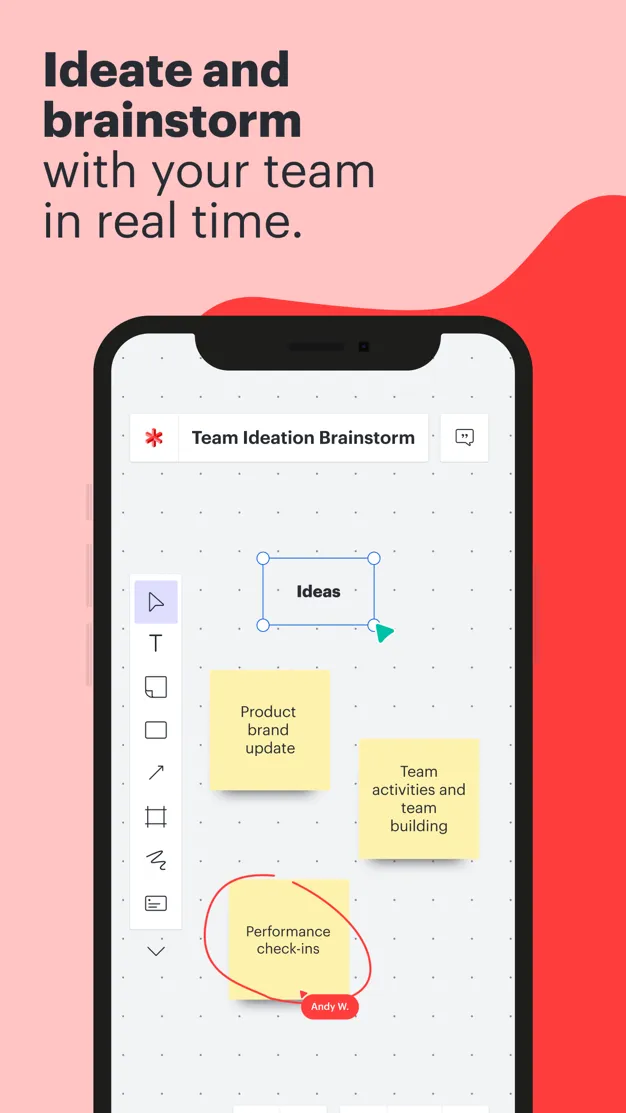
Conceptboard's moderation mode is worth noting: facilitators can control when participants are allowed to add content, which prevents a common problem in large virtual sessions where boards become unmanageable. It supports images, videos, and documents on the canvas, making it useful for review sessions that blend ideation with reference material.
Pricing: Free plan available. Paid plans from $4.95/user/month.
Mind mapping for structured thinking
Mind maps organize ideas hierarchically, which makes them effective for problems that need logical decomposition rather than freeform exploration. They work well for project planning, root cause analysis, and any brainstorming where relationships between ideas matter as much as the ideas themselves.
5. MindMeister
Best for: Distributed teams working on strategic planning with complex, multi-level idea structures
Key functions: Cloud-based collaborative mind mapping, unlimited collaborators, extensive customization, MeisterTask integration
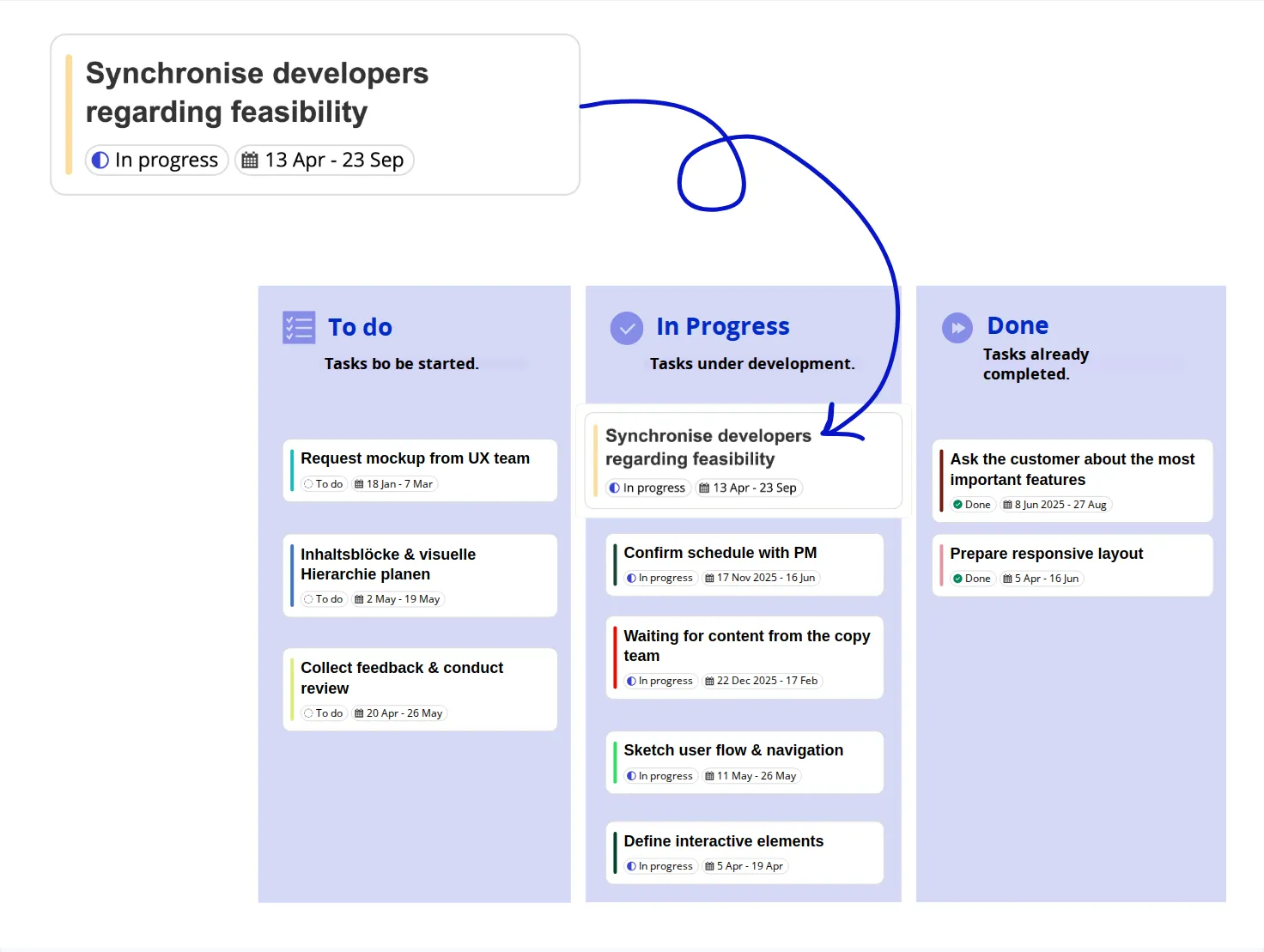
MindMeister connects directly to MeisterTask, which means a team can brainstorm a project structure and immediately convert branches into tasks with owners and deadlines. That workflow compression from ideation to execution in the same tool is genuinely useful for teams that struggle with the gap between "we had a great session" and "nothing happened afterward."
Pricing: Paid plans from $3.74/month. No free tier beyond a trial.
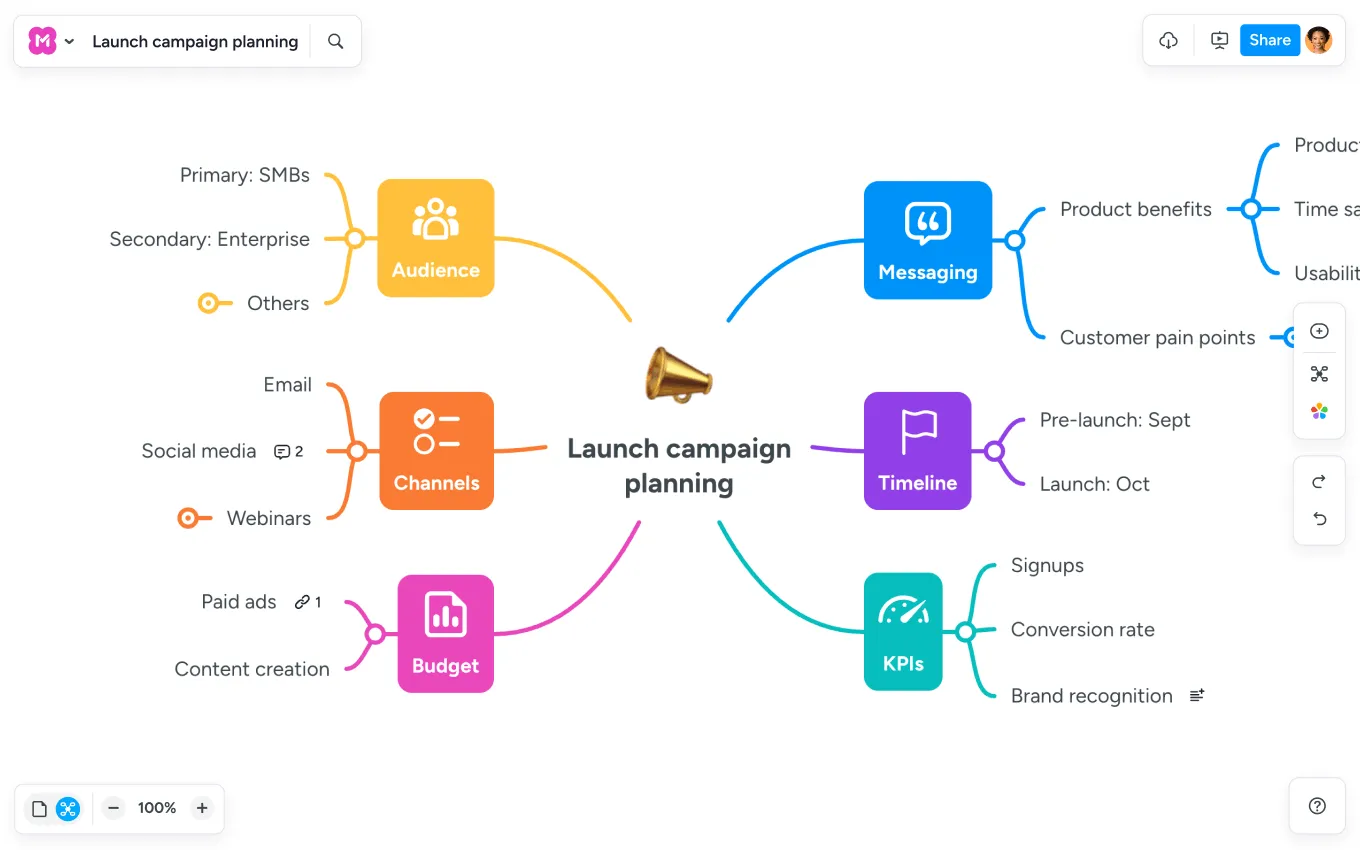
6. Coggle
Best for: Quick sessions with external stakeholders who can't be expected to create accounts
Key functions: Flowcharts and mind maps, real-time collaboration, no login required for collaborators
Coggle removes the account barrier entirely. Collaborators can join and contribute without signing up. For sessions with clients, contractors, or external partners, that matters. There's no onboarding friction, and the interface is clean enough that most people can start contributing within a couple of minutes.
Pricing: Free tier available. Paid plans from $4/month.
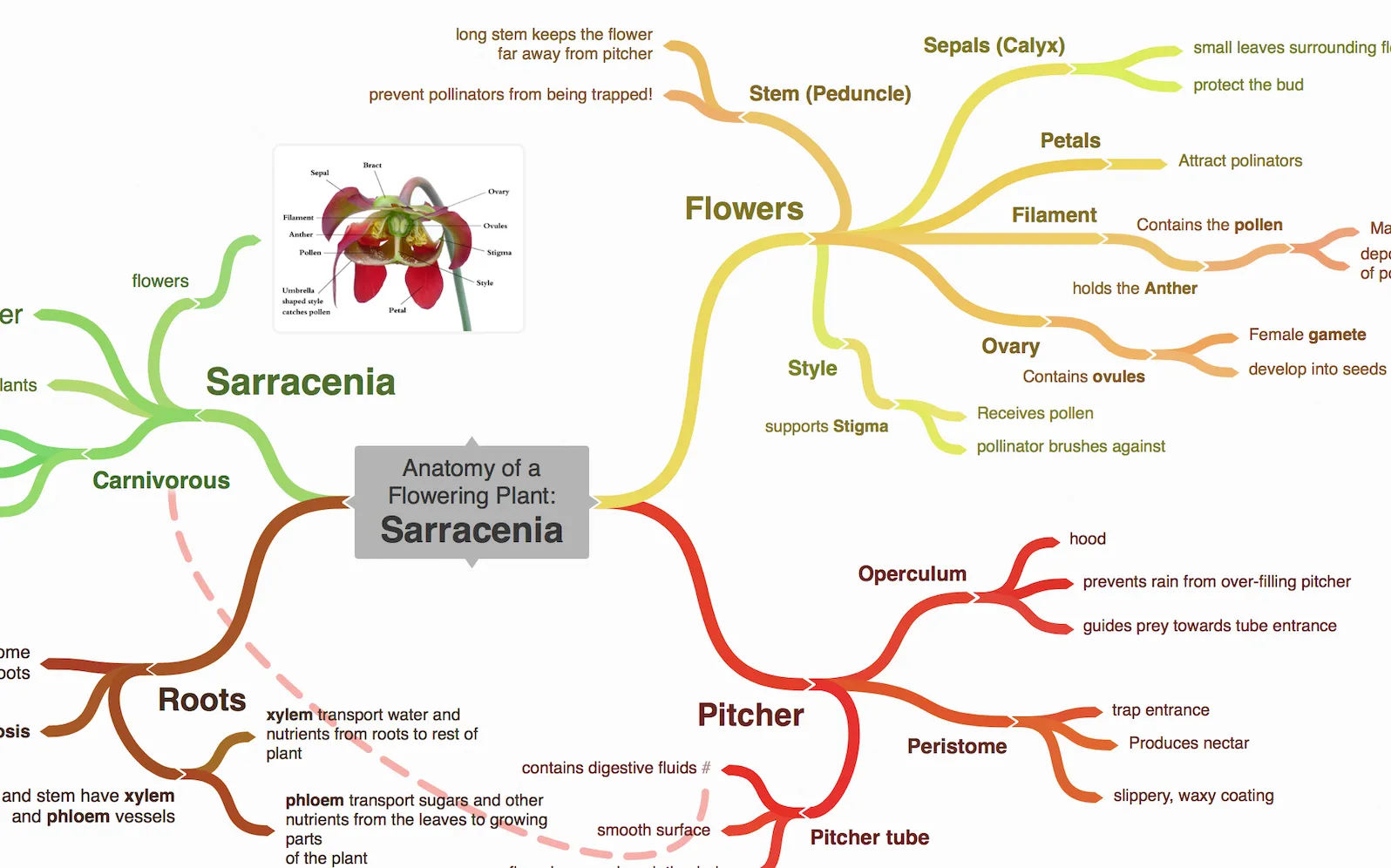
7. MindMup
Best for: Google Workspace teams that want simple mind mapping inside their existing environment
Key functions: Basic mind mapping, keyboard shortcuts for fast capture, Google Drive integration, completely free
MindMup integrates with Google Drive so maps save alongside Docs and Sheets without any additional account setup. The keyboard shortcuts make it fast for experienced users. You can build out a mind map structure quickly without switching to the mouse. The interface is sparse, which is either a feature or a limitation depending on what you need.
Pricing: Free.
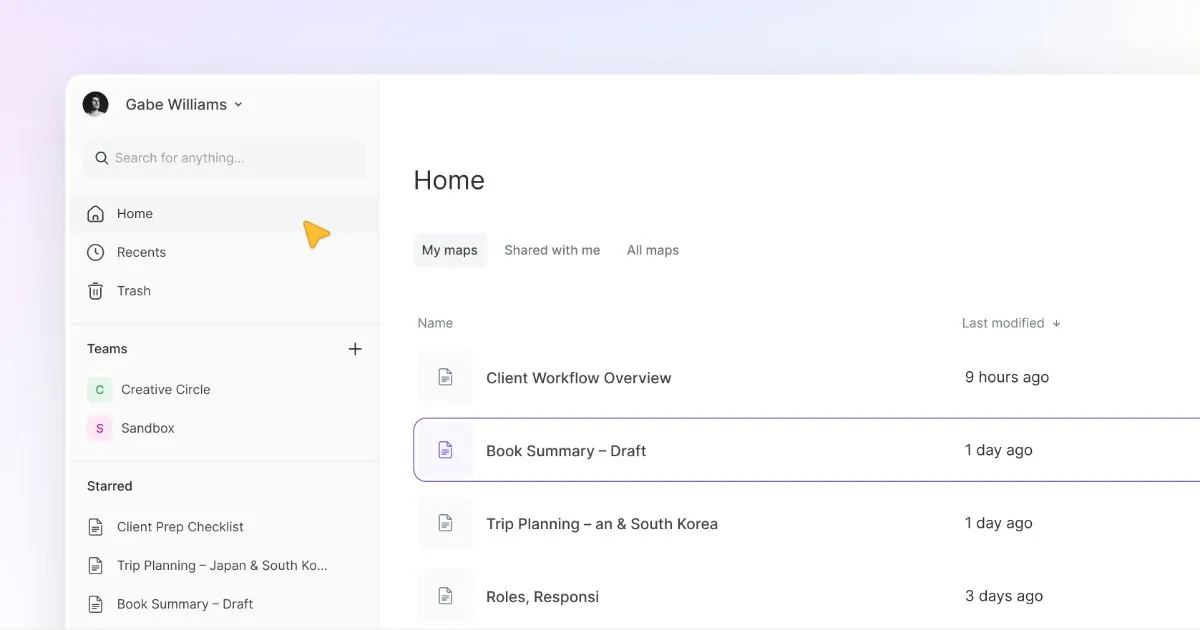
8. Mindly
Best for: Individual brainstorming and idea capture on mobile, especially when away from a desk
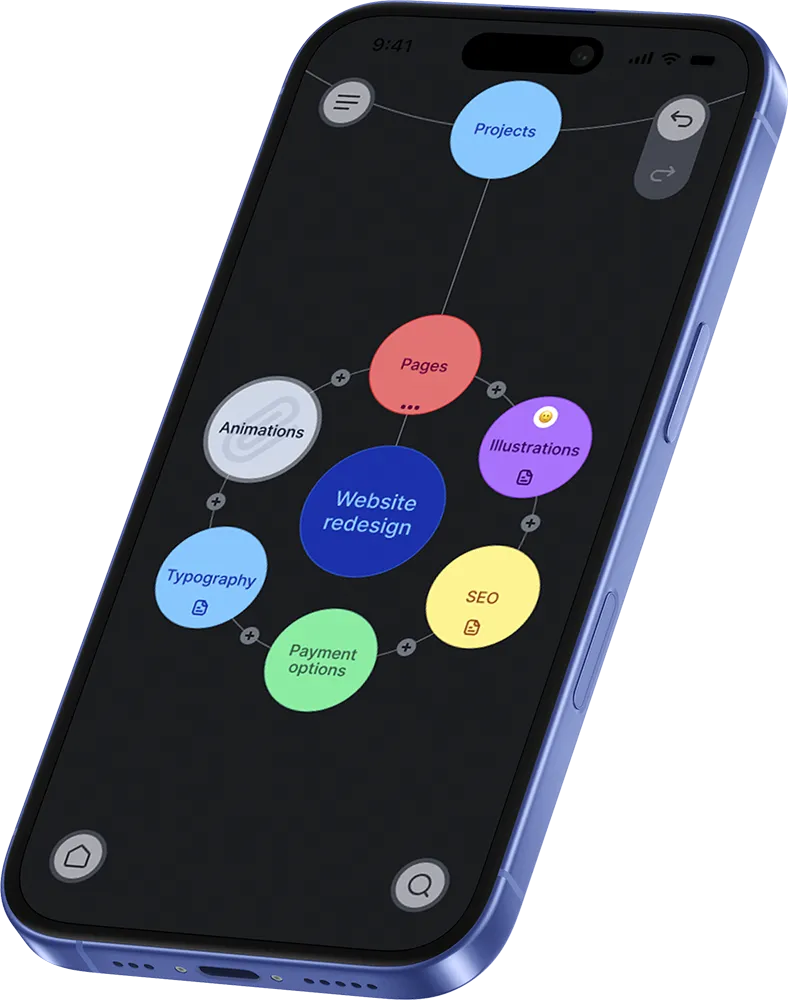
Key functions: Radial (orbital) mind map layout, fluid animations, offline access, mobile-optimized
Mindly uses an orbital layout. Ideas circle around a central concept in expanding layers. It works better on a phone screen than the branching tree structure most tools use. Offline access makes it usable anywhere. It's designed for one person capturing their own thinking, not for live group sessions.
Pricing: Freemium, with mobile app.
Specialized brainstorming solutions
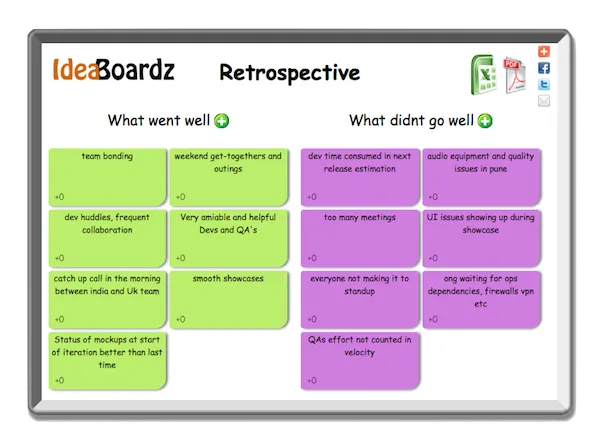
9. IdeaBoardz
Best for: Agile teams running retrospectives using standard frameworks
Key functions: Virtual sticky note boards, retrospective templates (Start/Stop/Continue, Mad/Sad/Glad, Starfish), voting, no setup required
IdeaBoardz does one thing: virtual sticky note boards for structured retrospectives. There's no account creation, no installation. A facilitator creates a board and shares the link. For agile teams that run retrospectives on a regular cycle and want the simplest possible digital version of a physical sticky note session, it's hard to beat.
Pricing: Free.
10. Evernote
Best for: Asynchronous idea capture before or between live sessions
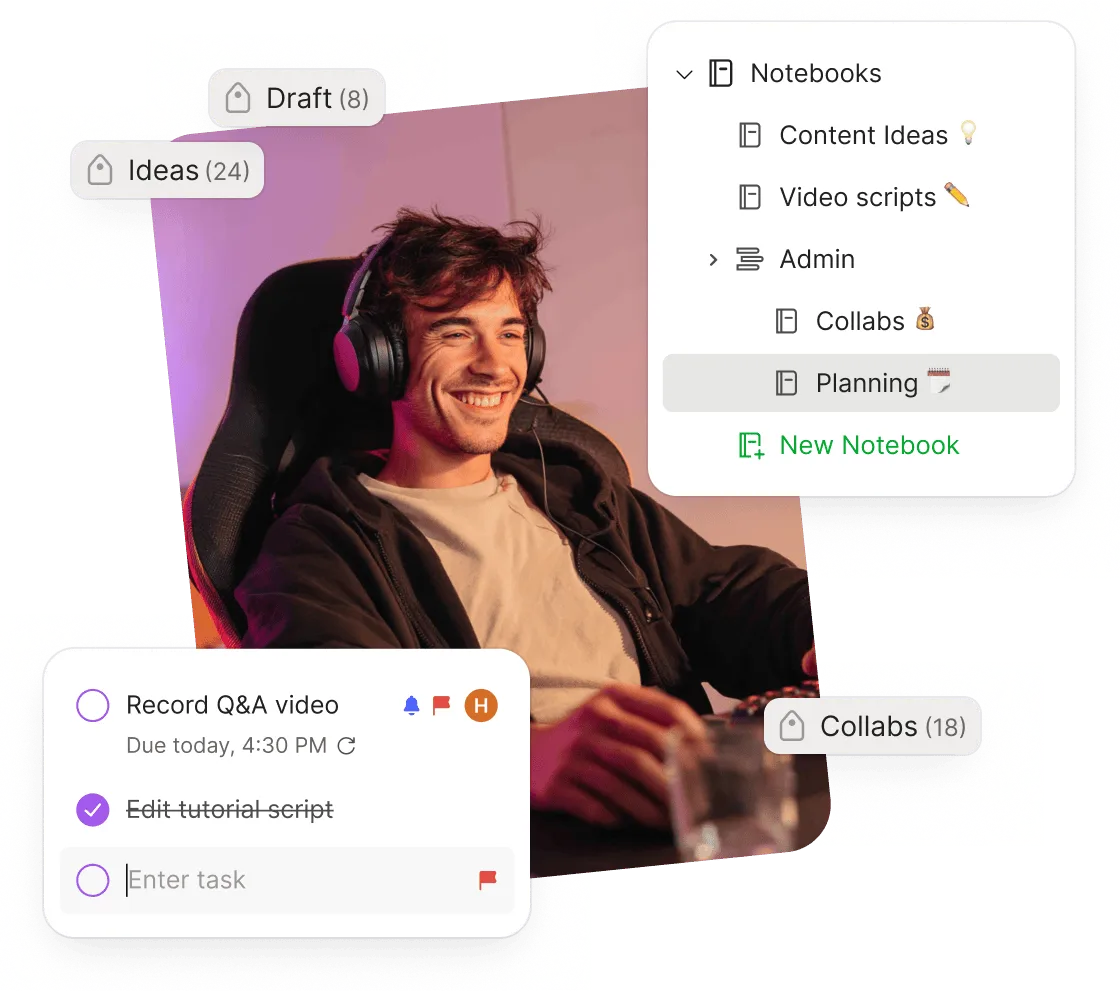
Key functions: Cross-device note syncing, handwriting-to-text conversion, notebooks and tags for organization, template library
Evernote is not a group brainstorming tool in the live-session sense. It's useful as a capture layer, a place where individuals collect ideas asynchronously before a team session. The handwriting recognition is practical for people who sketch or note by hand and need those inputs in a searchable digital format.
Pricing: Free plan available. Paid plans from $8.99/month.
11. Lucidchart
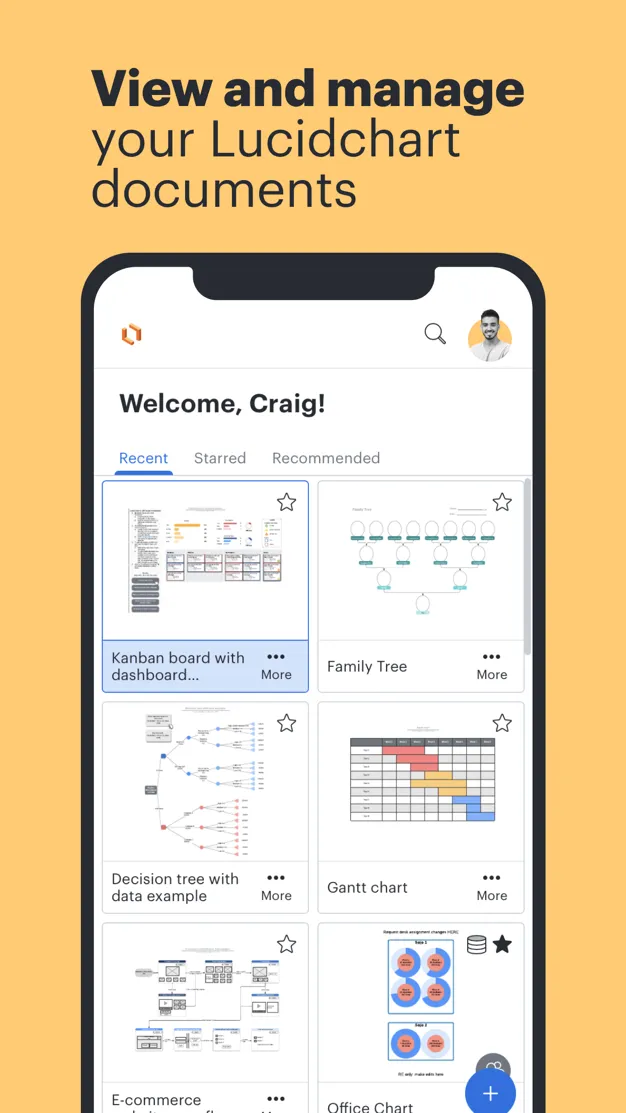
Best for: Technical teams brainstorming processes, systems, and workflows that need to end up as formal diagrams
Key functions: Professional diagramming, shape libraries for UML, network, org charts, real-time collaboration
Lucidchart (the more structured sibling of Lucidspark) serves teams where brainstorming produces diagrams rather than sticky notes. If a session is meant to produce a process map, system architecture, or org chart, Lucidchart is built for that output in a way that general whiteboards are not.
Pricing: Free plan available. Paid plans from $7.95/month.
12. MindNode
Best for: Apple-ecosystem teams that want a polished, native mind mapping experience on Mac, iPad, and iPhone
Key functions: Native Apple design, iPhone home screen widget for quick capture, Reminders integration, focus mode
MindNode is Apple-only, which is a real constraint. For teams standardized on Apple hardware, the experience is noticeably smoother than cross-platform tools. The Pencil support on iPad is particularly good for visual thinkers who prefer sketching over typing. The home screen widget means you can start capturing an idea before it disappears.
Pricing: From $3.99/month.
13. WiseMapping
Best for: Organizations that need open-source software for security, compliance, or customization reasons
Key functions: Free open-source mind mapping, embeddable in websites, team collaboration, export options
WiseMapping can be self-hosted, which makes it one of the few brainstorming tools that organizations with strict data governance requirements can actually deploy. Technical teams can modify the source code, integrate it with internal systems, or extend it in ways that commercial tools don't allow.
Pricing: Free and open-source.
14. Bubbl.us
Best for: Occasional users who need a quick thought map without learning a new tool
Key functions: Browser-based mind mapping, color customization, sharing, image export
Bubbl.us is straightforward: open a browser, start mapping. There are no advanced features to navigate and no significant setup. The free version limits users to three maps, so regular users will likely need a paid plan or an alternative.
Pricing: Free (3-map limit). Paid plans from $4.99/month.
Comparison at a glance
How to get better results from any brainstorming tool
The research on group brainstorming points in a consistent direction: having people generate ideas individually before the group session produces more ideas and more original ideas [1]. A hybrid structure works better than pure group brainstorming almost every time.
In practice, that means sending a prompt to participants before the session and asking them to submit two or three ideas in writing before they arrive. Tools like AhaSlides make this straightforward: open an anonymous submission slide before the meeting starts, share the link, and collect ideas asynchronously. By the time the group convenes, there is already a pool of material to work with rather than a blank canvas and an awkward silence.
During the session, use the group time for clustering, building on ideas, and deciding what to pursue. Voting features, where everyone ranks their top choices simultaneously, prevent the loudest voice in the room from determining the outcome. Anonymous voting in particular produces more honest prioritization than a show of hands.
After the session, the output needs to go somewhere. A brainstorming session that produces a list nobody acts on trains teams to disengage from future sessions. Assign an owner to each idea worth pursuing before the meeting ends, even if the next step is just 'evaluate by Friday.
A real example: a 60-person HR team at a manufacturing company used AhaSlides to run an anonymous brainstorm on barriers to internal mobility. Ideas came in from people who had never raised the topic in meetings before. The output was meaningfully different from what the leadership team had assumed they would hear.
The tool matters less than the structure, but the right tool makes the structure easier to run consistently.
Frequently asked questions
How do I run an effective brainstorming meeting?
Define a specific problem before the session starts. Invite 5-8 people with genuinely different perspectives. Have people generate ideas independently first, then bring the group together. Use a tool that captures everything and makes it easy to cluster and vote on what's worth pursuing. Assign clear next steps before the meeting ends.
Is group brainstorming effective?
Group brainstorming produces fewer and less creative ideas than nominal groups (individuals working separately, then combining output), according to decades of research [1]. The most effective approach alternates individual and group phases. The group is useful for building on ideas and making decisions; individual work is better for generating them.
What brainstorming tool works best for project planning?
Mind mapping is the most common starting point for project planning brainstorming. Tools like MindMeister or Lucidchart let you build out a project structure visually, then convert the output to tasks. For capturing input from a larger group before planning begins, a live-session tool like AhaSlides gives everyone a voice without the session becoming chaotic.
Sources
[1] Diehl, M., & Stroebe, W. (1987). Productivity loss in brainstorming groups: Toward the solution of a riddle. Journal of Personality and Social Psychology, 53(3), 497–509. See also: Paulus, P. B., & Yang, H. C. (2000). Idea generation in groups: A basis for creativity in organizations. Organizational Behavior and Human Decision Processes, 82(1), 76–87. Summary via IxDF.
[2] Research on anonymity in brainstorming: when ideas cannot be attributed to a specific person, participants share more novel and divergent ideas. Summary via Westpac/UNSW and McKinsey on silent voting as a counterweight to conformity pressure.