
Planning a virtual party sounds easy until you're staring at a blank video call wondering what happens after everyone says hello. Buffer's 2023 State of Remote Work survey found that 23% of remote workers cited loneliness as a struggle, making it the second most commonly selected challenge after staying home too often [1]. A well-run virtual party is one of the simplest ways to close that gap, and it does not take a budget to pull off.
These 11 free virtual party ideas work for remote team socials, family catch-ups, or any online celebration where you want more than small talk. Every idea below uses free tools, and most take five minutes to set up.
How to use this list
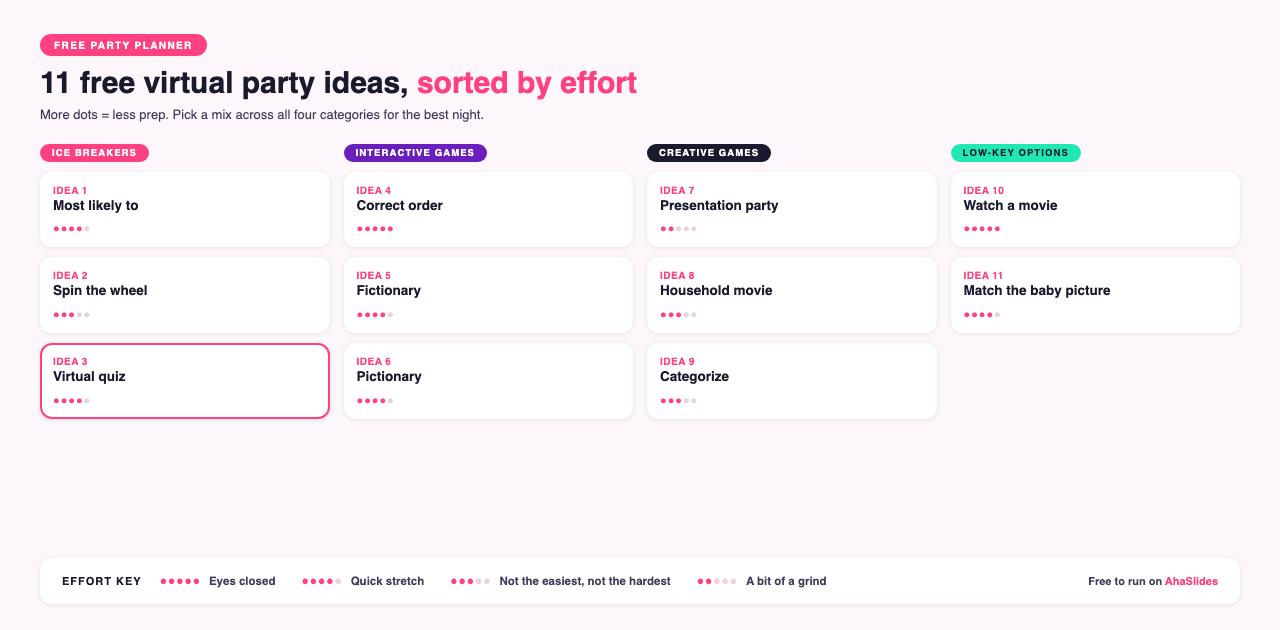
We've split all 11 ideas into 4 categories:
- Ice breakers for a virtual party: idea 1 (Most likely to), idea 2 (Spin the wheel), idea 3 (Virtual quiz)
- Interactive games for virtual parties: idea 4 (Correct order), idea 5 (Fictionary), idea 6 (Pictionary)
- Creative virtual party games: idea 7 (Presentation party), idea 8 (Household movie), idea 9 (Categorize)
- Low-key options: idea 10 (Watch a movie), idea 11 (Match the baby picture)
Each idea also comes with an effort rating, from one thumbs-up (block off a few days) to five thumbs-up (you could run it half asleep):
- 👍🏻👍🏻👍🏻👍🏻👍🏻 Can do it with your eyes closed
- 👍🏻👍🏻👍🏻👍🏻 Like a quick stretch before a workout
- 👍🏻👍🏻👍🏻 Not the easiest, but not the hardest either
- 👍🏻👍🏻 A bit of a grind
- 👍🏻 Block off a few days
Tip: Don't only pick the zero-effort ones. Guests notice when a host puts in extra work, so the higher-effort ideas often end up being the biggest hits.
Many of the ideas below run on AhaSlides, a free tool for quizzing, polling, and presenting live with friends, family, or coworkers. You ask a question, guests answer on their phones, and the results show up in real time on everyone's screen.
If you want to build your own activity after reading through the list, you can create a free AhaSlides account and start from a blank slide.

Ice breakers for a virtual party
Idea 1: Most likely to
Effort rating: 👍🏻👍🏻👍🏻👍🏻 Like a quick stretch before a workout
Starting with "Most likely to" removes the nervous energy that tends to hang over the first few minutes of a virtual party. Reminding guests of each other's quirks and habits helps them feel closer and kicks things off on a friendly, funny note.
Come up with a handful of outlandish scenarios and ask guests who among the group is most likely to do it. You probably know your guests well, but generic prompts work fine too if you want a wider spread of answers.
For example, who's most likely to:
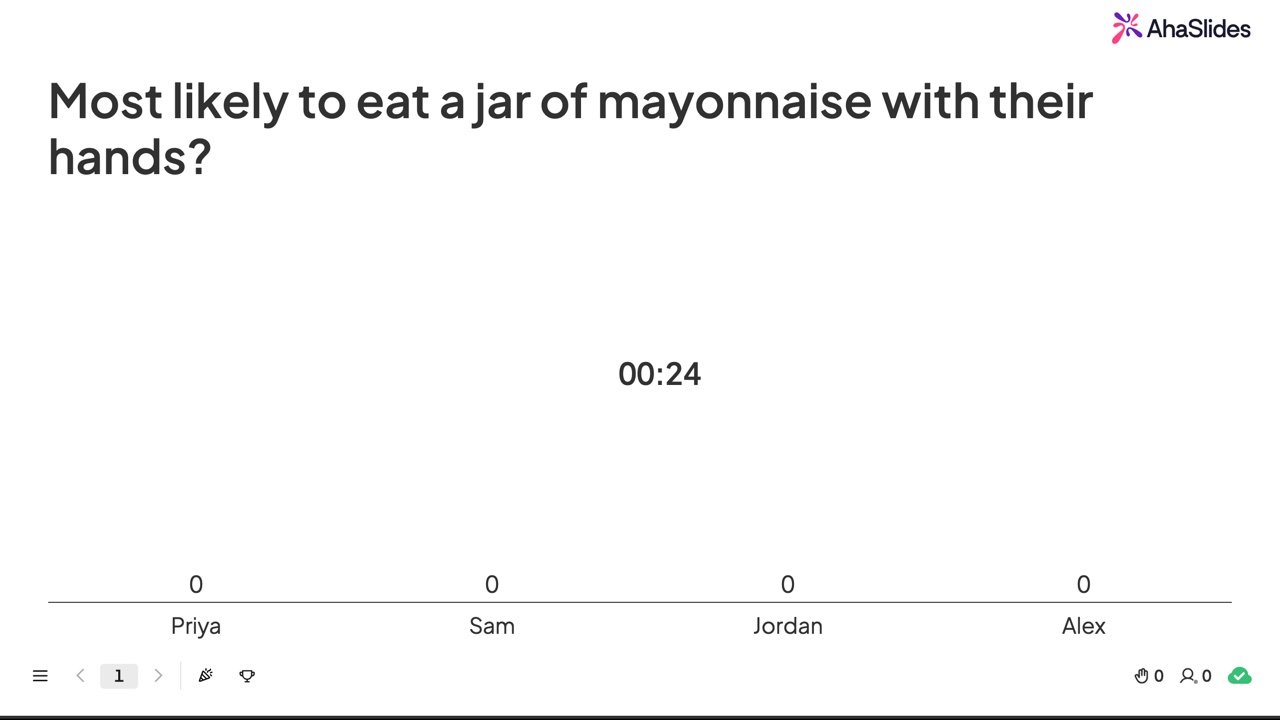
- Eat a jar of mayonnaise with their hands?
- Start a bar fight?
- Have worn the same socks for a week straight?
- Watch 8 hours of true crime documentaries in a row?
How to do it
- Create a "Pick answer" slide with the question "Most likely to..."
- Put the rest of the prompt in the description.
- Add your guests' names as the answer options.
- Turn off "this question has correct answers."
- Share the unique link and let guests vote for who's most likely to do each scenario.
Idea 2: Spin the wheel
Effort rating: 👍🏻👍🏻👍🏻 Not the easiest, but not the hardest either
Want to take the pressure off hosting for a bit? Setting up a virtual spinner wheel with activities or dares lets you step back and let luck take over.
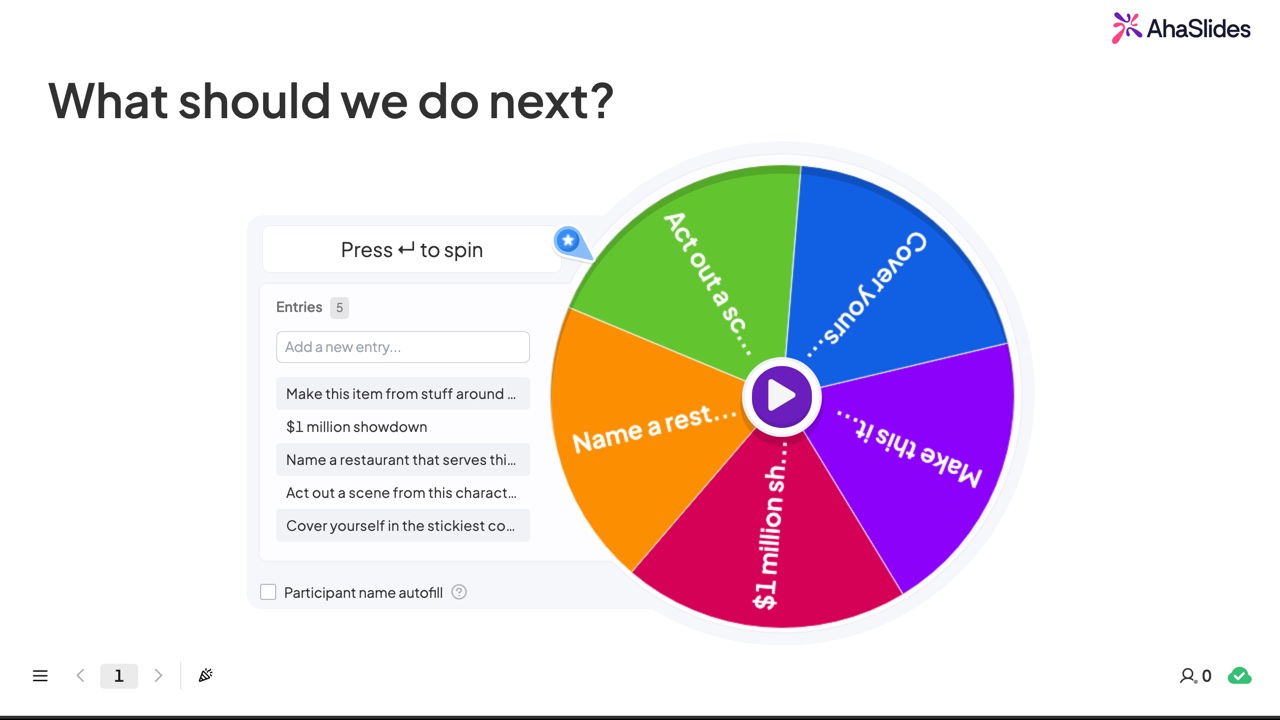
You can build a wheel with up to 10,000 entries on AhaSlides, which is plenty of room for truth-or-dare-style prompts, or other challenges such as:
- What activity should we do next?
- Make this item out of stuff around the house.
- Name a restaurant that serves this food.
- Act out a scene from this character.
- Cover yourself in the stickiest condiment in your fridge.
How to do it
- Go to the AhaSlides editor.
- Create a spinner wheel slide.
- Enter the heading or question at the top of the slide.
- Fill in the wheel entries, or use "participants' names" in the right-hand panel to have guests add their own.
- Share your screen and spin the wheel.
Idea 3: Virtual quiz
Effort rating: 👍🏻👍🏻👍🏻👍🏻 Like a quick stretch before a workout
The online quiz is the reliable classic of virtual party ideas. It's still one of the best ways to bring a group together in friendly competition, and it costs nothing to run.
Building a quiz from scratch takes time, so start from a free, ready-made template instead:
- General knowledge quiz: Get template
- True or false quiz: Get template
- Matching pairs quiz: Get template
No registration or payment is required to view or use these. Share the room code with your guests and start quizzing live.
How does it work?
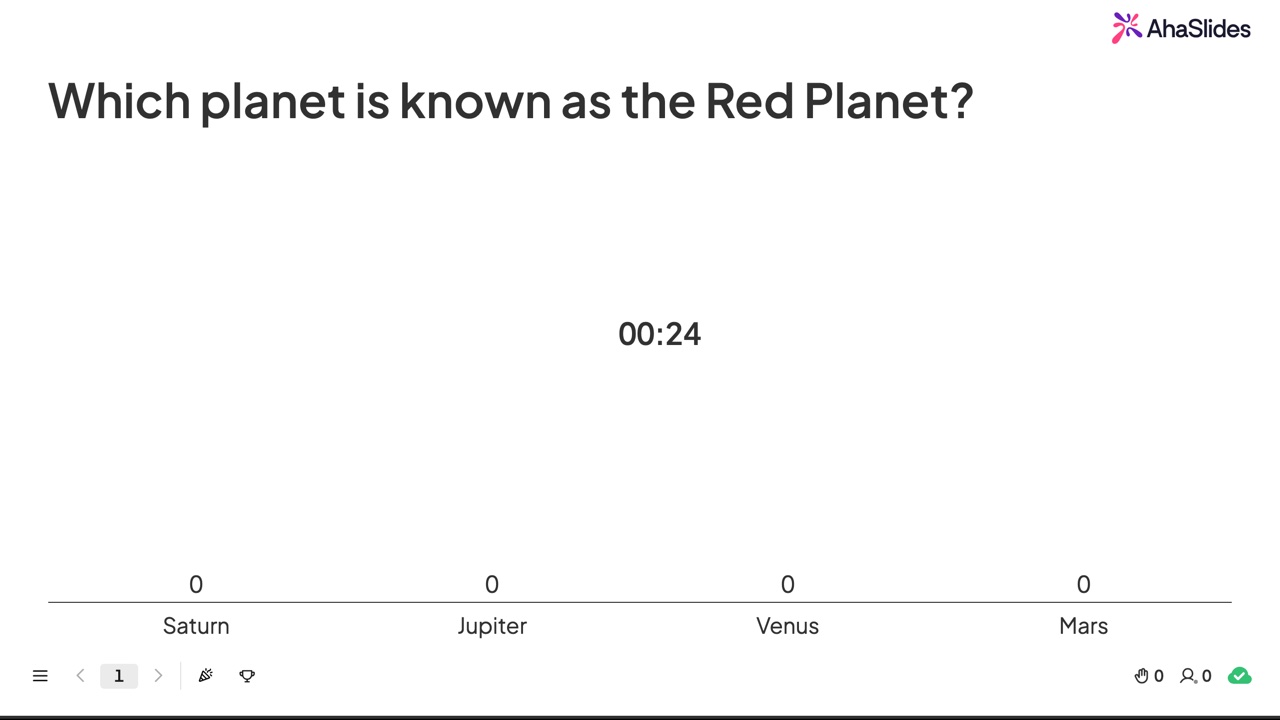
Once you've downloaded a template above, or built your own from scratch, host it from your laptop while guests play along on their phones.
Interactive games for virtual parties
Idea 4: Correct order
Effort rating: 👍🏻👍🏻👍🏻👍🏻👍🏻 Can do it with your eyes closed
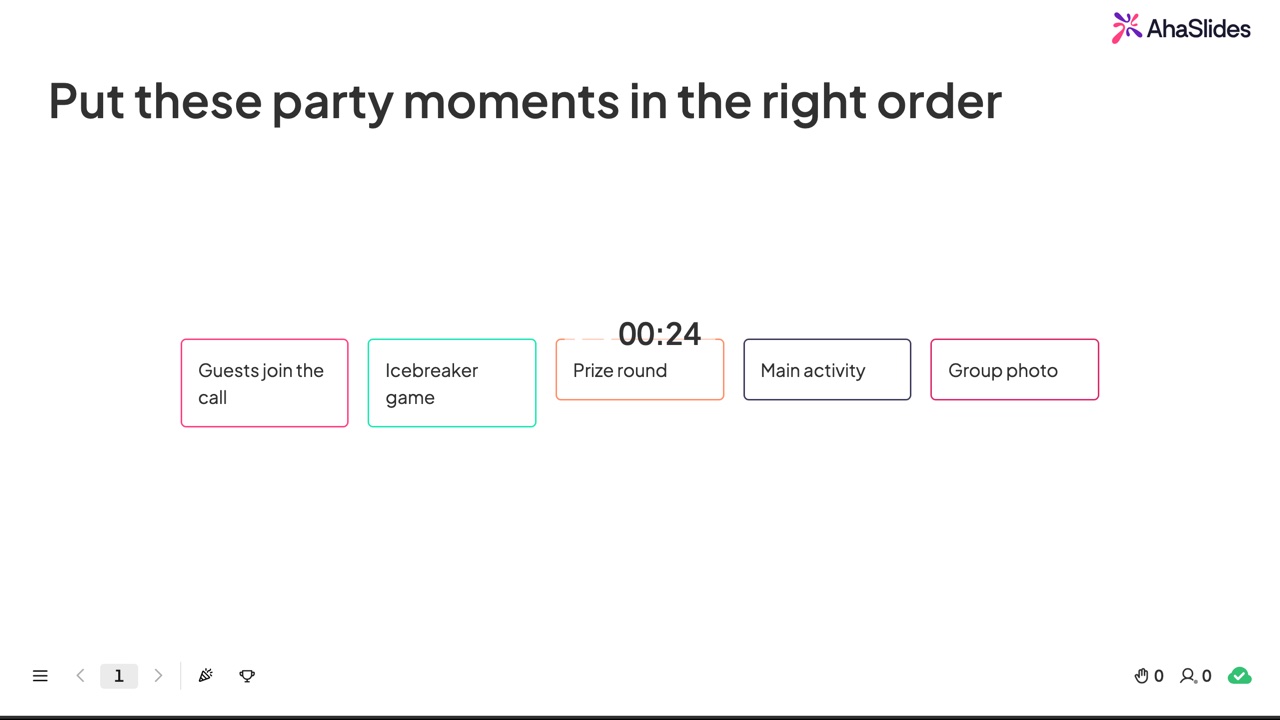
Correct order is a game where guests arrange a set of objects, events, or facts in the right sequence, whether that's chronological, by size, by value, or any other logical order. What separates the sharp thinkers from the guessers is that the sequences are trickier than they look.
The correct order slide type on AhaSlides makes this easy to run online. Send guests the link, show them the items that need sequencing, and watch them drag and drop their answers in real time.
How to do it
- Create a new presentation on AhaSlides.
- Choose the "correct order" slide type.
- Type in the answers in a random order.
- Invite guests with the link or QR code.
- Present and play.
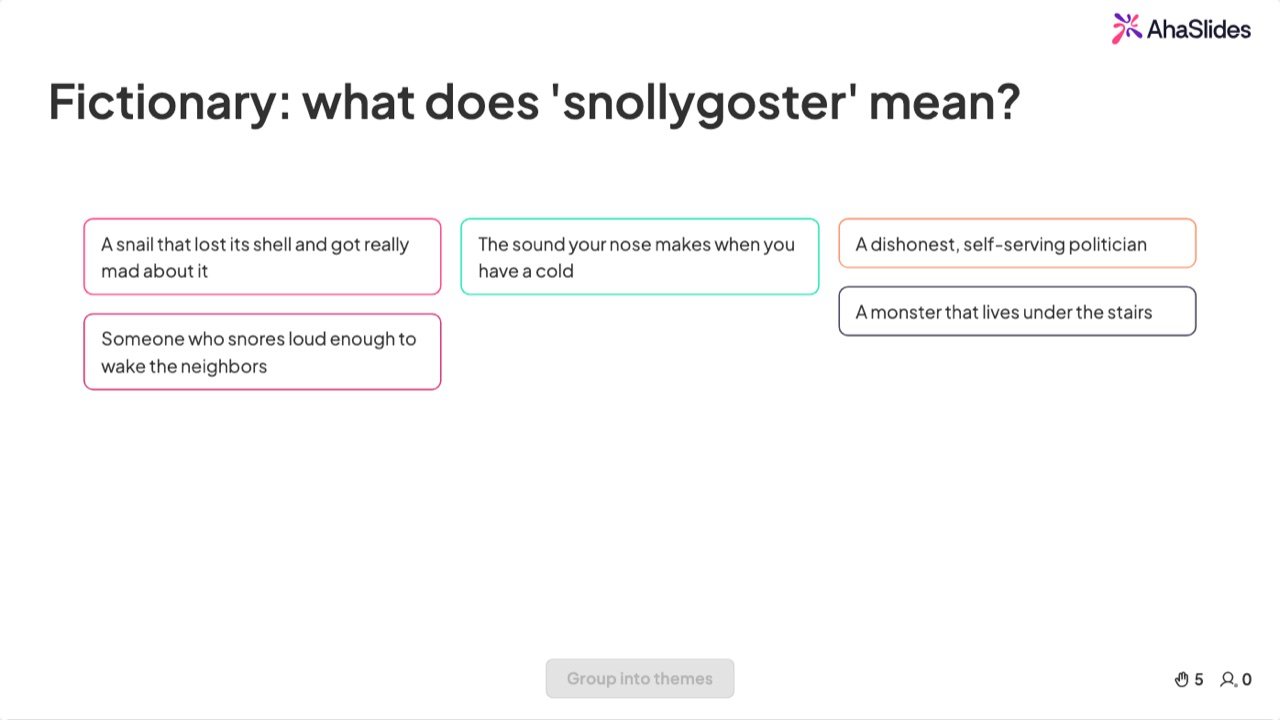
Idea 5: Fictionary
Effort rating: 👍🏻👍🏻👍🏻👍🏻 Like a quick stretch before a workout
The English language is full of bizarre, mostly useless words, and Fictionary puts them to good use.
Guests try to guess the meaning of a word they've almost certainly never heard of, then vote for the answer they think sounds most correct. Points go to whoever guesses the real meaning and to whoever wrote the answer that got the most votes.
To level the playing field, add a second scoring round for "whose answer was the funniest?" so the best joke answers can score too.
How to do it
- Create an "open ended" slide on AhaSlides and enter your Fictionary word as the question.
- Under "additional fields," make the name field mandatory.
- Under "other settings," turn on "hide results" (to stop copying) and "limit time to answer" (to add pressure).
- Set the results layout to grid.
- Create a poll slide titled "Whose answer do you think was right?" with your guests' names as options.
- Turn off "this question has correct answers."
- Repeat with a second poll asking "Whose answer do you think was funniest?"
Idea 6: Pictionary
Effort rating (using Draw.chat): 👍🏻👍🏻👍🏻👍🏻 Like a quick stretch before a workout
Effort rating (using Drawful 2): 👍🏻👍🏻👍🏻👍🏻👍🏻 Can do it with your eyes closed
Draw.chat is a solid free tool for playing Pictionary online. If you'd rather pay a small fee for a more polished experience, Drawful 2 gives guests a huge range of odd concepts to draw from their phones.
How to do it
If you're using Draw.chat:
- Put together a list of words to draw (seasonal ones work well).
- Send a few words from your list to each guest.
- Create a room on Draw.chat.
- Invite guests using the personal whiteboard link.
- Give each guest a time limit to get through their word list.
- Track how many correct guesses each drawing earns within the time limit.
If you're using Drawful 2 (paid, $9.99):
- Download Drawful 2 (only the host needs the download).
- Start a game and invite guests with the room code.
- Choose a name and draw an avatar.
- Draw the concept you're given.
- Guess what everyone else's drawing is.
- Vote on the correct answer and the funniest answer for each drawing.
Creative virtual party games
Idea 7: Presentation party
Effort rating: 👍🏻👍🏻 A bit of a grind
If "presentation" and "party" seem like an unlikely pair, you haven't tried this one. A presentation party is a creative outlet for guests and a genuine break for the host.
Before the party, each guest builds a short, funny, informative, or shocking presentation on any topic they choose. Once the party starts, everyone presents to the group.
Keep it fun rather than exhausting by capping presentations at a set number of slides or a time limit. Guests can also vote on winners in categories like funniest or most informative to keep it competitive.
How to do it
- Before the party, ask each guest to build a short presentation on a topic of their choice.
- When the party starts, let each person share their screen and present.
- Award points at the end for categories such as most hilarious, most informative, or best use of sound.
Google Slides is a solid free tool for building presentations. If you want to make a Google Slides deck interactive with AhaSlides features, you can do that in three simple steps.
Idea 8: Household movie
Effort rating: 👍🏻👍🏻👍🏻 Not the easiest, but not the hardest either
Household movie is a game where guests recreate movie scenes using whatever they can find around the house, either a single character or a full scene.
How to do it
- Ask guests to pick a movie scene they want to recreate.
- Give them a generous time limit to build the scene from household items.
- Have them reveal the scene live on the call, or send a photo to the group chat.
- Vote on the best, most accurate, or most ridiculous recreation.
Idea 9: Categorize
Effort rating: 👍🏻👍🏻👍🏻 Not the easiest, but not the hardest either
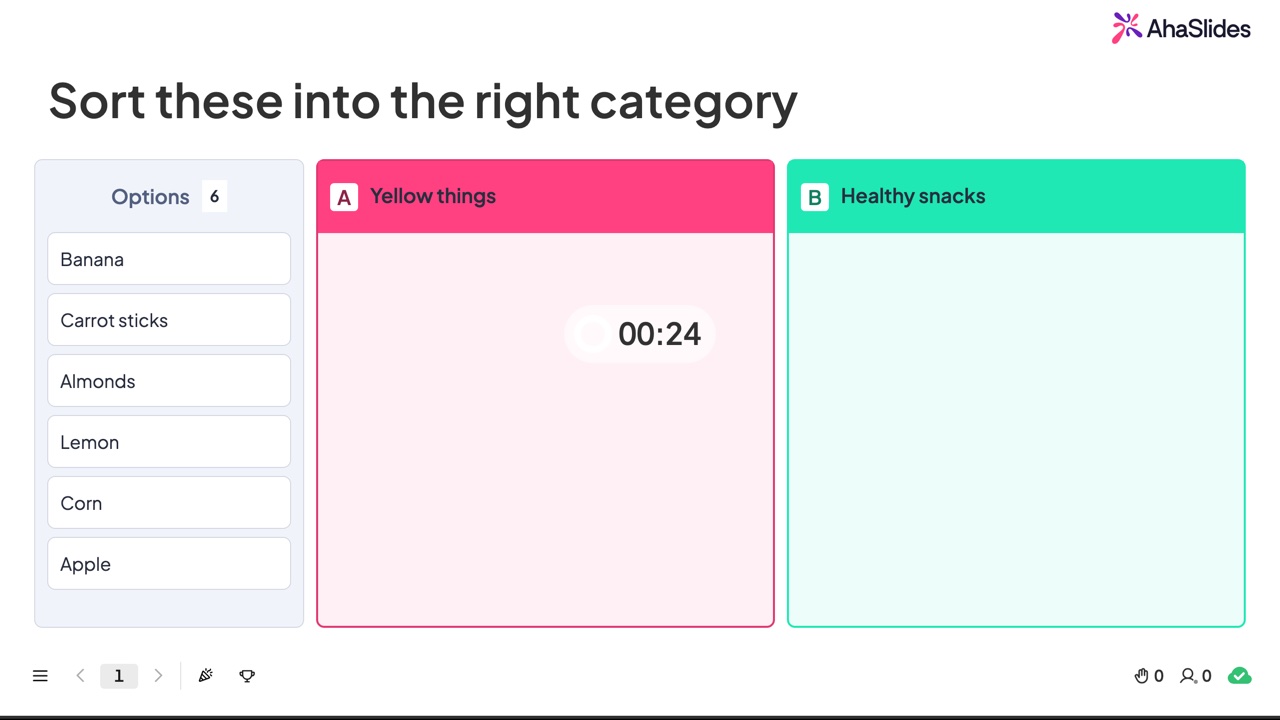
Categorize is a fast, "work together" game that'll have your guests arguing over whether a sausage roll counts as a pastry. Random items get thrown at teams, who have to sort everything into categories before the timer runs out.
The fun happens when teams debate whether "banana" belongs under "yellow things" or "healthy snacks" as the clock counts down. It's a surprisingly good ice breaker and a solid warm-up for a workshop or new team.
AhaSlides has a wide range of free templates you can use for this straight away.
How to do it
- Head to AhaSlides and create a new presentation.
- Choose the categorize slide type and enter your question.
- Add the category names and the items to sort.
- Adjust the settings to make the game easier or harder.
- Present and play.
Low-key options
Idea 10: Watch a movie
Effort rating: 👍🏻👍🏻👍🏻👍🏻👍🏻 Can do it with your eyes closed
Watching a movie together is the classic low-key virtual party idea. It lets everyone step back and unwind with whatever film the group settles on.
Watch2gether is a free tool that syncs video playback across everyone's screens without lag. It works with platforms beyond YouTube, including Vimeo, Dailymotion, and Twitch.
This is a great pick for a virtual holiday party, since there's no shortage of free holiday films online. But honestly, any virtual party can use a wind-down like this.
How to do it
- Create a free room on Watch2gether.
- Add a video, either your pick or a group vote.
- Play the video and relax.
Tip 1: After the movie, run a quick quiz on what happened to see who was actually paying attention.
Tip 2: If everyone has Netflix, you can sync a show using the Teleparty browser extension.
Idea 11: Match the baby picture
Effort rating: 👍🏻👍🏻👍🏻👍🏻 Like a quick stretch before a workout
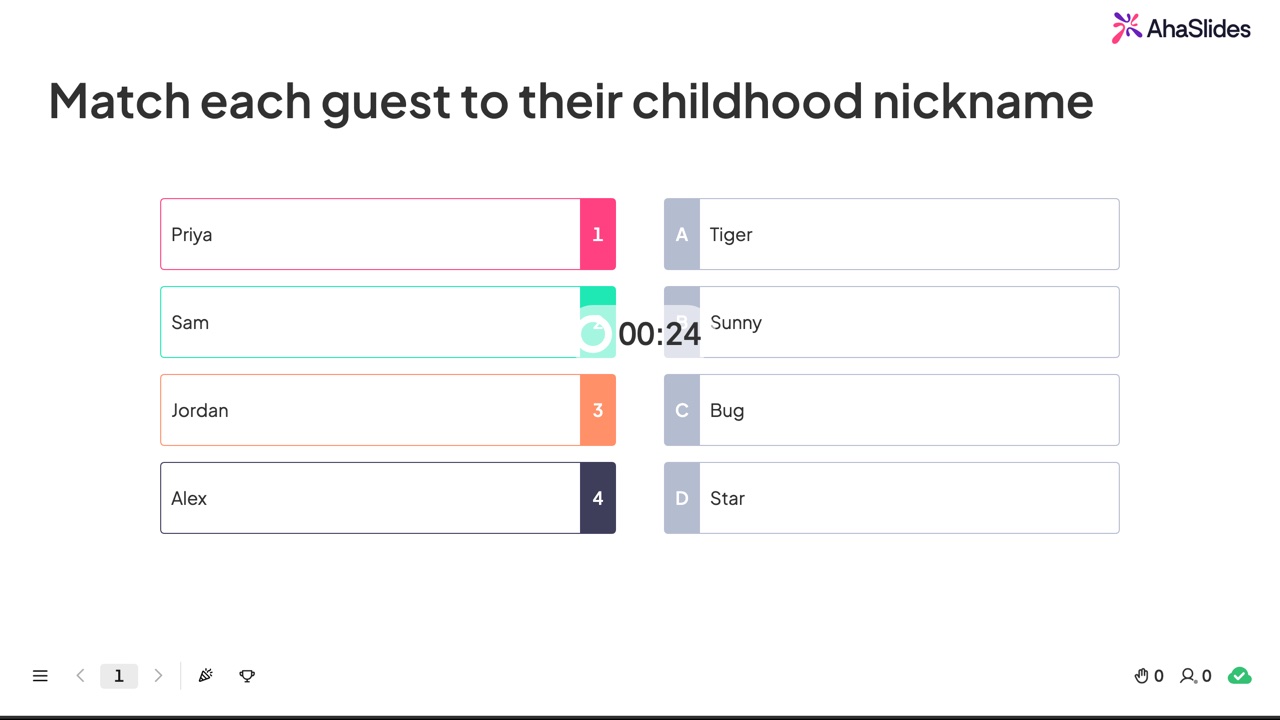
Match the baby picture takes guests back to simpler times. Each guest sends you a baby photo ahead of time. On the day, you reveal each photo, either on camera or over screen share, and guests guess which adult that baby became.
How to do it
- Collect baby photos from all your guests ahead of time.
- Create a "match pairs" slide with the collected images.
- Add the pictures as questions and type in the matching answers.
- Share the unique link and let guests guess who's who.
Any one of these 11 ideas is enough to turn a flat video call into something people actually want to show up for. Pick two or three that fit your group's energy, or run through the whole list for a longer celebration. If you want to build your own from scratch, create a free AhaSlides account and start with a blank slide.
Sources
[1] Buffer, 2023 State of Remote Work: 23% of remote workers selected loneliness as a struggle, the second most commonly selected challenge after staying home too often.