
An emoji check-in is a quick question that people answer with one emoji instead of words: how they feel, how ready they are or how a session went. Instead of asking "how is everyone feeling?" and waiting for the same two people to answer, ask it at the start or end of a lesson, meeting or workshop, and in a few seconds you can see how the whole group is doing.
Asking each person in turn takes time, and the first few answers shape the rest. One tap on a phone is faster, everyone answers at once, and nobody has to speak in front of everyone. It is also how many people prefer to share: in Adobe's 2021 Global Emoji Trend Report, 55% of the 7,000 people surveyed in seven countries said they are more comfortable expressing emotions through emoji than in a phone conversation.
Below are 30 emoji check-in questions in five rounds: starting a lesson, ending a lesson, team meeting warm-ups, the end of a workshop or training, and events. Each question has an emoji set ready to vote on, and each round has one "Our pick". This post is about checking in live with a group. If you are looking for a printable feelings chart, this isn't it.
Round 1: Emoji check-in for students at the start of a lesson
Set A: Arriving and getting ready
| Question | Emoji set |
|---|---|
| 1. How are you feeling as we get started? | 🤔 😊 😎 😴 |
| 2. How ready do you feel for today's topic? (😴 not yet, 😐 getting there, 😀 ready) | 😴 😐 😀 |
| 3. Which animal matches your energy right now? (🦥 slow, 🐢 steady, 🐇 quick, 🐆 full speed) | 🦥 🐢 🐇 🐆 |
| 4. How confident do you feel about what we covered last lesson? | 😟 😐 🙂 😎 |
| 5. How did the homework go? (😫 hard, 😐 fine, 🙂 good, ⭐ great) | 😫 😐 🙂 ⭐ |
| 6. What do you want more of today? (💡 new ideas, 📝 practice, 🧩 puzzles) | 💡 📝 🧩 |
Our pick: question 2. It tells you before you start whether to recap or move on, and a sleepy face is easier to admit to than "I'm lost".
Round 2: Emoji check-in questions to end a lesson
Set A: Looking back on the lesson
| Question | Emoji set |
|---|---|
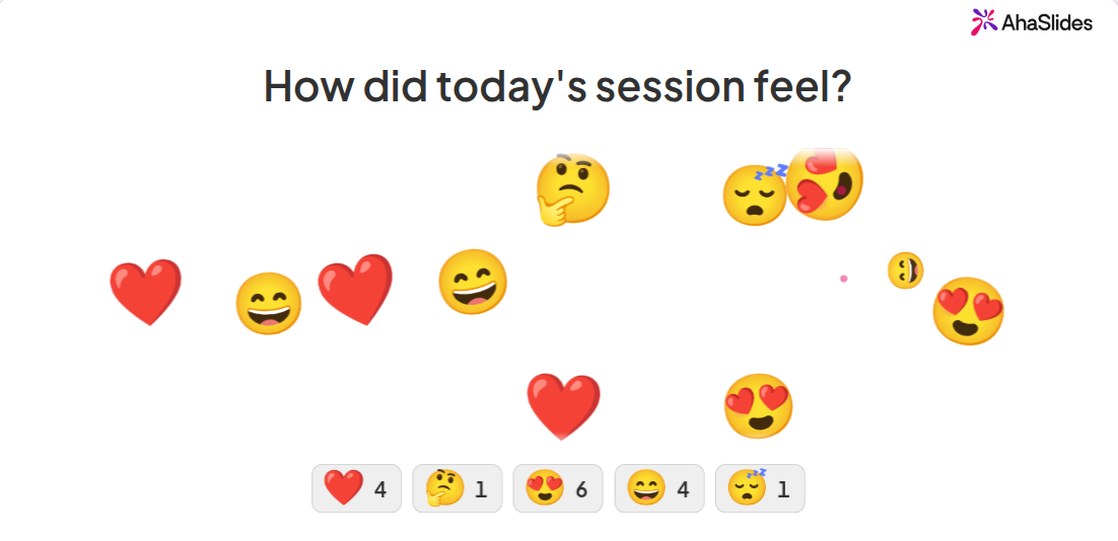
| 7. How did today's session feel? | ❤️ 🤔 😍 😄 😴 |
| 8. How clear is today's topic now? (😕 still unclear, 😐 partly, 🙂 mostly, 🤩 fully clear) | 😕 😐 🙂 🤩 |
| 9. How was the pace today? (🐢 too slow, 🙂 just right, 🐆 too fast) | 🐢 🙂 🐆 |
| 10. Which part did you enjoy most? (📖 reading, 🧩 the puzzle, 🎨 the creative task) | 📖 🧩 🎨 |
| 11. How hard was today? (😌 easy, 😐 a bit hard, 🤯 too hard) | 😌 😐 🤯 |
| 12. How do you feel about the next test? | 😟 😐 🙂 😎 |
Our pick: question 8. Three or more unclear faces is a sign to open the next lesson with a recap, and you know it before anyone leaves.
Round 3: Emoji check-in for meetings
Set A: Meeting warm-ups
| Question | Emoji set |
|---|---|
| 13. How's your week going? | 😫 😐 🙂 😄 |
| 14. How busy is your week? (🐢 light, 🐝 busy, 🐙 many tasks at once) | 🐢 🐝 🐙 |
| 15. How's your energy this morning? (😴 low, 🙂 fine, 🚀 high) | 😴 🙂 🚀 |
| 16. Which animal are you today? | 🦥 🐢 🦁 🐬 🐝 |
| 17. How clear are your priorities for the week? (😵 not at all, 😐 partly, 🙂 mostly, 🎯 fully clear) | 😵 😐 🙂 🎯 |
| 18. How do you feel about our next deadline? | 😰 😐 🙂 😎 |
Our pick: question 16. It gets a smile in the first minute, and if most of the team picks the sloth, keep the meeting short.
Round 4: The end of a workshop or training
Set A: Wrapping up
| Question | Emoji set |
|---|---|
| 19. How useful was today? | 😐 🙂 😀 🤩 |
| 20. How confident do you feel using this tomorrow? | 😟 😐 🙂 😎 |
| 21. Which part will you use first? (💡 the ideas, 🧰 the tools, 📋 the checklist) | 💡 🧰 📋 |
| 22. How was the length of today's session? (😴 too long, 🙂 just right, 😮 too short) | 😴 🙂 😮 |
| 23. How much energy do you have left? (🔋 plenty, 🙂 some, 😴 not much) | 🔋 🙂 😴 |
| 24. Sum up today in one tap | ❤️ 🤯 ⭐ 💡 |
Our pick: question 20. Enjoying a session and being ready to use it are different things, and this question measures the second.
Round 5: Events and all-hands
Set A: Big groups
| Question | Emoji set |
|---|---|
| 25. How's the energy in here? | 🚀 ⭐ ❤️ |
| 26. How do you feel about the year ahead? | 😟 😐 🙂 🤩 |
| 27. How did you travel here today? | 🚲 🚌 🚗 🚆 💻 |
| 28. How was the keynote? | 😐 🙂 🤩 🤯 |
| 29. How do you feel about the news you just heard? | 😟 😐 🙂 🥳 |
| 30. Would you come back next year? | 😐 🙂 😍 |
Our pick: question 27. It has no wrong answer, so even the shyest person in a crowd of hundreds taps, and the screen fills up in seconds.
Which emojis work best for a mood check-in?
Stick to faces, hearts, stars, objects and animals. Their meaning is easy to read whatever language your group speaks.
Leave out hand gestures. A thumbs up, for example, is friendly in many places and an insult in others, so in a mixed group the same tap can mean different things. Flags, and symbols tied to a religion or a political view, have no place in a mood check either.
Two more rules make the results easy to read:
- Put the meaning in the question. "😐 partly, 🙂 mostly" leaves nothing to guess.
- Keep it to 3 to 5 emojis. Two is a yes or no, and six is more than most people read before tapping.
Ways to host an emoji check-in for a group
AhaSlides is an all-in-one engagement platform for teams and classrooms. Three of its slides work for a live emoji check-in, in a classroom, a meeting room or on a video call.
1. Emoji Poll
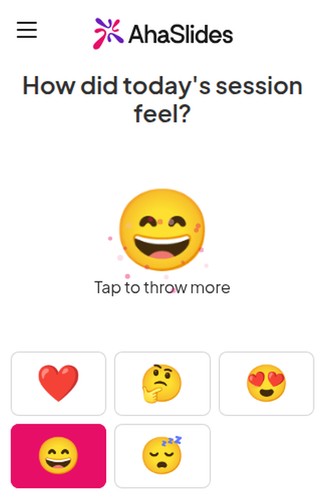
This is the main one. You pick 2 to 6 emojis, people tap one on their phone, and each tap flies across your screen and adds 1 to that emoji's count. The steps are in the Emoji Poll help article.
One setting matters. Allow submitting more than once is on by default, so people can keep tapping. Turn it off when you want one answer per person and a true count. Leave it on at an event, where a screen full of flying hearts is what you want. Counts are taps, not people, so with it on the totals can be higher than your group size.
2. Word Cloud
Ask "Sum up how you feel in one word". The most common words grow largest, which gives you the mood plus the language people use for it. Use it after an Emoji Poll when you want to know why.
3. Rating Scale
Ask for a mood score from 1 to 5. Run the same question every week and you get a trend line, not a one-off snapshot.
Host your emoji check-in on AhaSlides for free with the ready-made template, then swap in any question from this list.
Tips for a better check-in
- Ask one or two questions, not ten. A check-in should take under a minute.
- Let people answer first, talk second. Remember the 55% in Adobe's report who are more comfortable expressing emotions through emoji than in a phone conversation. Show the result, then ask one or two volunteers to say more.
- Repeat one question every week. The same set of faces each week shows you a trend.
- Act on what you see. If half the group taps a tired face, change the plan and say why.
Frequently asked questions
What is an emoji check-in?
A short question that people answer by picking one emoji, such as a face or a heart. It shows how a class, team or audience feels in seconds, without anyone having to speak first.
How do you do an emoji check-in in a meeting?
Ask one question with 3 to 5 emojis and give everyone 30 seconds to tap. Use an Emoji Poll on screen so all answers show at once, then talk about the result.
What are good emoji check-in questions?
Short ones about a single thing: energy, readiness, how clear a topic is or how a session went. Put the meaning of each emoji in the question, as in the 30 above, so every answer reads one way.
Which emojis work best?
Faces, hearts, stars, objects and animals. Their meaning is clear in most cultures, unlike hand gestures, which can mean different things in different places.
More ways to warm up a group
Want something longer than a check-in? Try these games for virtual meetings. For a new group, start with a few ice breaker questions. If energy drops halfway through a lesson, pick one of these brain break activities.