



To make a Mentimeter word cloud, add a Word Cloud slide, type your question and present it. Your audience goes to menti.com, enters the code on screen and types their answers, and the most popular words grow biggest. Mentimeter's free plan covers 50 participants a month; once a month, one session can go over that limit, with 8 hours to finish it.
Six other word cloud tools are compared below, with free plan limits checked in November 2026. AhaSlides is our product and one of the six, so we've kept to facts you can check on each vendor's own pages.
How to make a Mentimeter word cloud
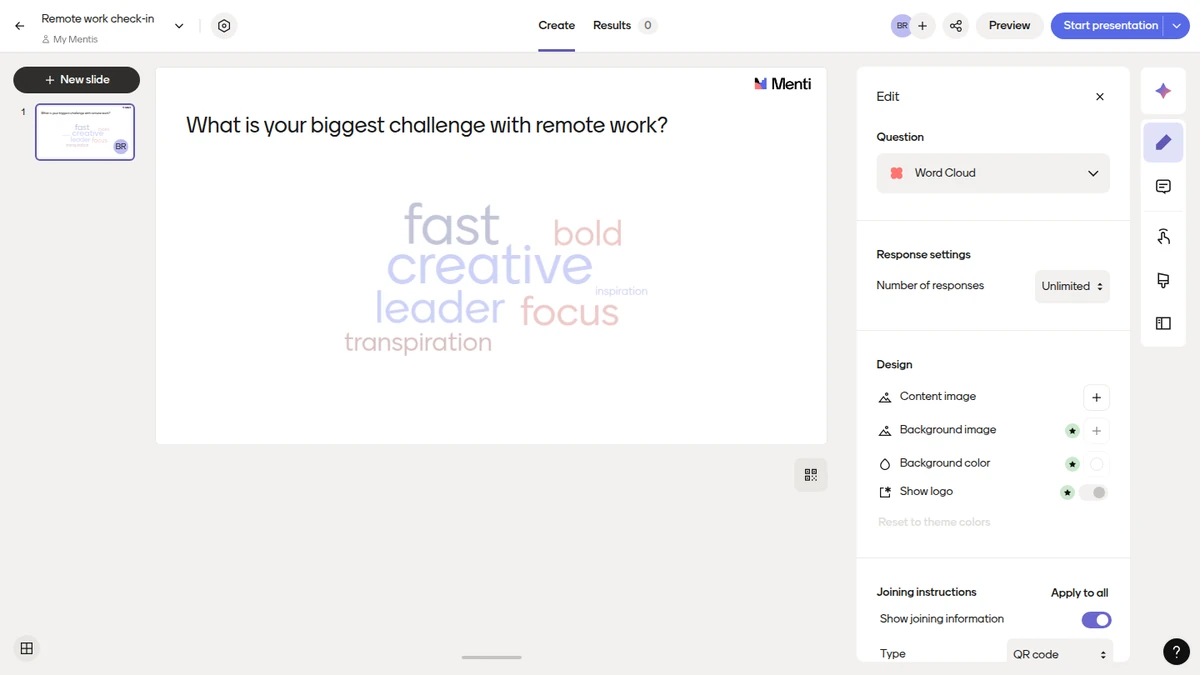
- Add the slide. In the editor, select + New Slide at the top left and choose Word Cloud.
- Write the question. Click the heading field and type a short, open question, such as "What is your biggest challenge with remote work?"
- Set the number of responses. In the Edit tab, choose how many words each person can submit.
- Choose when results show. Pick instant responses, responses on click or private responses (Mentimeter help), and turn on the profanity filter if you need it.
- Present it. Your audience joins by scanning the QR code, opening the link, or entering the code at menti.com, then types their answers (how to join).
- Control it live. Press H to hide or show responses,.
Steps checked against Mentimeter's Word Cloud help article and its help pages on results and joining, November 2026.
What to know before you rely on Mentimeter's word cloud
- Keep answers short. Mentimeter recommends responses of up to 25 characters, and the cloud shows up to 400 unique words, all in lowercase (Mentimeter help).
- The free plan counts participants by the month. It covers 50 participants a month, and once a month one session can go over that limit, with 8 hours to finish it (Mentimeter free plan, checked November 2026).
- Export needs a paid plan. Downloading results as Excel or PDF starts on Basic (Mentimeter plans).
- Grouping similar answers is an Open Ended feature. Mentimeter's AI grouping is documented for Open Ended slides with 10 or more responses, not for the Word Cloud.
What is a word cloud?
A word cloud shows a group's answers as words, with the most frequent ones largest. In a live session people answer from their own phones, and you see what the group thinks as the answers come in.
Word clouds work best for short, open questions such as "What's your biggest challenge with remote work?" or "Describe your customer experience in one word." Unlike a multiple-choice poll, they capture the exact words people use, which makes them useful for quick feedback, spotting pain points and showing people you're listening. They also make interactive presentations easier to run: when people see their own words on the big screen, they start talking about them.
If you're weighing up alternatives to Mentimeter for word clouds, compare live updating, customisation, export and what the free plan allows. Here are seven tools side by side, Mentimeter included.
Comparison table: word cloud tools at a glance
| Tool | Free plan | Word cloud on the free plan | Lowest paid plan | Best for |
|---|---|---|---|---|
| AhaSlides | Up to 50 live participants at a time, unlimited presentations | Yes (AhaSlides word cloud page) | See current prices | Word clouds in the same deck as quizzes |
| Mentimeter | 50 participants a month; once a month one session can go over, with 8 hours to finish it | Check Mentimeter's plans page | See Mentimeter plans | Polished business presentations |
| Poll Everywhere | Up to 40 audience members | Yes, all question types are on every plan | Present: $10 a month, $120 billed yearly only | Classes that run on a learning management system |
| Slido | See Slido's pricing page | See Slido's plans page | See Slido pricing | Events and Webex meetings |
| Vevox | Up to 100 participants per session | No, from Starter | Starter: $11.95 a month, $143.40 billed yearly | Anonymous feedback in formal settings |
| WordArt.com | Free for personal, non-commercial use, standard-quality downloads | Static only, no live audience | One-off purchases, e.g. one month of HQ downloads for $29.99 | Designed word art for print and social |
| Pigeonhole Live | Up to 100 participants, 1 user | See Pigeonhole's plans page | Presenter: $13 a month, or $156 a year | Conferences with Q&A and polls |
Checked in November 2026 on each vendor's own pages: Mentimeter, Poll Everywhere, Slido, Vevox, WordArt.com, Pigeonhole Live. Prices are in US dollars and may exclude tax.
The 7 tools compared
Our ranking of the six alternatives, by how much of a live word cloud you get on a free plan. We make AhaSlides, so weigh our first pick accordingly.
- AhaSlides: the word cloud is on the free plan, for up to 50 live participants at a time, in the same deck as quizzes.
- Poll Everywhere: the word cloud is on the free plan, for an audience of up to 40.
- Slido: Q&A at the centre; check its pricing page for free-plan limits and the word cloud.
- Pigeonhole Live: up to 100 free participants at events; check its plans page for the word cloud.
- Vevox: 100 free participants, but the word cloud starts on the paid Starter plan.
- WordArt.com: designed word art from text, with no live audience.
AhaSlides: word clouds alongside quizzes
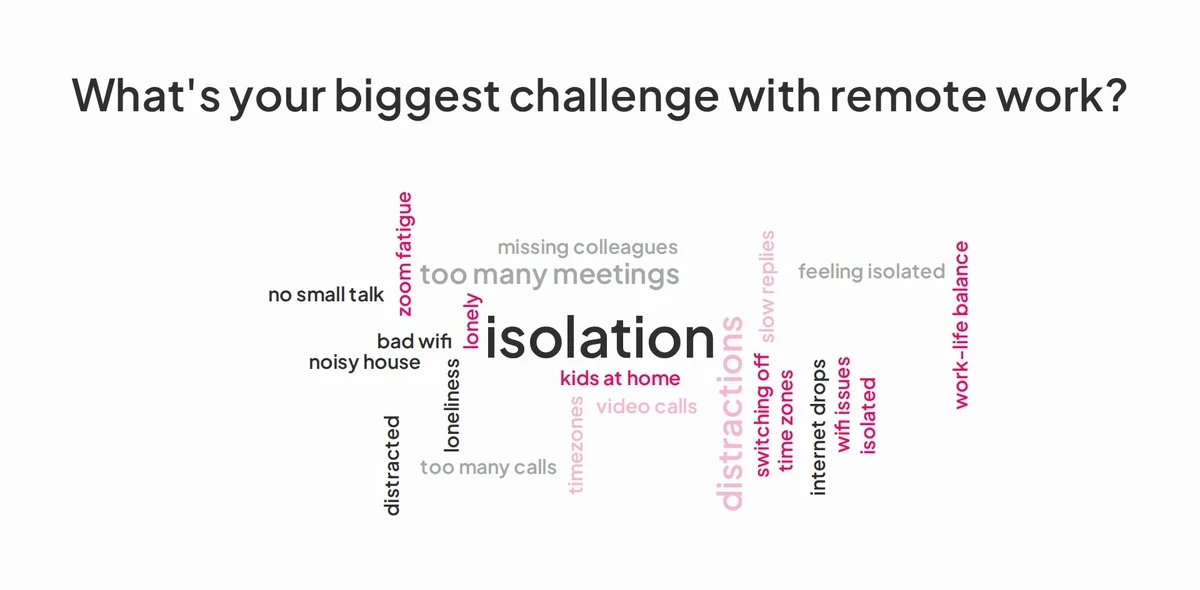
AhaSlides is an all-in-one engagement platform for teams and classrooms. Its Word Cloud is one of more than 40 slide types, so a word cloud can sit between a quiz and a Q&A in the same deck.
Key features:
- Up to 10 entries per participant, up to 25 characters each, and up to 500 words on screen
- Smart Grouping merges similar answers into themes once at least 20 different answers are in
- Profanity filter, and remove any word by hovering over it
- Hide results until you reveal them, and set a time limit (neither is on every plan)
- Thousands of templates to start from
Pricing: the free plan has up to 50 live participants at a time, unlimited presentations. Paid plans, monthly or yearly, are on the pricing page.
Best for: trainers and teachers who want word clouds alongside other activities. Comparing tools for group brainstorming? See our list of collaborative word cloud tools.
Mentimeter: polished design for business presentations
Mentimeter's slides have a clean, minimal look that suits business presentations.
Key features:
- Several responses per participant
- Profanity filter and manual removal of entries
- Hide or show results, with the H key in presentation view
- Join by QR code, link or code at menti.com
Pricing: free for 50 participants a month, and once a month one session can go over that limit, with 8 hours to finish it. Export and slide import start on Basic (Mentimeter plans, checked November 2026).
Best for: business presentations where a polished look matters.
Poll Everywhere: built around learning management systems
Poll Everywhere links into the learning management systems many universities use.
Key features:
- Connects to learning management systems such as Canvas and Blackboard Learn (Poll Everywhere support guides, checked 6 November 2026)
- Roster sync for classes
- Word clouds alongside polls and quizzes
Pricing: the free Intro plan allows an audience of up to 40. Present costs $120 a year ($10 a month), billed yearly only, for up to 700 (Poll Everywhere plans, checked November 2026).
Best for: lecturers who grade participation through their learning management system.
Slido: Q&A-led polling for events and Webex
Slido, part of Webex (Cisco), is built for events and meetings, with live Q&A at its centre and polls including a word cloud.
Key features:
- Live Q&A with upvoting
- Works with Webex and other meeting tools
- One-time plans for a single event, as well as annual plans
Pricing: Slido has a free Basic plan. For its participant and poll limits and current plans, see Slido's pricing page.
Best for: conferences and town halls where Q&A is the main activity.
Vevox: anonymous feedback for formal sessions
Vevox focuses on anonymous feedback, which suits boardrooms, town halls and sensitive staff surveys.
Key features:
- Anonymous participation without a login
- Themes to match the occasion
- Word cloud, numeric and other poll types on Starter
Pricing: free for up to 100 participants per session, but the word cloud starts on Starter at $11.95 a month, $143.40 billed yearly, for up to 250 per session (Vevox pricing, checked November 2026).
Best for: formal sessions where anonymity matters most.
WordArt.com: designed word art from text (static, not live)
WordArt.com makes designed word art from text you paste in. It doesn't collect live answers, so it fits after a session, when you want a printable or shareable picture of the results.
Key features:
- Shapes, fonts and colour layouts
- Free standard-quality downloads for personal, non-commercial use
Pricing: high-quality downloads start at $4.99 for one image, or $29.99 for a month of unlimited downloads (WordArt.com premium, checked November 2026).
Best for: turning survey answers into a designed image.
Pigeonhole Live: the conference platform
Pigeonhole Live runs Q&A, polls and word clouds for large events.
Key features:
- Moderated Q&A for big audiences
- Polls and word clouds within an event
- Several sessions inside one event
Pricing: the free Starter plan covers 100 participants and 1 user. Presenter costs $13 a month, or $156 a year, for 250 participants (Pigeonhole Live pricing, checked November 2026).
Best for: multi-session conferences.
How to choose the right word cloud tool
- Count your audience and how often you meet. A monthly participant cap like Mentimeter's suits occasional sessions; a limit on how many people can join at once suits regular meetings.
- Check the word cloud is on the plan you'll use. Vevox, for example, keeps it for paid plans.
- Decide whether you need more than a word cloud. If you also run quizzes, polls or Q&A, one tool saves switching.
- Check export. If you report results afterwards, make sure your plan can download them.
- Live or static? For a designed image from text you already have, WordArt.com is the better fit.
Try a word cloud template
The quickest way to see if a live word cloud suits your group is to run one. This free workshop opener asks how people are arriving today; copy it into AhaSlides, change the question and present it to your group.
For more ready-made questions, try the word cloud icebreakers template.
Frequently asked questions about word cloud tools
Is the Mentimeter word cloud free?
Check Mentimeter's plans page for which question types the free plan includes. The free plan covers 50 participants a month, and once a month, one session can go over that limit, with 8 hours to finish it.
How many words can a Mentimeter word cloud show?
Up to 400 unique words, shown in lowercase. Mentimeter recommends answers of up to 25 characters.
Can I use word clouds in Zoom or Microsoft Teams?
Yes. Share your screen with the word cloud on it, and participants answer on their phones or in another browser tab using the code or QR code.
How do I handle inappropriate responses?
Turn on the profanity filter before you present, and remove any entry by hand during the session. AhaSlides and Mentimeter offer both.
Can I export word cloud results?
Mentimeter export starts on its paid Basic plan. AhaSlides includes word cloud answers in its Excel report, which is not on every plan.
Is the Mentimeter word cloud right for you?
Mentimeter's word cloud is quick to set up and looks polished, and its free plan works well for occasional sessions. If you meet groups often, need a word cloud alongside quizzes, or run large events, compare the free limits in the table above before you choose.
To see how AhaSlides compares, copy the workshop template above and run it with your next group.