

In his memory experiments, Hermann Ebbinghaus found that 38 repetitions spread over three days worked as well as 68 crammed into one sitting. He concluded that spreading practice out “is decidedly more advantageous than the massing of them at a single time” (Ebbinghaus, Memory, chapter 8). Microlearning puts that into practice: short lessons people take again and again, instead of one long training day they forget by Friday.
Microlearning means small learning units built around one short, focused activity. Theo Hug describes it as dealing “with relatively small learning units and short-term-focused activities” (Hug, 2005). It is also called bite-sized learning.
Below are 15 microlearning examples you can copy, in three rounds of five: quick checks, recall and reference cards, and the moments when bite-size training works best. Each round has an Our pick, the one we would build first. The examples use a made-up coffee shop team, and the formats fit any frontline, retail, support or office team.
The three rounds at a glance
- Round 1: Quick knowledge checks (examples 1 to 5)
- Round 2: Recall and reference cards (examples 6 to 10)
- Round 3: Moments that suit bite-size training (examples 11 to 15)
Round 1: Quick knowledge checks
A check turns reading into practice. The learner has to commit to an answer, then sees why it is right or wrong. Our pick: example 1, the one-question scenario, because it tests the decision people make at work, not the definition.
Set 1: Checks that take under a minute
- One-question scenario check. Describe a real moment and ask what to do. “A customer says their latte tastes burnt. What do you check first?” Give three plausible options and a one-line explanation for each.
- True or false myth buster. Pick a belief people bring from their last job and test it: “Tamping harder always makes a better shot.” The explanation does the teaching.
- Drag-and-drop matching. Ask learners to match a problem to its fix, for example “shot runs fast and tastes sour” to “grind finer”. Matching suits cause and effect, terms and meanings, or products and features.
- Spot the mistake. Show one photo of a workstation, a till receipt or an email and ask what is wrong with it. One mistake per image keeps it fair.
- Confidence check. Before revealing the answer, ask “How sure are you?” A confident wrong answer tells you more about a team’s gaps than a lucky right one.
Round 2: Recall and reference cards
Not every card needs a question. Some exist so people can find the answer fast in the middle of a shift. Our pick: example 9, the step-by-step swipe, because people look things up on a phone one step at a time.
Set 2: Cards people come back to
- Flashcards. Term on the front, meaning on the back. Good for drink names, allergen labels, product codes or safety signs.
- Accordion FAQ. List the “What do I do if…” questions and hide each answer behind a tap. The learner sees every question at a glance and opens only the one they need.
- One-card checklist. The opening or closing routine on a single card, five items at most. If it needs a scroll, it is two cards.
- Step-by-step swipe. One step per card, in order: grind, dose, tamp, brew, check the time. Add an image to each step, and end with a check on the step people most often skip.
- Before and after example. Show a weak reply to a customer complaint, then a strong one, and ask what changed. Two short examples teach a standard faster than a paragraph of rules.
Round 3: Moments that suit bite-size training
Microlearning works best when it arrives at the moment someone needs it, or comes back just as they start to forget. Our pick: example 14, the spaced follow-up, because it puts the spacing effect Ebbinghaus measured to work.
Set 3: When to send a short lesson
- Pre-shift refresher. A three-minute lesson on today’s special, a new allergen or a recurring complaint, taken before the shift starts.
- First-week onboarding drip. Instead of one long induction, send a new starter one short lesson a day: the till, the menu, food safety, who to ask for help. Our guide to onboarding new staff covers what the rest of the first week needs.
- Change update. When a policy, a price or a product changes, a short lesson with one check confirms that people read it, which an email alone cannot.
- Spaced follow-up after a workshop. A few days after a live session, send a short lesson that asks people to recall the key points. A week later, send another.
- Security refresher. A quick lesson on spotting a phishing email, with two or three real-looking examples to sort into “safe” and “suspicious”.
Try a real microlearning course
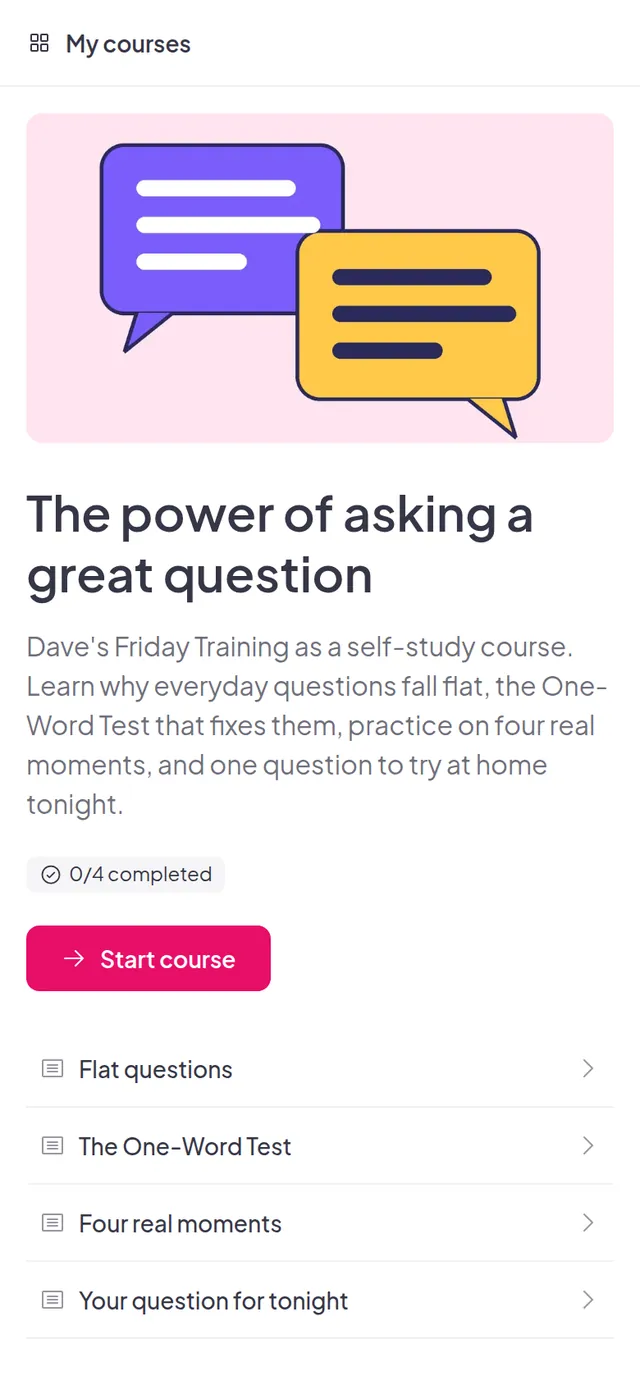
The power of asking a great question is a sample bite-size course built with AhaSlides. It has four short lessons: why everyday questions fall flat, a One-Word Test that fixes them, practice on four real moments, and one question to try at home. Learners sign in to take it and their progress is saved.
How to build a bite-size course for phones with AhaSlides
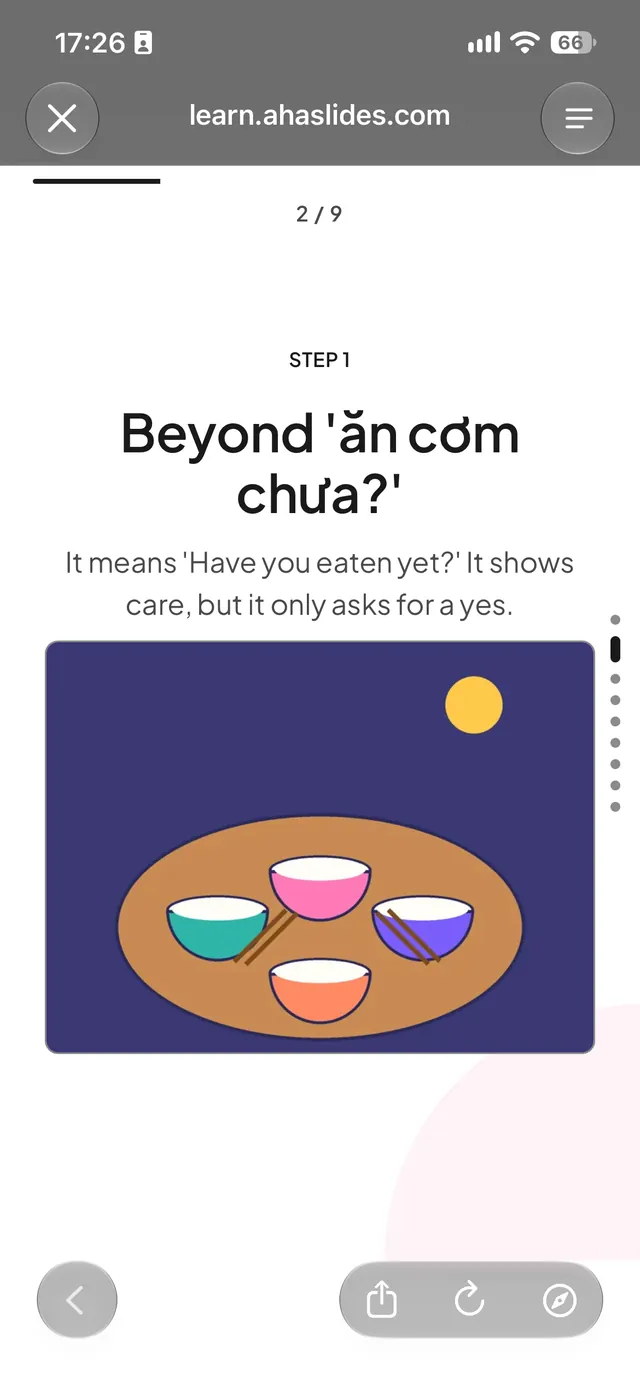
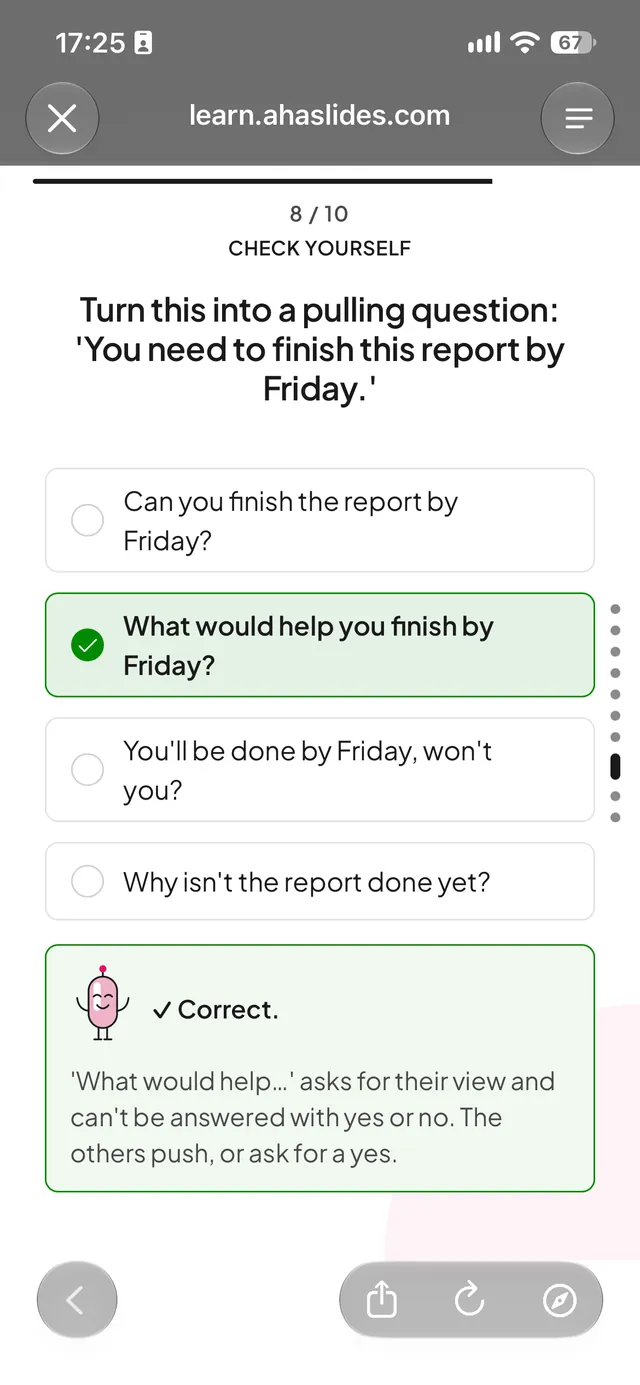
AhaSlides Courses has a course style for phones called Stick. Learners swipe through short, light cards, one idea per card, with Stick’s drawn character, and finish a lesson in a few minutes. A Stick course can include text and images, quick knowledge checks, flashcards, accordions and drag-and-drop matching, so it covers most of the 15 examples above.
Two real cards from a sample Stick course: a step card with one idea and one drawing, and a knowledge check with the feedback a learner sees after answering.
Stick is made for refreshers, onboarding and teams who learn on the go. For long courses, exams or certification, use a standard course instead.
You build a Stick course by asking an AI assistant. There is no way to start one without AI yet.
- Connect the AhaSlides MCP server. In an AI assistant that supports custom MCP connectors, such as Claude or ChatGPT, add a connector with the server URL
https://mcp.ahaslides.com/mcpand sign in with your AhaSlides account. If you already use the AhaSlides connector, you are set. In ChatGPT, the quickest route is the AhaSlides plugin, which replaces our AhaSlides GPT: open the Plugins tab, search for AhaSlides and click Install plugin. - Ask for a short course for phones. Name Stick or describe what you want. For example: “Make a bite-size course my baristas can do on their phone: how to pull a good espresso shot, in 5 minutes.” Or: “Create a quick refresher on spotting a phishing email for our staff, with short cards and a couple of knowledge checks.”
- Preview it. In AhaSlides, open My files, click Courses in the sidebar and open the new course. Click Preview to see it the way learners will, in the Stick style.
- Edit it by hand. You do not have to go back to the AI for every change. Edit lessons, pages and blocks in the course editor, then preview again. Learners see your changes after you publish again.
- Publish and share the link. Learners open it on their phone, and it also works on a computer.
Already have a course? Ask your assistant with the AhaSlides connector to switch it to Stick, then preview it and publish it again. Stick courses cannot be exported to an LMS as SCORM yet, so keep a course in the standard style if it has to run inside your LMS.
Tips for microlearning that sticks
- One idea per card. If a card needs two headings, split it.
- Check every few cards. A short lesson with no check is reading, not learning. One scenario question at the end of each lesson is enough.
- Space it out. Ebbinghaus needed 38 repetitions spread over three days to match 68 crammed into one day. Send the follow-up lesson, do not just hope people revisit it.
- Write for a thumb. Short sentences, big images, buttons near the bottom of the screen. Test it on your own phone before you send it.
- Know when not to use it. Microlearning suits recall, refreshers and simple procedures. Complex skills still need longer practice and feedback, and a compliance record may need an LMS. Our guide on how to create an online training course covers longer courses.
Frequently asked questions
What is an example of microlearning?A one-question scenario check: a short description of a real situation, three options and a one-line explanation. Flashcards, a step-by-step swipe through a procedure and a three-minute pre-shift refresher are others.
How long should a microlearning lesson be?Usually a few minutes, long enough for one objective. There is no fixed rule: Hug’s framework describes micro learning lasting anywhere “from less than a second up to more than one hour”.
What is bite-sized learning?Bite-sized learning is another name for microlearning: short lessons built around one objective, often taken on a phone.
Is microlearning effective?Yes, for recall and refreshers, especially when lessons include a check and come back over time. Ebbinghaus found spaced practice beat cramming, but he tested mostly himself on nonsense syllables, so it is early evidence, not proof for every workplace skill.
Can AI create a microlearning course?Yes. An AI assistant connected to the AhaSlides MCP server can build a bite-size course for phones in the Stick style. You preview it and edit it by hand before you publish.