

Desk discomfort often builds slowly, from a screen a little too low or a mouse a little too far away. In Great Britain, 477,000 workers had a work-related musculoskeletal disorder in 2025/26, and those disorders cost 7.5 million working days (HSE, 2026). Not all of that comes from desks, but desks are where small changes are cheapest.
Here are 15 office ergonomics tips in 3 sets of 5: chair and posture, screen and keyboard, and habits and breaks. Each one reduces strain; none of them treats pain. If pain lasts or gets worse, see a doctor or physiotherapist. The US guidance quoted here is OSHA's; the UK guidance is the Health and Safety Executive's (HSE). They are kept apart, because the UK rules are law and the OSHA eTool is advice.
Set 1: chair and posture (tips 1 to 5)
OSHA's computer workstations eTool starts with a warning: there is no single correct posture or arrangement that fits everyone. Use these as starting points, then adjust.
1. Feet flat on the floor. OSHA lists feet flat on the floor among its basic design goals. Set the seat height first, then check your feet still reach.
2. Thighs supported, knees free. The HSE's good posture guide suggests a seat height that supports the front and back of the thighs evenly, with a gap of 2 to 3 cm between the front of the seat and the back of your knee.
3. Lower back supported. Sit back so the backrest takes your weight. If it does not reach your lower back, a cushion can fill the gap (HSE).
4. Shoulders relaxed. Raise the seat until you no longer need to shrug to reach the keyboard. OSHA notes that raising your shoulders to reach a keyboard that is too high can lead to shoulder discomfort.
5. Vary your posture. Shift position, sit back, sit forward, stand for a phone call. No single posture suits everyone, so moving between several spreads the load.
Our pick: tip 5. It costs nothing, and it is the one tip that still helps when your desk set-up is imperfect.
Set 2: screen and keyboard (tips 6 to 10)
This set covers the ergonomic desk setup itself: where the screen, keyboard and mouse sit.
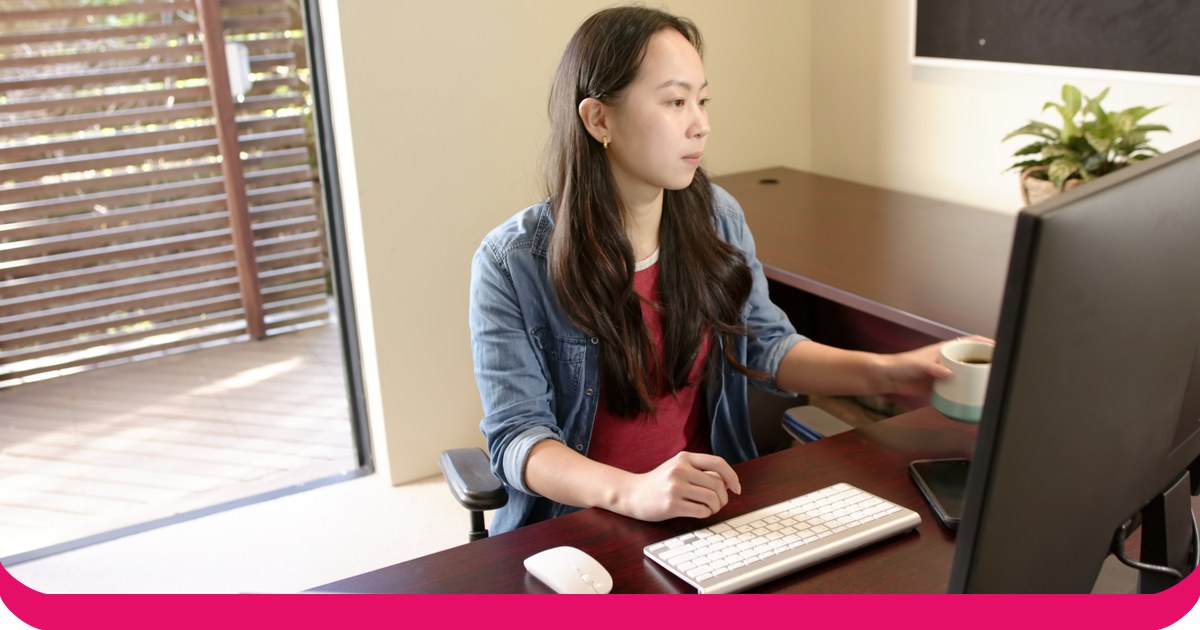
6. Top of the screen at or just below eye level. OSHA's monitor guidance and the HSE both put the top line of the screen at about eye level, so your head stays balanced over your neck.
7. Screen about an arm's length away. The HSE says about an arm's length; OSHA gives 20 to 40 inches (50 to 100 cm) from eye to screen. Increase the text size rather than leaning in.
8. Screen and keyboard straight in front of you. A screen off to one side means hours with your neck turned. Centre both so you do not twist (HSE).
9. Wrists in line with forearms, mouse close. Keep the keyboard just below elbow height and the mouse right beside it, in line with your elbow. OSHA's keyboard and mouse pages also suggest keyboard shortcuts to cut down on mousing.
10. Raise the laptop and add a keyboard. A laptop screen is always too low if you type on it. For prolonged use, the HSE suggests a separate keyboard and mouse so the laptop can sit on a riser.
Our pick: tip 6. Screen height is the quickest fix on this list: a stack of books under the monitor takes 30 seconds.
Set 3: habits and breaks (tips 11 to 15)
Set-up is half the job. The other half is how long you stay still. Back to the figure: 7.5 million working days lost in Great Britain in a year, much of it from strain that builds up over time (HSE, 2026).
11. Take short breaks often. The HSE's work routine and breaks page says short, frequent breaks beat long, rare ones. Its example: 5 to 10 minutes every hour is better than 20 minutes every 2 hours.
12. Change task. A phone call, a meeting or filing all count as a change of activity. Group screen tasks so you can switch.
13. Stand up and stretch. The HSE says breaks should let you get up and move about, or at least stretch and change posture. For ideas a team can do together, see these brain break activities.
14. Rest your eyes. Screen work does not permanently damage eyes, but long spells can cause tired eyes and headaches. The HSE suggests a well-adjusted screen, suitable lighting and regular breaks (eyes and eyesight testing).
15. Ask for an assessment. In Great Britain, the DSE regulations cover "users": people who use a screen daily, for continuous periods of an hour or more. For them, employers must assess the workstation, reduce risks including through breaks, arrange an eye test on request, and give training and information. A new assessment is also due when a user reports pain or discomfort (HSE). In the US, OSHA's eTool offers an evaluation checklist you can use with your manager.
Our pick: tip 11. A good chair cannot make up for three hours without moving.
A 10-question desk check
Turn the tips into a quick self-check. Ask 10 yes or no questions, one point per yes, one or two for each set above. Three samples:
- Are your feet flat on the floor or on a footrest?
- Is the top of your screen at or just below eye level?
- Have you stood up in the last hour?
Score 8 to 10: your set-up is in good shape. Score 5 to 7: pick the two quickest fixes from the sets above. Score 4 or below: ask for a workstation assessment.
Ways to host this training with a group
A desk check works better in a team meeting than as a PDF in someone's inbox. People compare set-ups, laugh at the worst ones and fix them on the spot.
- Pick Answer: show a photo of a desk and ask "What is wrong with this set-up?" with 4 options, such as a low screen or a far-away mouse.
- Word Cloud: "Where does your desk hurt?" The biggest words show where to start.
- Rating Scale: "How comfortable is your desk?" from 1 to 5, at the start of the session and again a month later.
- Open Ended: collect anonymous requests for equipment, such as a footrest or a laptop riser, so nobody has to ask in front of the group.
Start from the Office ergonomics course template. For UK teams, the UK: Display screen equipment (DSE) safety template covers the HSE duties. For more topics to run, see workplace safety topics, and for the other half of ergonomics, proper lifting techniques.
Frequently asked questions
What is the correct way to sit at a desk?
There is no single correct posture. Keep your feet and lower back supported and your shoulders relaxed, and change position often (OSHA).
How high should my monitor be?
The top of the screen should be at or just below eye level (OSHA). Place it about an arm's length away.
How often should I take a break from the screen?
Short and often. The HSE gives 5 to 10 minutes every hour as better than 20 minutes every 2 hours, and says there is no legal rule on length (HSE).
Do employers have to provide an eye test?
In Great Britain, yes, for display screen equipment users who ask for one, and the employer pays for it (HSE).
When should I see a professional?
When pain persists or gets worse despite these changes. This post is general information, not medical advice.
Where to start
Raise your screen today, then run the desk check at your next team meeting.