A zoomed-in picture quiz shows a tight close-up of an everyday thing, such as the skin of a pineapple or the bristles of a toothbrush, and players guess what it is. Start so close that only one detail shows, pull back a little at a time, and the first person to name it wins. Below are 50 zoomed-in picture quiz rounds with answers, ready to photograph and play.
The rounds are sorted into five themes of 10: food, animals, things around the house, nature, and school and office. They suit a quiz night, a classroom starter or the first five minutes of a team meeting, for any age that can name a zebra. After the list you will find how to crop your own photos and how to run the game with Guess the image on AhaSlides, where everyone guesses on their phone and the picture pulls back for you.
Which zoomed-in picture quiz theme should you pick?
Pick the theme your players see every day: the more familiar the object, the harder the close-up feels and the louder the groan when the answer appears. Food and household objects work for every age. Animals and nature suit children and family nights. School and office rounds are made for a classroom or a team meeting.
| Theme | Example close-up | Best for | How hard |
|---|---|---|---|
| 1. Food (rounds 1 to 10) | Tiny seeds on glossy red flesh | Quiz nights and mixed ages | Easy to medium |
| 2. Animals (rounds 11 to 20) | Spines on a small brown back | Children and family quizzes | Easy |
| 3. Around the house (rounds 21 to 30) | Metal teeth that lock together | Adults and teams | Medium to hard |
| 4. Nature (rounds 31 to 40) | Rings of light and dark wood | Science lessons and outdoor clubs | Medium |
| 5. School and office (rounds 41 to 50) | Two finger loops on a metal pivot | Classrooms and team meetings | Medium |
Try 10 real zoomed-in photos
Here is a ready-made round of 10 close-up photos of everyday things. Show each picture, give players a moment to guess, then click "Show answer".
1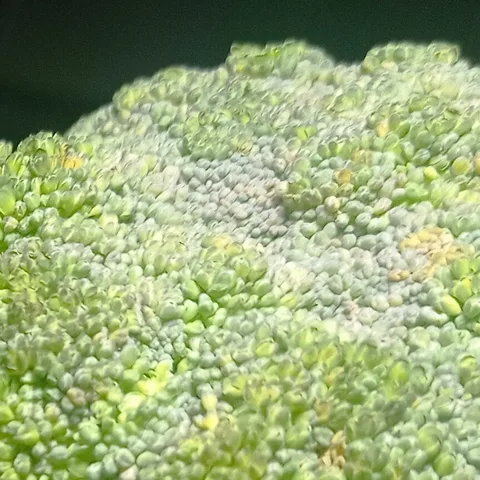
Broccoli. Calabrese is fine too.
2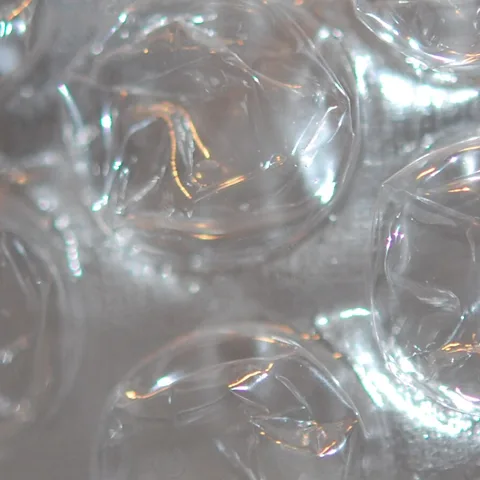
Bubble wrap. Packing bubbles counts.
3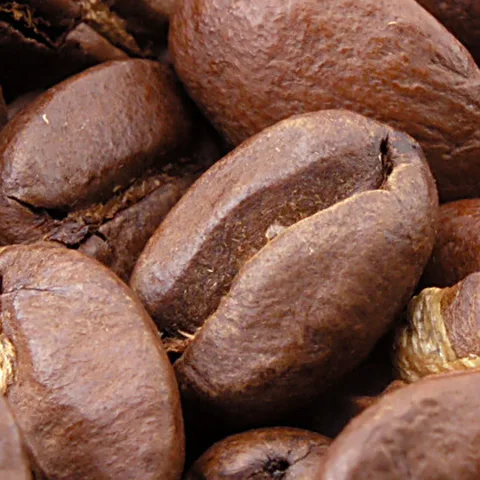
Coffee beans. Accept roasted coffee.
4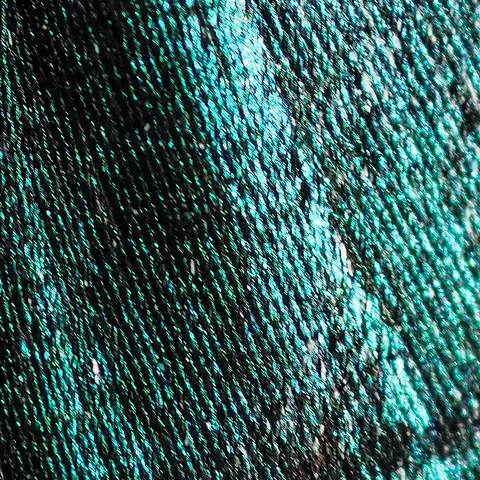
A duck feather. Accept feather.
5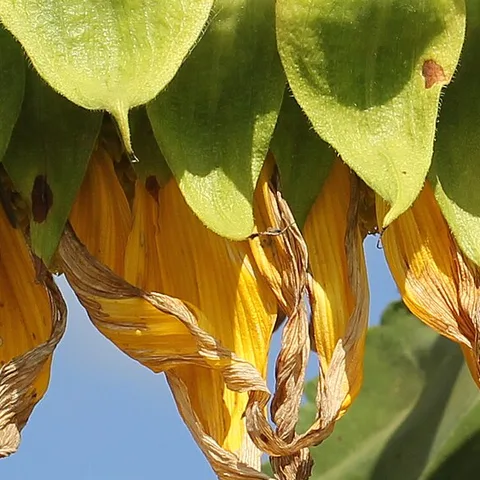
A sunflower. Accept dried or wilting sunflower petals.
6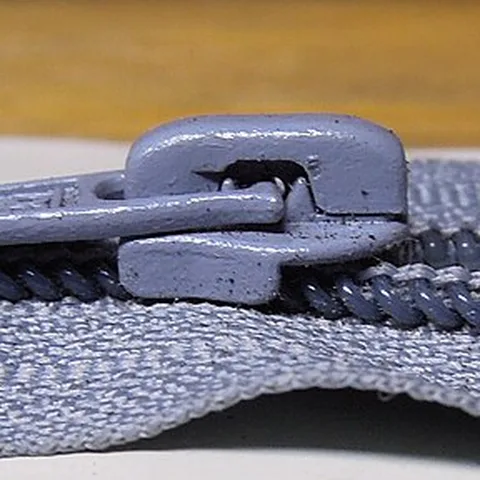
A zip. Accept zipper.
7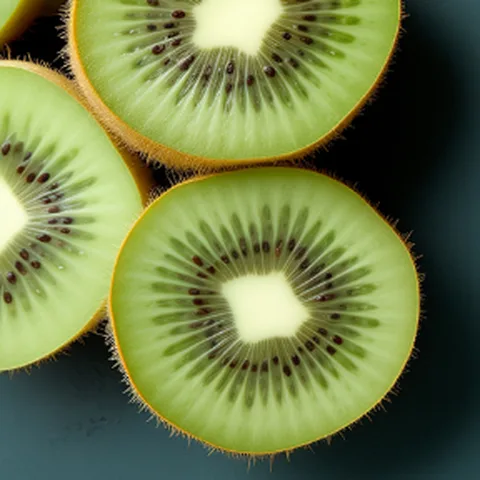
Kiwi fruit. Accept kiwi.
8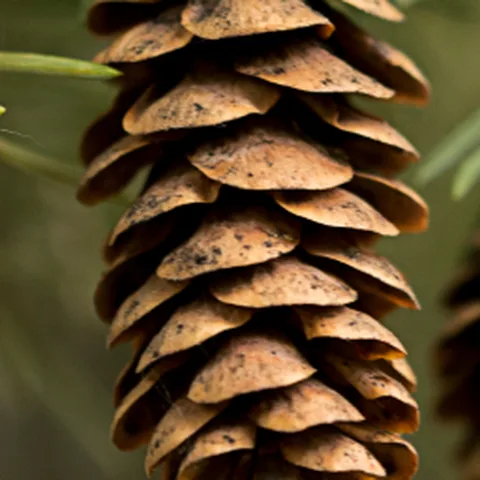
A pine cone. Accept fir cone.
9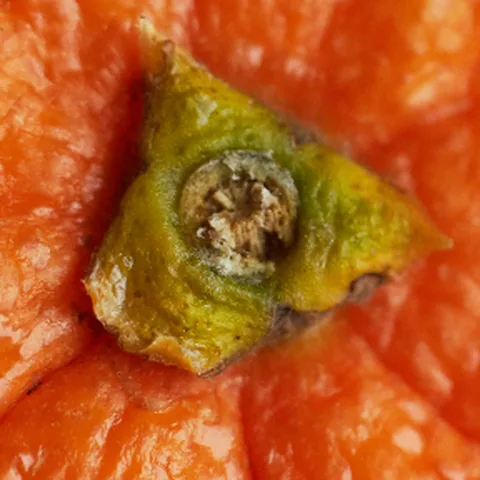
An orange. Accept satsuma or clementine.
10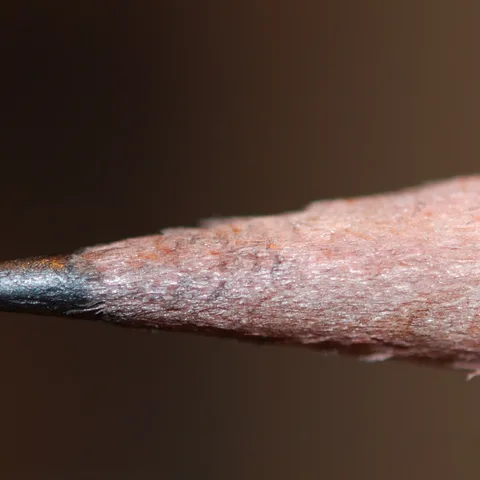
A pencil tip. Accept pencil lead.
Each round below describes what the close-up should show, so you can photograph it yourself or find a picture you are allowed to use. Click "Show answer" to see the answer and the other names worth accepting.
Food zoomed-in picture quiz rounds
Food is the safest place to start: everyone has seen these things up close, just never this close.
1Rough, diamond-patterned skin with a sharp point on every segment
Pineapple
2Tiny yellow seeds dotted over glossy red flesh
Strawberry
3Round holes of different sizes in a pale yellow block
Swiss cheese (also accept: Emmental, cheese)
4Golden, flaky layers curling round in a spiral
Croissant
5Rows of plump yellow kernels packed tightly together
Corn on the cob (also accept: sweetcorn, corn)
6A bumpy green surface that looks like a forest of tiny trees
Broccoli
7A grid of square pockets in golden batter
Waffle
8Coarse brown fibres covering a hard, round shell
Coconut
9Coloured sugar strands scattered over pink icing
Doughnut (also accept: donut)
10Wavy ridges on a thin, salted golden slice
Crisp (also accept: potato crisp, chip)
Animal zoomed-in picture quiz rounds
Fur, scales and feathers make striking close-ups, and the patterns give sharp-eyed players a fair chance.
11Bold black and white stripes, no two the same
Zebra
12Thick, wrinkled grey skin with a few bristly hairs
Elephant
13Bright orange scales with a white band edged in black
Clownfish
14Hundreds of sharp spines on a small brown back
Hedgehog
15Shimmering blue and green "eye" markings on long feathers
Peacock
16Brown patches separated by thin cream lines, like crazy paving
Giraffe
17A domed shell made of ridged, many-sided plates
Tortoise (also accept: turtle)
18A huge eye made of hundreds of tiny lenses
Fly (also accept: housefly)
19A pink, flat snout with two large nostrils
Pig
20Soft, creamy curls of thick wool
Sheep (also accept: lamb)
Household object zoomed-in picture quiz rounds
These are the hardest rounds, because the objects are so ordinary that nobody has looked at them properly.
21Rows of soft bristles, some coloured, on a small plastic head
Toothbrush
22Rubber buttons with arrows, numbers and a red power symbol
Remote control (also accept: TV remote, remote)
23Small metal teeth on two tracks that lock together
Zip (also accept: zipper)
24Square keys with letters, one with a small raised bump
Keyboard (also accept: computer keyboard)
25A small round disc with four holes and thread through them
Button
26A spiral of tightly wound, brightly coloured thread
Cotton reel (also accept: reel of thread, spool)
27A thin coil of wire inside a round glass globe
Light bulb (also accept: bulb)
28Rows of raised, sharp-edged holes in a sheet of steel
Grater (also accept: cheese grater)
29Four pointed metal prongs in a row
Fork
30Fluffy loops of cotton on a thick, soft fabric
Towel
Nature zoomed-in picture quiz rounds
Nature close-ups double as a science starter: ask students what the detail is for once the answer is out.
31Rings of light and dark wood, one for every year
Tree stump (also accept: tree trunk, log)
32Six-sided wax cells, some filled with something golden
Honeycomb
33A six-pointed ice crystal with feathery arms
Snowflake
34Hundreds of seeds packed in a spiral inside a ring of yellow petals
Sunflower
35Thin veins branching across a green surface
Leaf
36A glossy brown nut with a pale patch, just out of a spiky case
Conker (also accept: horse chestnut)
37Woody scales overlapping in a cone shape
Pine cone (also accept: fir cone)
38Tiny grains in every colour, a few of them see-through
Sand
39Silk threads strung between twigs, beaded with dew
Spider's web (also accept: cobweb, web)
40A swirling brown shell on a soft, slimy body
Snail
School and office zoomed-in picture quiz rounds
Everything in this round is probably within arm's reach of your players, which makes a wrong guess even funnier.
41A sharp grey point surrounded by freshly shaved wood
Pencil
42A thin piece of silver wire bent into two loops
Paper clip (also accept: paperclip)
43Tiny lines and numbers marked along a straight edge
Ruler
44Two plastic finger loops joined at a metal pivot
Scissors
45A strip of folded metal pieces stuck side by side
Staples (also accept: stapler)
46A row of wire coils holding pages together
Spiral notebook (also accept: notebook, notepad)
47A white stick worn flat at one end, leaving fine dust
Chalk
48Square buttons with plus, minus and equals signs
Calculator
49Coloured countries and blue sea on a curved surface
Globe
50A pink block with one corner smudged grey
Rubber (also accept: eraser)
How do you crop your own zoomed-in pictures?
Crop each photo so the first view shows one telling detail and nothing that names the object. A good close-up is hard but fair: once the answer is out, players should think "of course".
- Choose a subject people can name in a word or two. An animal, a fruit or an everyday object works best. Avoid anything with several fair answers unless you plan to accept them all.
- Start with a sharp, well-lit photo at full size. A close-up of a small, blurry picture turns into grey mush. Take your own photos where you can, so you know you are free to use them.
- Fill the frame with the subject. A picture with a plain background reveals too little in the early stages, because the first views show only empty space.
- Hide the giveaways. Logos, labels, printed words and very obvious colours (a yellow banana skin) give the game away. Crop past them, or pick a different angle.
- Make three or four crops, each wider than the last, if you are building the quiz by hand. Save them in order, so you can show the tightest first and pull back between guesses.
- Test one round on someone who has not seen the photo. If they get it from the first view, crop tighter. If they cannot get it from the widest view, pick a better angle.
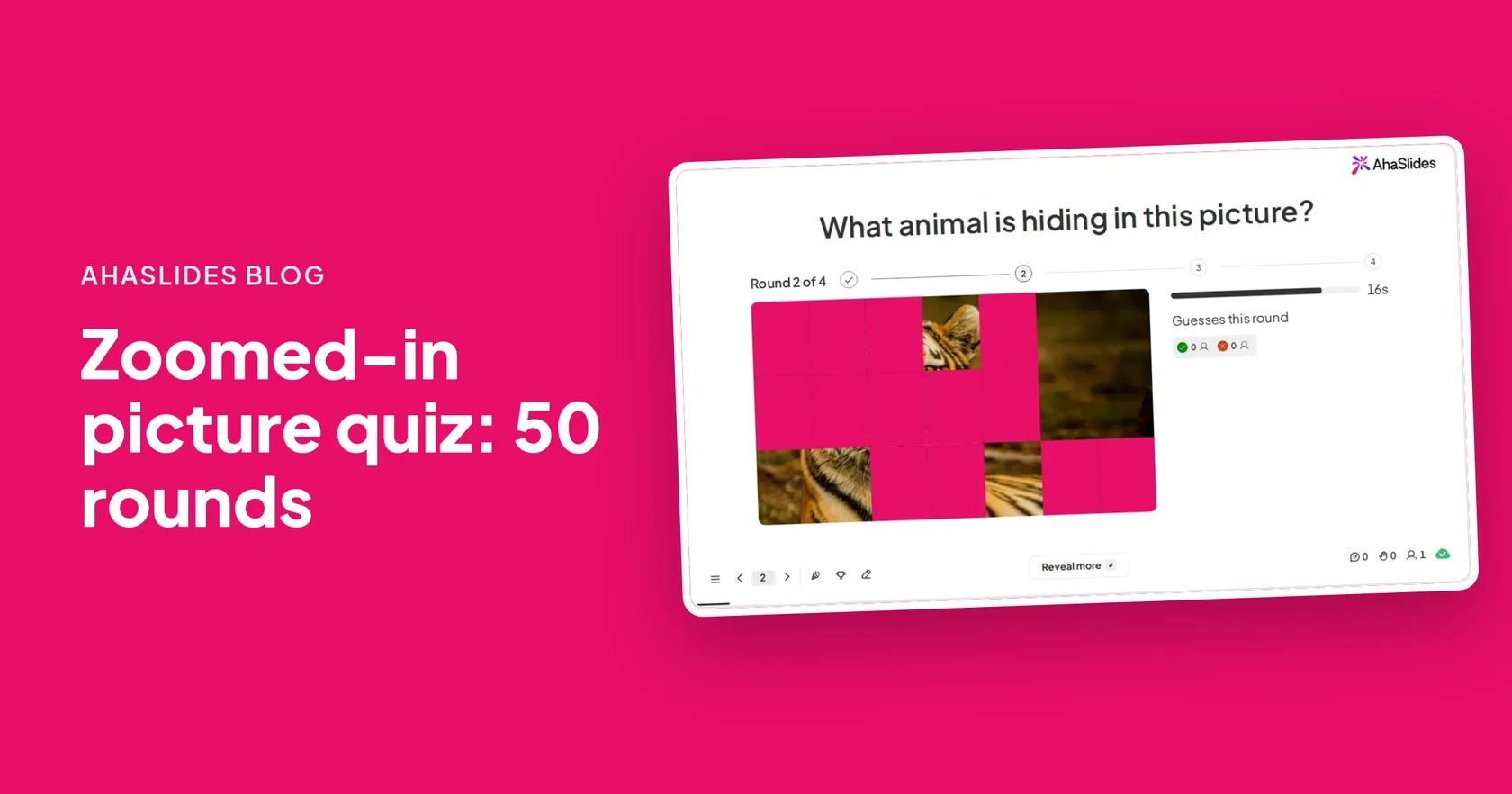
Building it on AhaSlides saves most of this work. The Zoom out reveal style starts from one detail of your full picture and pulls back step by step, so you upload one photo instead of making four crops.
Here is what a four-step zoom-out looks like, from the tightest crop to the full picture:
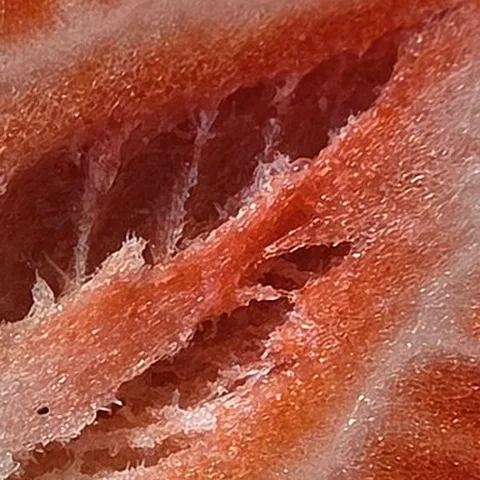
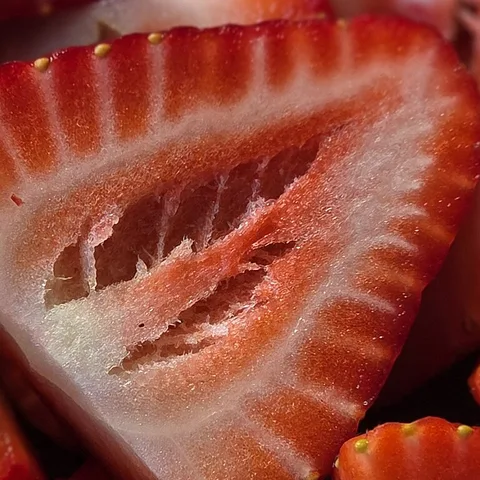
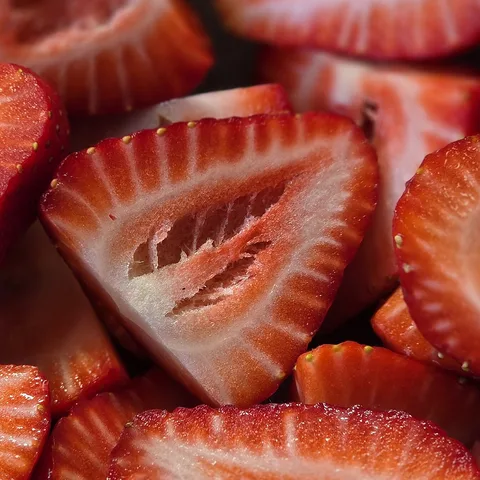
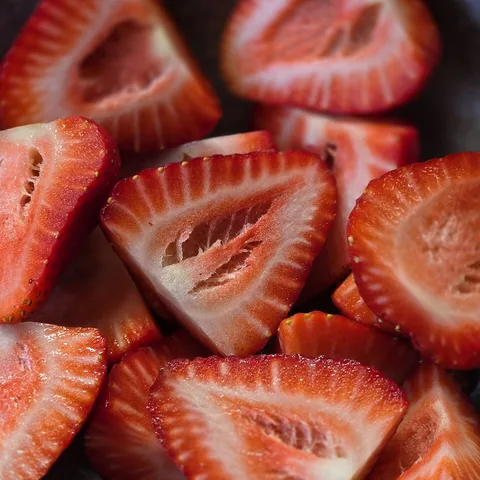
Step 4 shows the answer: strawberries. The Zoom out reveal style on AhaSlides plays the same pull-back from a single photo.
How do you run a zoomed-in picture quiz on AhaSlides?
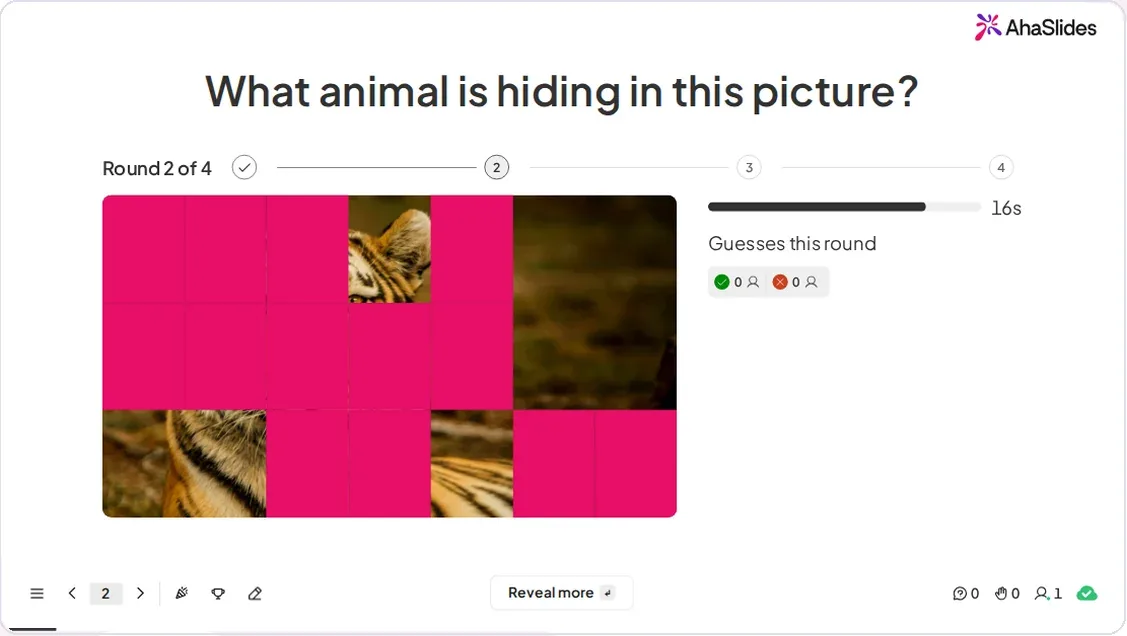
Add one Guess the image slide per picture, choose the Zoom out reveal style, and let everyone type their guesses on their phones. Each slide holds one picture, so a 10-round theme from this list is 10 slides.
- Add the slide. In the editor, click New slide, then search for Guess the image. It carries a Beta badge in the slide picker.
- Add the picture. In Image, upload the full photo you want to hide (PNG, JPG, GIF or WebP).
- List the accepted answers. In the Content tab, under Accepted answers, type the clearest answer first, because that is the one shown on screen at the end. Add other real names people might use, up to 10, such as the "also accept" names in our list. Capital letters and accents never matter, and an answer of five or more letters forgives one small typo.
- Choose Zoom out. Pick it as the reveal style, then set Reveal steps (2 to 8, 4 by default) and Time per round (10 to 120 seconds, 20 by default). More steps make a harder game, because the first steps show very little.
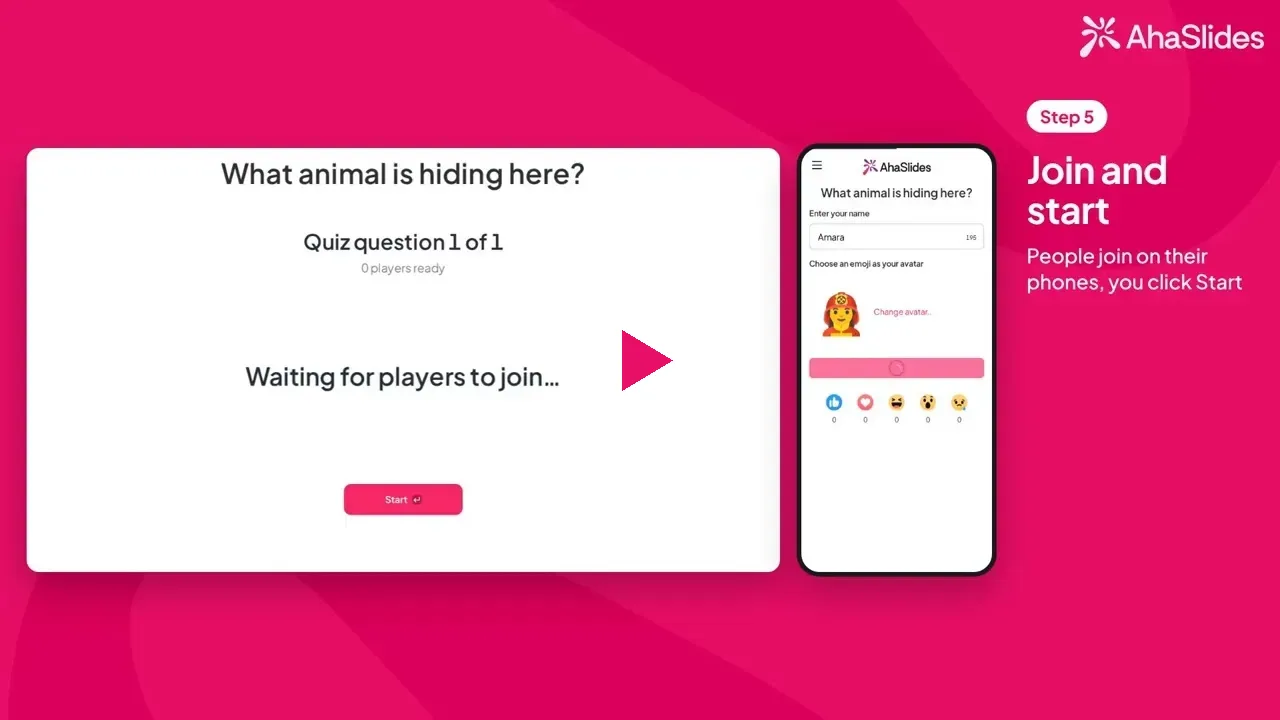
- Present and share the access code. Players join on their phones, type one guess for each reveal step and press Submit.
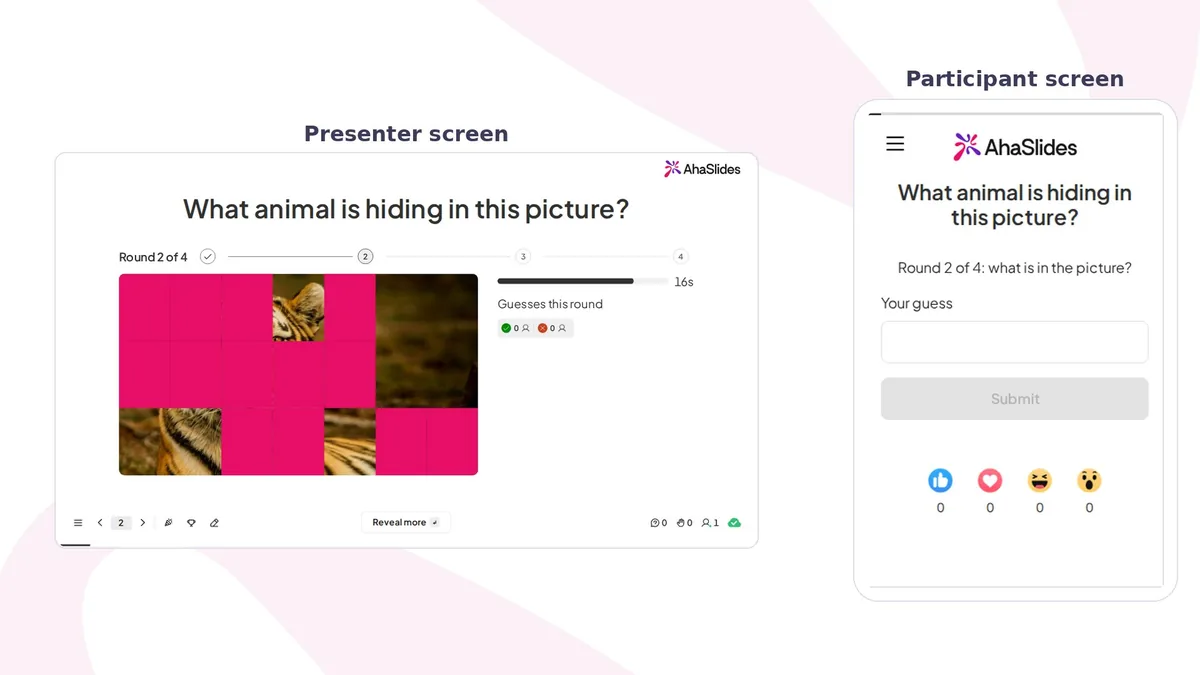
- Move on when you are ready. Each step ends when the clock runs out, or press Reveal more to show more of the picture early.
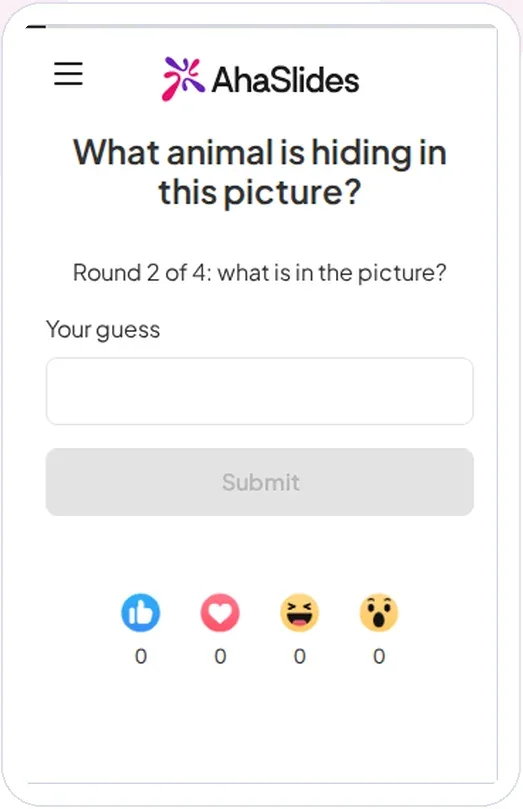
AhaSlides calls each reveal step a round. A right guess scores more the earlier it comes: with 4 steps, it earns 1000 points in the first, 750 in the second, 500 in the third and 250 in the fourth. The first step with a right guess ends the game, showing the full picture, the answer and up to 5 winners, fastest first. If nobody gets it by the last step, the screen shows the answer with "Nobody got it this time!".
Points add up on the leaderboard, which appears after each slide by default, so a 10-picture round becomes a proper competition. Guess the image is available on every plan. The Guess the image help guide has every setting.
Tips for hosting a zoomed-in picture quiz
- Open with an easy round. Put a strawberry or a zebra first, so every player scores early and stays in the game.
- Save the household objects for later. They are the hardest close-ups, and they make a good final round when the scores are close.
- Mix reveal styles for a long quiz. Zoom out is the natural fit, but Tiles, Pixelate and Spotlight each change the feel, so switch one slide in five to keep players guessing.
- Read the guesses afterwards. Wrong guesses stay off the big screen, but the session report lists what each player guessed, which is often the funniest part to share.
- Use your own photos for an icebreaker. A close-up of something on your desk, or a pet, gets a team talking before the agenda starts.
Free picture quiz templates to host
Want a game ready to play tonight? Start from a template and swap in your own close-ups.
Up Close: What on Earth Is That?
A zoomed-in picture quiz of everyday objects that zooms out until someone names them.
Use this template
Where in the World? Landmarks Up Close
A zoomed-in picture round of world landmarks that zooms out until a player names the place.
Use this template
Snack Zoom: Guess the Food
A quick food round that zooms out from a close-up of a fruit, vegetable or sweet.
Use this templateOpen the template, replace each picture and its accepted answers with rounds from this list, switch the reveal style to Zoom out if you want a true zoomed-in quiz, and host it. You can also build from scratch on the Guess the image page.
More picture and word games
- For other ways to play with pictures, try these guess the picture game ideas, from baby photos to album covers.
- Planning a full pub quiz? Use these fun picture round quiz ideas alongside your zoomed-in round.
- Want a word round after the pictures? This missing letters game has 60 puzzles by level.
Run your zoomed-in picture quiz on AhaSlides
Upload your close-ups, pick Zoom out and let the leaderboard keep score while you watch the guesses come in.
Frequently asked questions
What is a zoomed-in picture quiz?
A zoomed-in picture quiz shows a close-up of an object, animal or food and asks players to name it. The view usually pulls back in stages, and earlier right answers score more.
How do you make a zoomed-in picture quiz?
Pick objects people can name in a word or two, take sharp photos and crop each one to a single telling detail. Show the tightest crop first and widen it between guesses, or upload the full photo to a Guess the image slide on AhaSlides and choose the Zoom out reveal style.
What are good things to use in a zoomed-in picture quiz?
Everyday objects with a strong texture or pattern work best: fruit skin, animal fur and stripes, toothbrush bristles, zips, honeycomb and tree rings. Avoid anything with a logo or printed words, because they give the answer away.
How many rounds should a zoomed-in picture quiz have?
Ten pictures make a good round for a pub quiz or a lesson, and five are enough for a meeting warm-up. A full quiz night can use all five themes in this list as five rounds of 10.
Can people play a zoomed-in picture quiz on their phones?
Yes. On AhaSlides, players join with an access code and type one guess for each reveal step on their phones, and earlier right guesses score more points on the leaderboard.
Is a zoomed-in picture quiz good for the classroom?
Yes. It works as a lesson starter or a revision game: hide a diagram or an object from the topic, such as a plant cell or a telescope, and ask students to name it.