Polls, Q&A and quizzes for interactive webinars

Attendees answer on their own phone, right inside Zoom or Teams. No app, no login.

Get started for free

Free for up to 50 attendees.

Rated 4.7 out of 5 on G2, based on 408 reviews
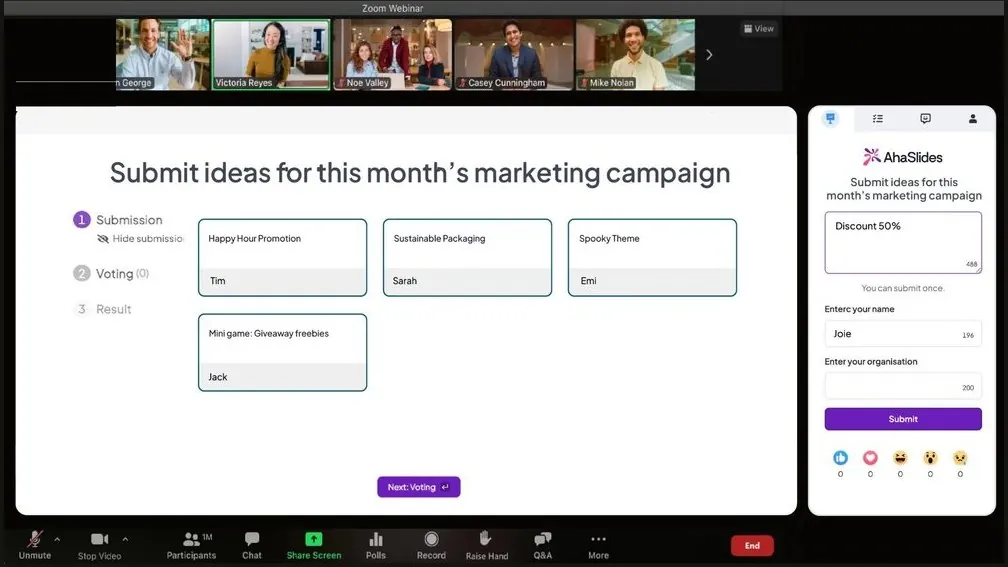
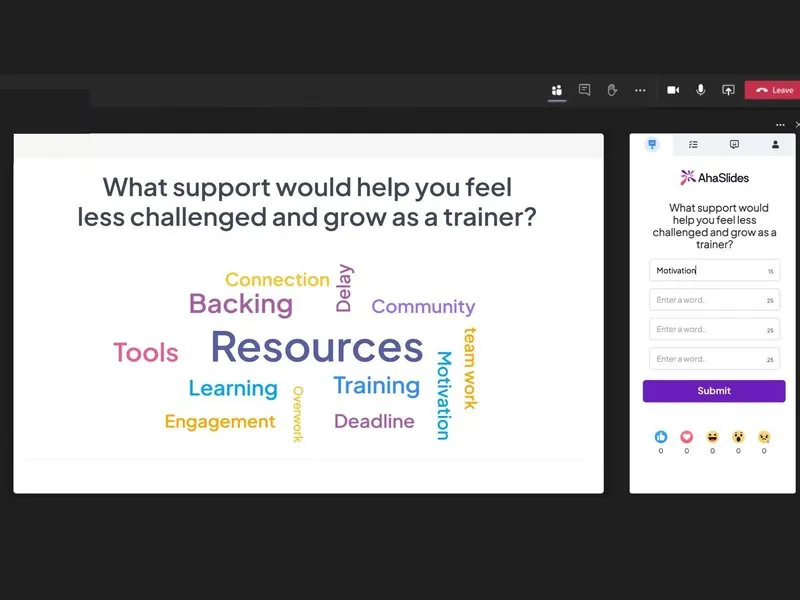
AhaSlides running inside a Zoom webinar: attendees submit ideas in the AhaSlides side panel while the host's slide collects them live
  • Abu Dhabi University logo
  • Airbus logo
  • Bend La Pine Schools logo
  • BMC logo
  • Bosch logo
  • Criteo logo
  • Ferrero Rocher logo
  • Intel logo
  • Ivy Tech Community College logo
  • Le Quiz Show logo

How to make a webinar interactive

  1. Webinar polls

    Ask the audience, see the answer

    Votes fill the chart as they come in.
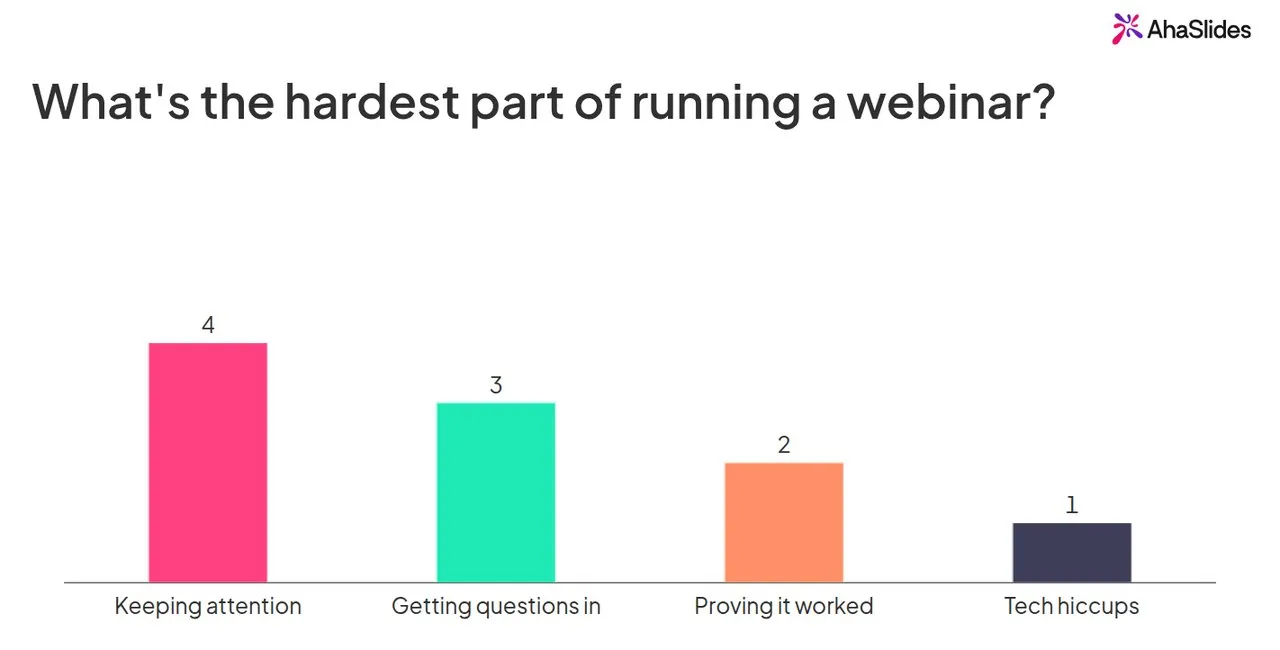
    A live webinar poll: what is the hardest part of running a webinar, with 10 votes led by keeping attention
  2. Webinar Q&A

    Take questions from every attendee

    Attendees ask and upvote, so the best questions rise first.
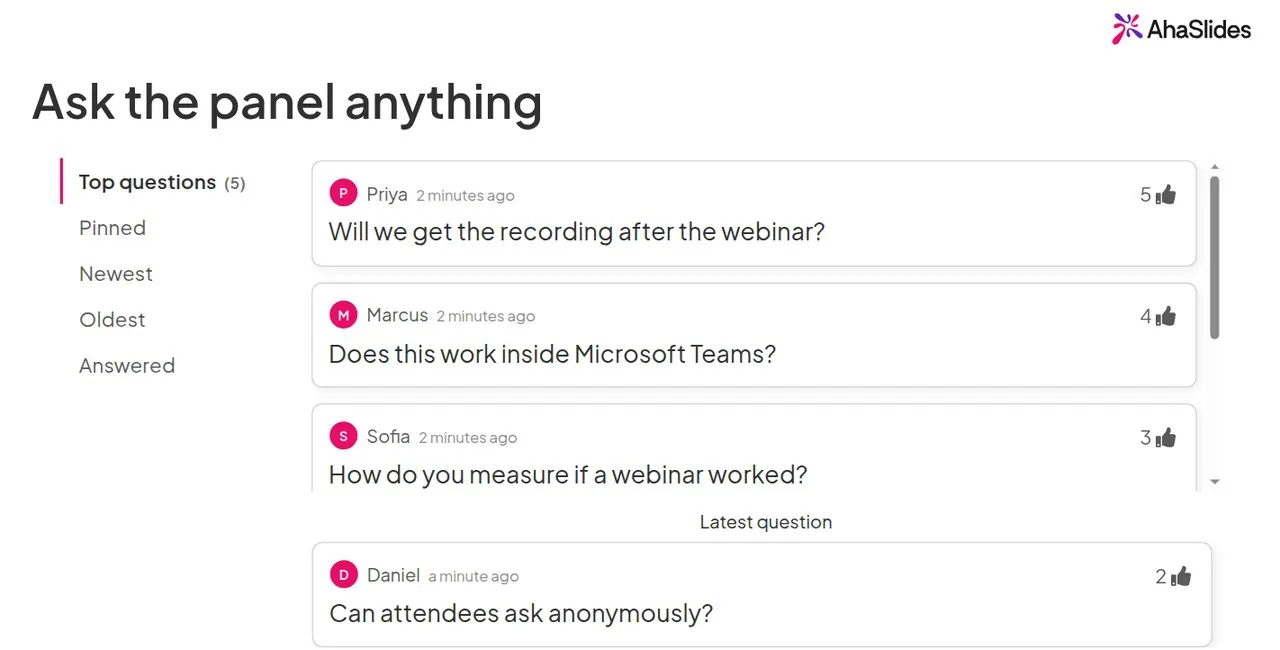
    Webinar Q&A with attendee questions ranked by upvotes, such as: will we get the recording after the webinar?
  3. Virtual icebreaker

    Break the ice in the first minute

    A live word cloud gets quiet attendees typing.
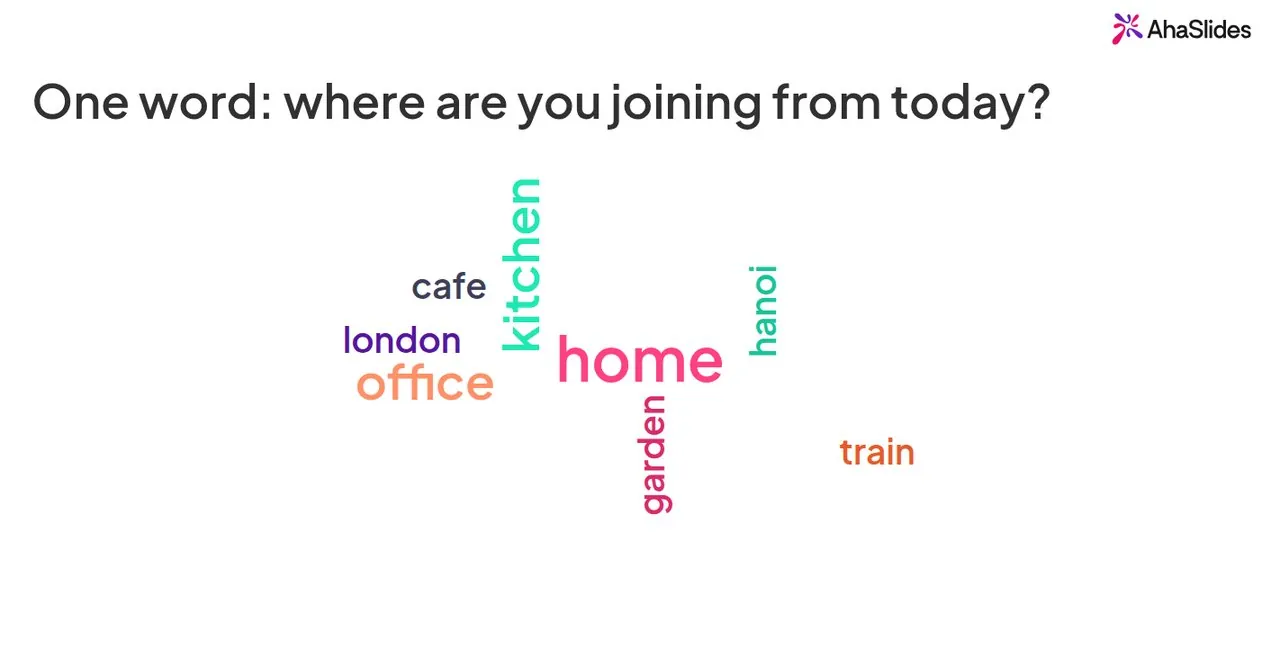
    A word cloud icebreaker answering: where are you joining from today? Home is the biggest word
  4. Webinar quiz

    Keep people to the end with a quiz

    Points for every right answer, then a live leaderboard.
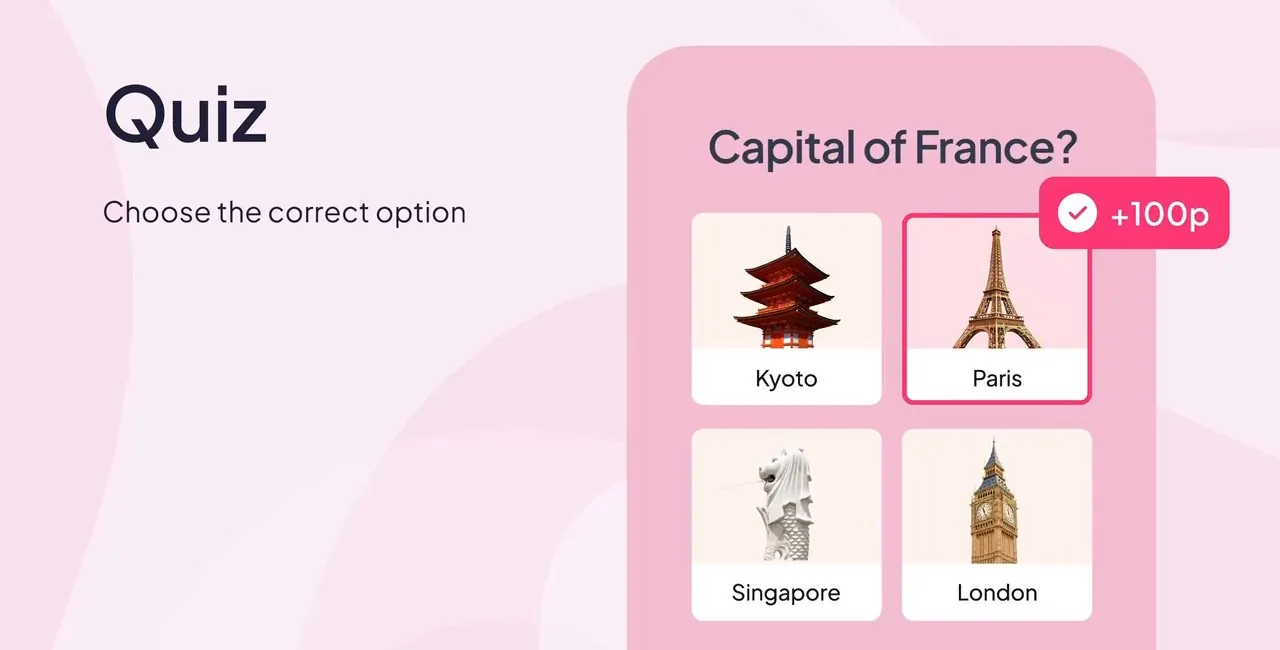
    A quiz question on an attendee's phone: Capital of France? Paris is picked and earns 100 points
  5. Survey after the webinar

    Get feedback before anyone leaves

    Rating scales and open answers, saved to your report.
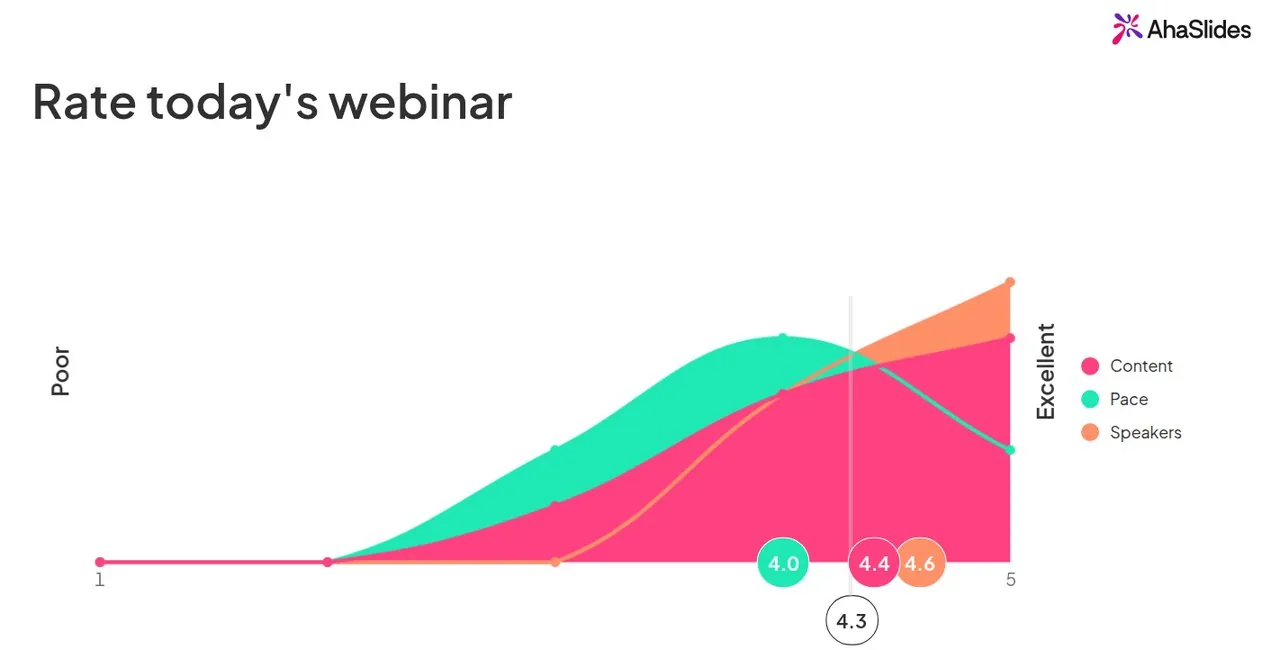
    Rating scale results for today's webinar: content 4.4, pace 4.0 and speakers 4.6 out of 5
  6. Idea board

    Let attendees pick the next topic

    Everyone posts ideas, then votes for the best.
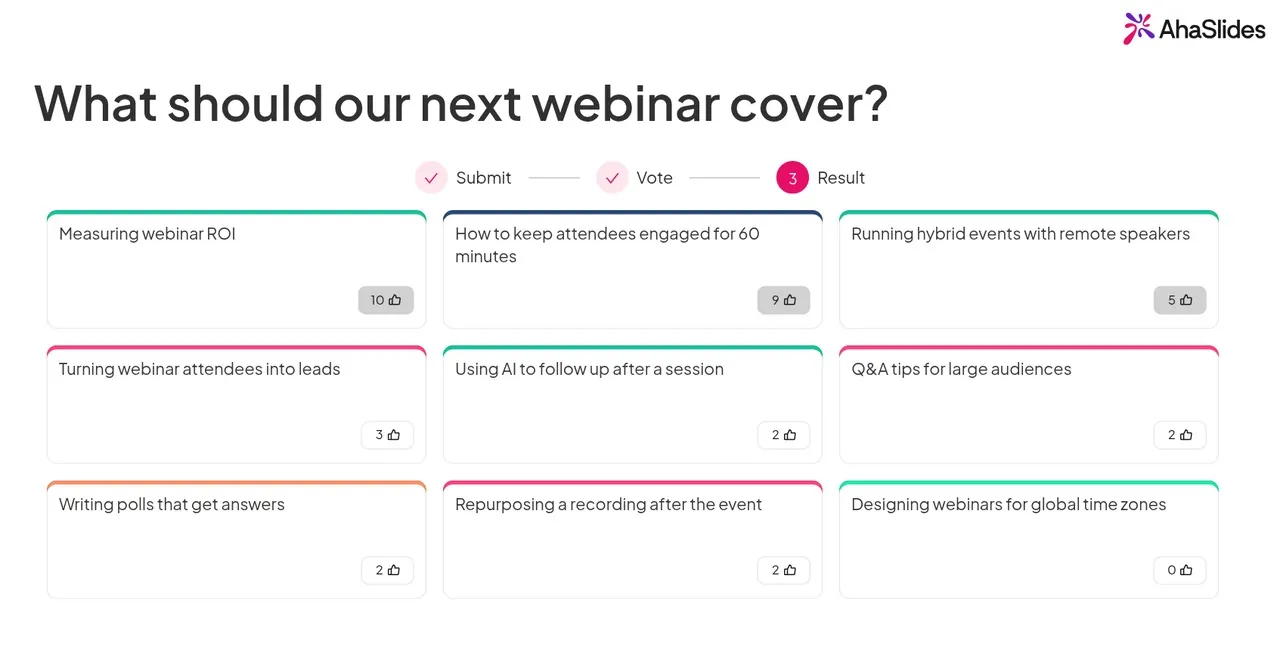
    Idea board results for what the next webinar should cover, with each idea ranked by votes
Get started for free

Stay in control of your webinar Q&A

Keep the session on track, whatever attendees send in.

  • Backstage

    Notes and incoming questions in a private window.

  • Question approval

    Approve each question before it goes on screen. Pro.

  • Profanity filter

    Blocks swear words in answers.

Get started for free
A live word cloud inside a Microsoft Teams meeting, with the AhaSlides answer panel beside it

Works inside your webinar

Attendees take part without leaving the call. On another webinar platform? Share the join link or QR code in the chat.

  • Zoom

    Polls, quizzes, Q&A and word clouds in the Zoom sidebar, in meetings and webinars.

  • Microsoft Teams

    An in-meeting app for polls, quizzes and Q&A. Nobody leaves Teams.

  • PowerPoint and Google Slides

    Add live activities to the deck you already have.

Get started for free

What webinar hosts say about AhaSlides

Reviews from people who run sessions in Teams and Zoom.

  • “Doing Q&A, quiz and polls during Teams/Zoom presentations/webinars. I know both platform have polls and Q&A already, but they have limitations that using AhaSlides can help to solve.”

    Ahmad Zulfadzli AhamadFIMM, 4.5 out of 5 on G2
  • “Engaging a large virtual audience isn’t easy without platforms like this. While tools like Teams offer basic polls, they often lack visual appeal and effectiveness.”

    Rajesh B SethuramanLead L&D, JioBusiness, 5 out of 5 on G2
  • “It really brings energy to virtual meetings and increases engagement in ways that traditional slides simply can’t match.”

    Jennifer Qamruddin5 out of 5 on G2

Webinar polling for less

AhaSlides Pro is US$191.40 a year, or US$49.95 billed monthly. Prices in US$ before tax; other platforms checked 21 October 2026.

Price, audience size and Q&A moderation of AhaSlides Pro and other live polling platforms
Plan detail AhaSlides Pro For webinars up to 2,500 attendees. Other platforms Live polling and Q&A tools we checked.
Price a month, billed yearly US$15.95 US$24.95 to US$150
Participants per session 2,500 700 to 2,000
Q&A moderation Yes Not on every plan
Get started for free

Virtual event engagement that hosts trust

How teams run two-way webinars, virtual training and hybrid events.
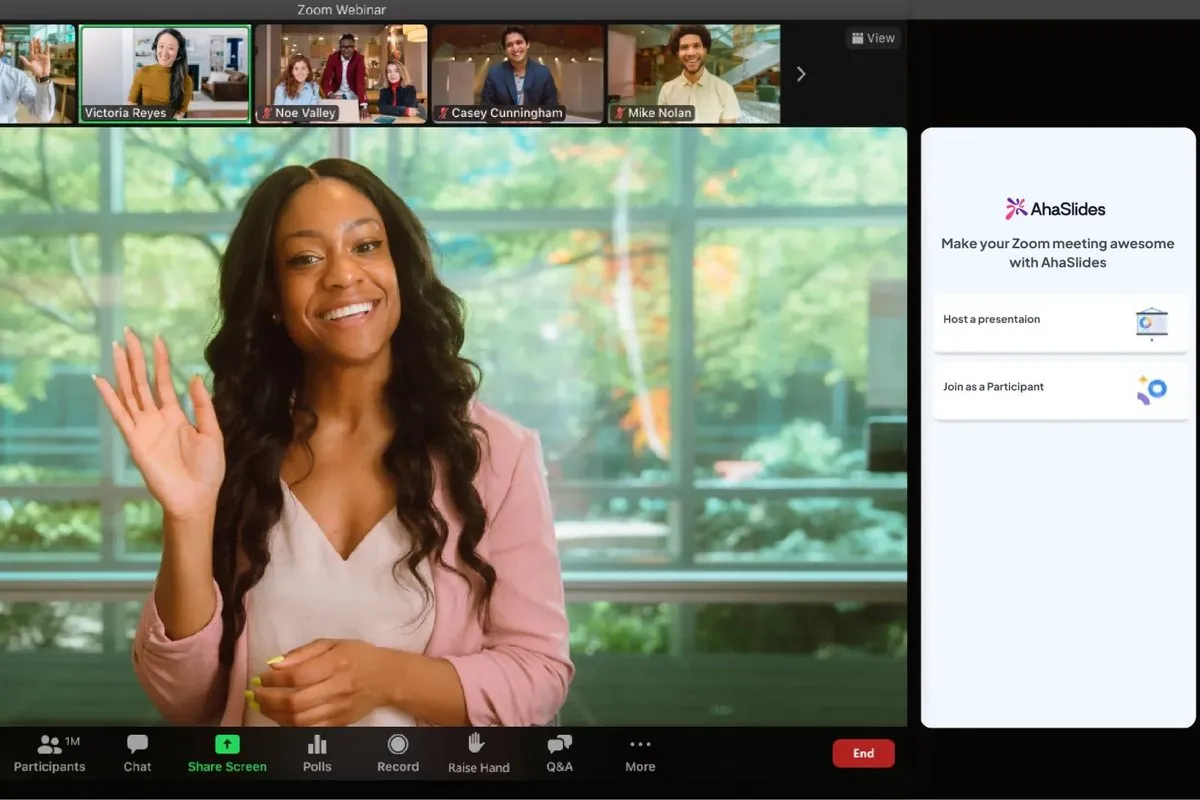
  • A host in a Zoom webinar with the AhaSlides panel open beside the video

    Beyond Booksmart turns flat webinars into honest conversations

    “Ultimately, in any setting, people want to feel seen and heard. AhaSlides makes this possible by letting people share their challenges anonymously.”

    Hannah ChoiExecutive Function Coach, Beyond Booksmart

  • A speaker on stage at a hybrid healthcare conference, filmed for remote attendees, with the live slide on the screen

    Virtual Approval runs two-way hybrid events

    “If you’re asked to enter a competition or spinning wheel, or if you’re asked to ask a live question and you can see all the questions coming live on AhaSlides, then you know that you’re not watching a video.”

    Rachel LockeCEO, Virtual Approval
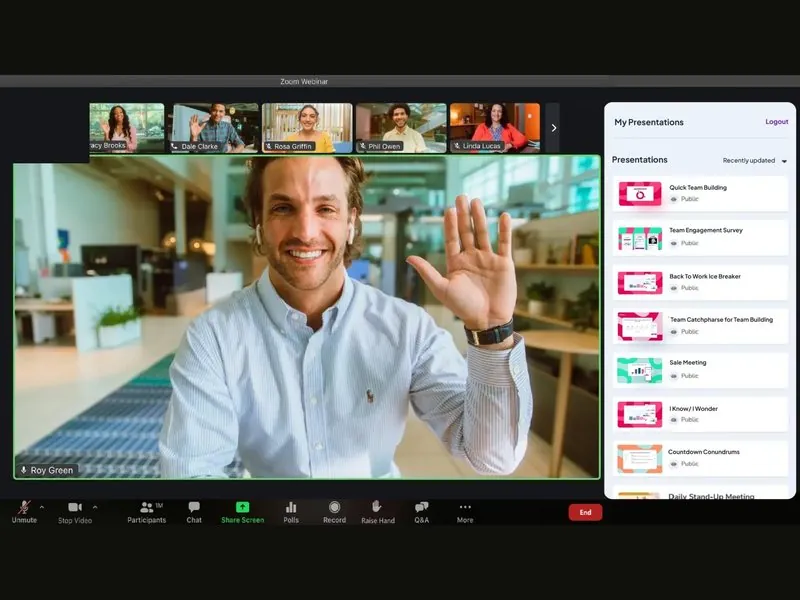
  • A host in a Zoom call picking an AhaSlides presentation from the side panel

    Economical Insurance makes virtual broker training two-way

    “AhaSlides has helped us turn training from a one-way presentation into a two-way conversation.”

    Erika DanisiBroker Education Manager, Economical Insurance

Frequently asked questions

Add a poll, quiz, word cloud or Q&A to your slides. Attendees join with a link or QR code and answer on their own phone while you present. Open with an icebreaker and close with a short survey.

Yes. AhaSlides runs in the Zoom sidebar in meetings and webinars, and as an in-meeting app in Teams. On any other platform, share the join link or QR code in the chat.

Yes. Open AhaSlides in Zoom, add a word cloud slide, and answers appear as attendees type them.

Attendees send questions from their phone and upvote each other's, so the most wanted rise first. They can ask anonymously if you allow it. On Pro, you approve each question before it shows.

When more than 50 people join, or you want to approve questions. Pro covers 2,500 per session, for US$15.95 a month, billed yearly.

Yes, on paid plans. Export every response to Excel, or your slides with their responses to PDF or JPG.

Yes. Attendee passcodes (Pro): only people with the code can join. Attendee verification (Enterprise): check who joins by email code, SSO, company domain or IP address.
Get started for free