



Ever finished a project feeling that something could have gone better? Or smashed it out of the park, but can’t quite put your finger on why? That is where a project retrospective comes in. It is a debrief for your team: a chance to celebrate wins, learn from hiccups and set up the next project for success.
What is a project retrospective?
A project retrospective, sometimes called a retrospective meeting, a retrospective session or simply a retro, is a dedicated time for your team to reflect on a project after it finishes, or at key milestones. It is a structured look back at the whole project: the good, the bad and the “could-be-betters”.
Think of it as a road trip. The retrospective is when you gather around the map afterwards, trace your route, mark the scenic overlooks (the wins), spot the bumpy roads (the challenges) and plan a smoother route for next time.
The idea is not new or limited to software. The Agile Manifesto principles say that “at regular intervals, the team reflects on how to become more effective, then tunes and adjusts its behavior accordingly”. The 2020 Scrum Guide builds that into the Sprint Retrospective, whose purpose is “to plan ways to increase quality and effectiveness”. Norman Kerth’s book Project Retrospectives: A Handbook for Team Reviews (Dorset House, 2001) is a widely cited handbook on retrospectives for whole projects. It sets out his “Prime Directive”: “Regardless of what we discover, we must understand and truly believe that everyone did the best job he or she could, given what was known at the time, his or her skills and abilities, the resources available, and the situation at hand.” That mindset keeps a retro about learning, not blame.
How to run a retrospective effectively
Here is a simple framework for a retrospective meeting that delivers results.
Step 1: Set the stage and gather feedback
Start with an agenda. Without one, the team does not know where to begin. Define the meeting’s objective, then create a safe and open environment where everyone feels comfortable sharing. Anonymous input helps here, because people are more candid when their name is not attached to it.
Pick a format that suits the project. Three popular ones:
- Start, Stop, Continue: what should we begin doing, what should we stop doing and what is working well enough to keep? It is the simplest format and a good first choice for teams new to retros.
- Went well, To improve, Action items: what made us proud, where can we do better and what specific steps will we take?
- 4Ls (Liked, Learned, Lacked, Longed for): a more reflective format that suits the end of a long project.
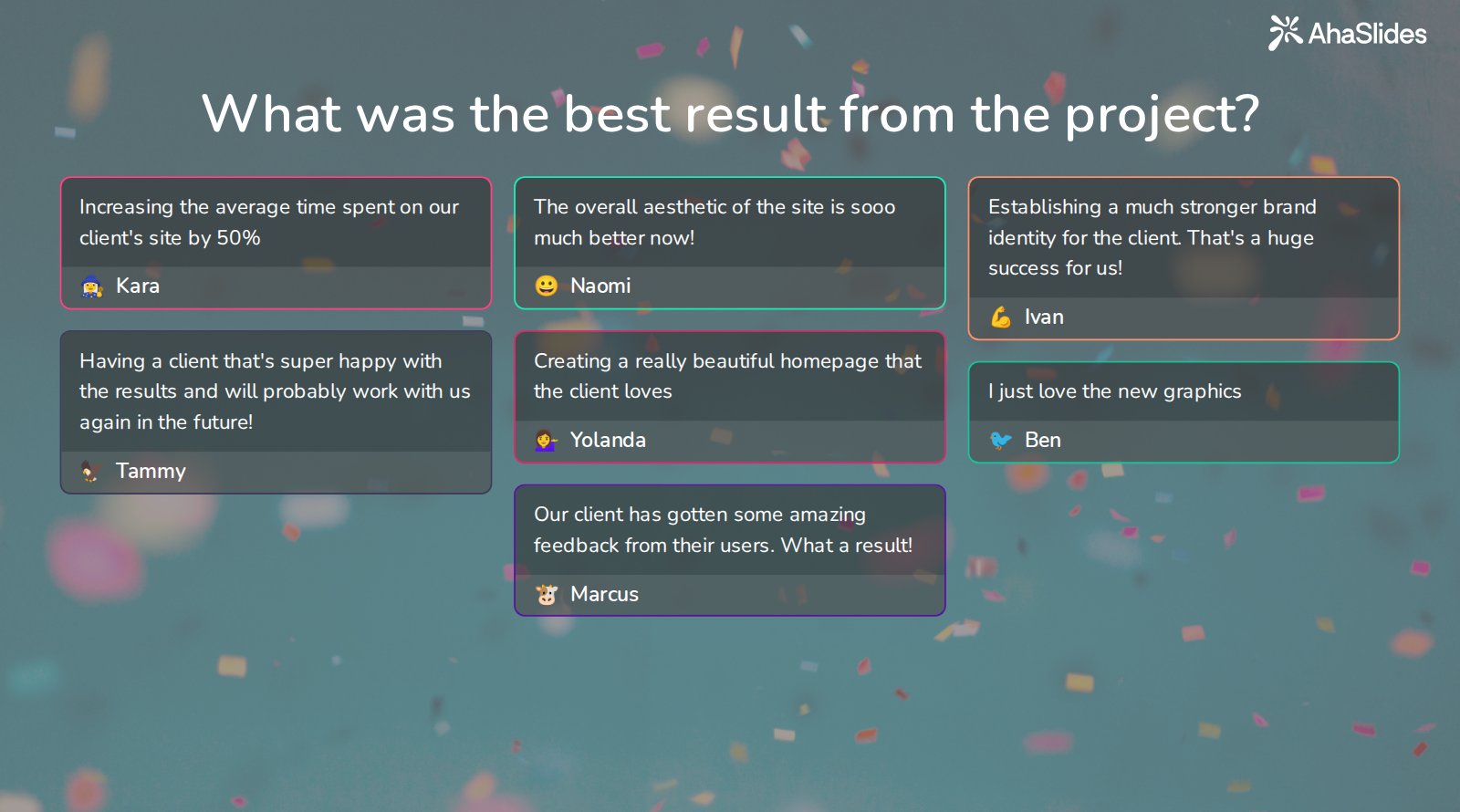
Open with what went well. An open-ended slide where everyone types an answer at the same time gets the room talking, and everyone sees the same results at once.
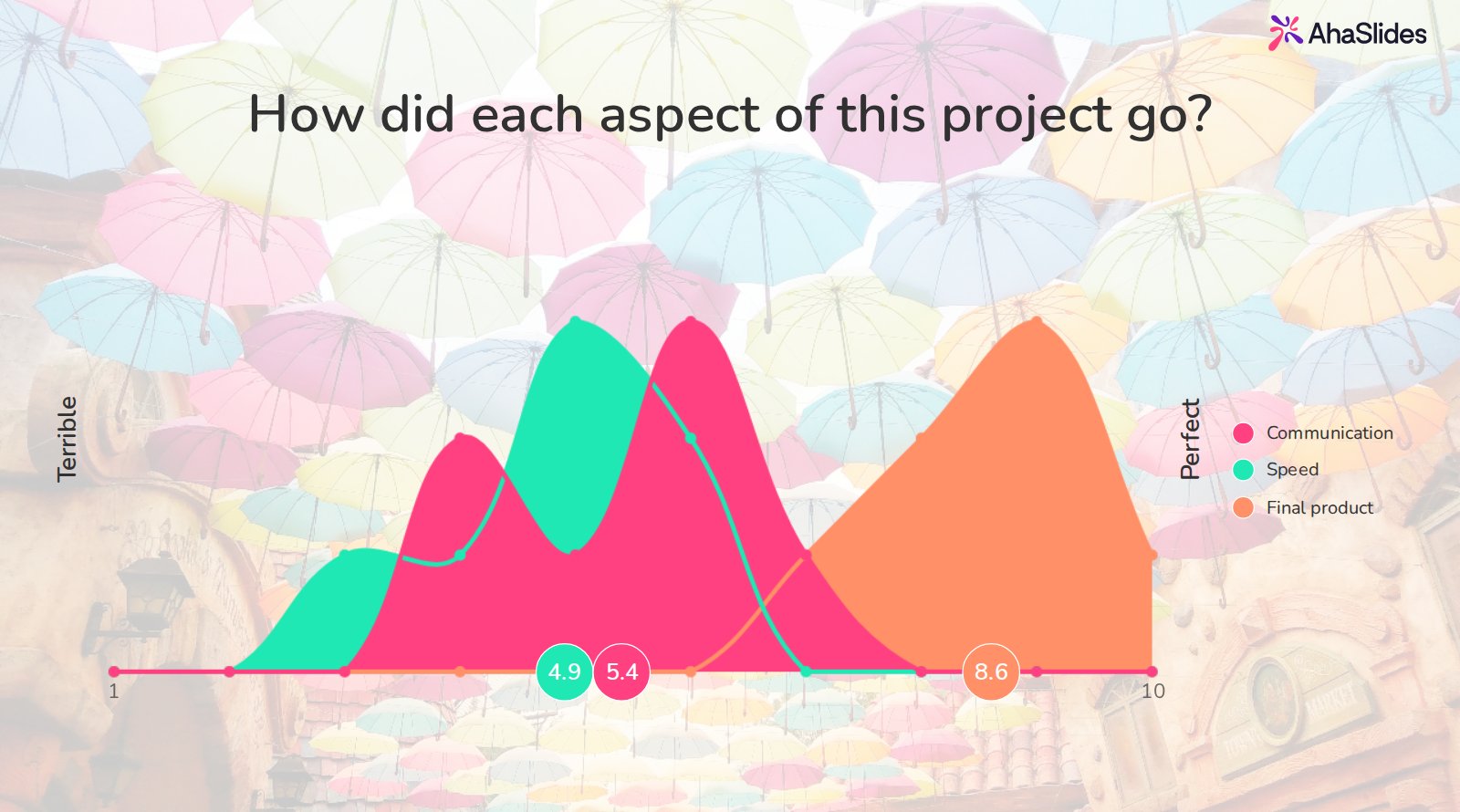
Next, ask the team to score how each part of the project went. A scales slide shows the spread of opinion across aspects such as communication, speed and the final product, so you can see where views differ before anyone starts to debate.
Here is a quick way to start: sign up for AhaSlides, pick a retro template, adapt it to your project and share the link with your team. The template below follows the flow above.
Prefer a Start, Stop, Continue layout? Try the retrospective with IdeaBoard template, which has a slide for each question.
Step 2: Analyse, reflect and generate actionable insights
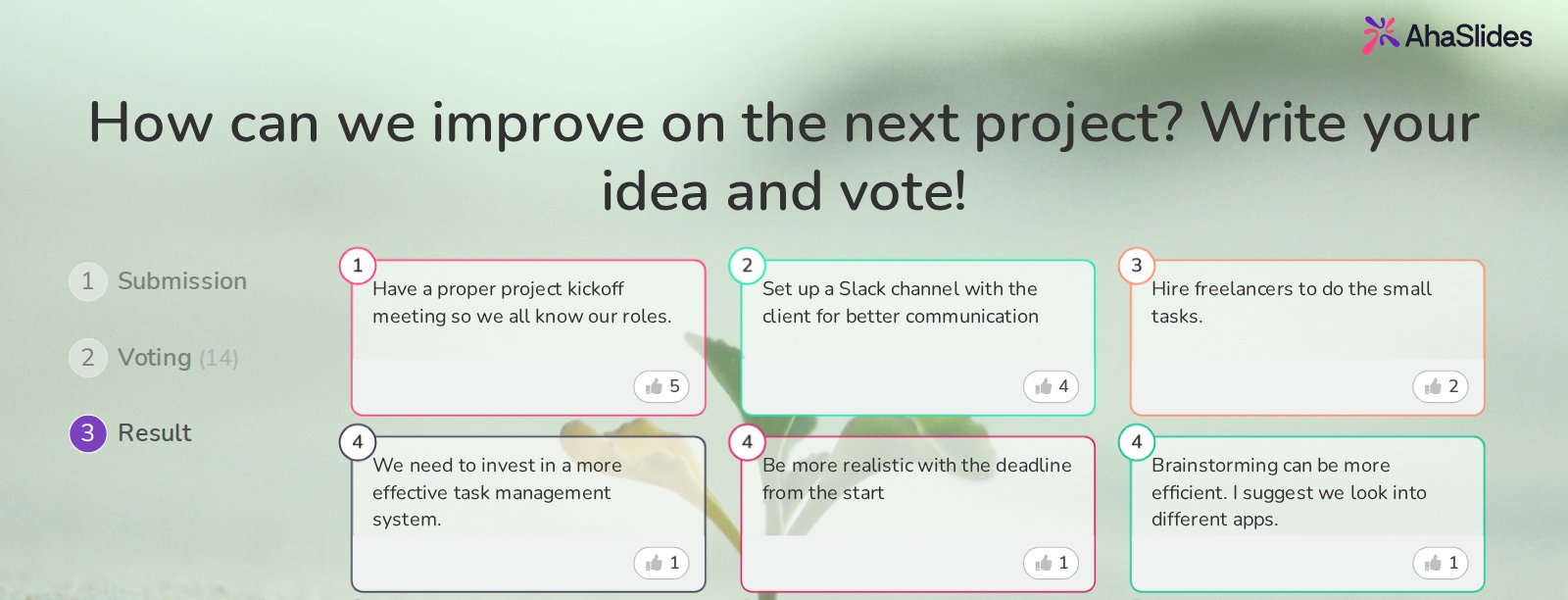
Once feedback is in, look for themes and patterns. What were the biggest wins? What were the major challenges? Where did things go off track? Group similar points together so observations become concrete actions. A write-and-vote slide works well for this: people submit ideas for the next project, then vote for the ones they care about most.
Then wrap up with action:
- Vote on priority items and pick two or three, not twenty.
- Assign an owner to each action.
- Set a timeline for each one.
- Plan a follow-up, for example five minutes at the start of the next retro to review what was agreed.
When should you hold a project retrospective?
A project retro is often held at the end of a project, but do not limit yourself. Consider these moments:
- End of a project phase: run retrospective project management sessions at the end of major phases to course-correct early.
- Regular intervals: for long-running work, schedule retros weekly, fortnightly, monthly or quarterly to keep momentum and deal with issues promptly. This suits non-product teams such as marketing and customer success too.
- After a critical incident: if a project hits a significant setback, a retrospect meeting helps the team find the root cause and prevent a repeat.
What are the main purposes of holding a retrospective?
Retrospectives in project management are vital for continuous improvement. They give the team a safe space for honest feedback and help it to:
- Identify what worked well and what did not. This is the core of any retrospective project. Analysing successes and failures gives the team insight for future projects.
- Uncover hidden roadblocks. Issues often simmer beneath the surface. Team retros bring them to light so they can be solved early.
- Boost morale and collaboration. Celebrating wins and acknowledging everyone’s contribution builds a positive team environment.
- Drive continuous learning. Retros encourage a growth mindset, where learning from mistakes is a path to improvement.
- Improve future planning and execution. Looking at past performance helps teams refine their processes and set realistic expectations.
Keep the focus on learning from mistakes rather than dwelling on them. A retro where everyone feels heard and valued builds a culture of continuous learning.
Ideas for a great project retrospective
Traditional retros can feel stale. With AhaSlides you can change that in three ways.
1. Get everyone to open up
- Use an anonymous poll for honest feedback.
- Use a word cloud for collective brainstorming.
- Run a live Q&A that gives everyone a voice.
- Use real-time voting to prioritise issues.
2. Make it fun
- Run a quick quiz to recall project milestones: “Let’s recall our key milestones!”
- Open with an icebreaker poll: “In one emoji, how do you feel about the project?”
- Use brainstorming boards for team ideation.
3. Track progress easily
- Collect results visually as people answer.
- Export the results for your project records.
- Share a summary with the team afterwards.
Project retrospective FAQs
How long should a project retrospective take? It depends on the length of the project. Atlassian says sprint retros can be as short as 45 minutes or as long as three hours, and the Scrum Guide caps the Sprint Retrospective at three hours for a one-month Sprint. A retro for a longer project may need more than one session, so give the team enough time for a meaningful conversation.
Who should attend? The people who did the work. If senior stakeholders join, team members may hold back, so share the action items with leaders afterwards.
What is the difference between a retrospective and a post-mortem? A post-mortem usually follows a failure and focuses on root causes. A retrospective runs whether the project went well or badly, and looks at what to keep as well as what to fix.
Sources
- Agile Manifesto, Principles behind the Agile Manifesto.
- Schwaber, K. and Sutherland, J., The Scrum Guide (November 2020), section on the Sprint Retrospective.
- Kerth, N., Project Retrospectives: A Handbook for Team Reviews, Dorset House Publishing, 2001.
- Atlassian Team Playbook, Sprint retrospective.