
Turn a Claude chat into an interactive presentation

Describe your session and Claude builds the deck in your AhaSlides account, with polls, quizzes and word clouds your audience answers from their phones. Want something different? Ask, and Claude edits the slides for you.

Connect Claude
Rated 4.7 out of 5 on G2, based on 428 reviews
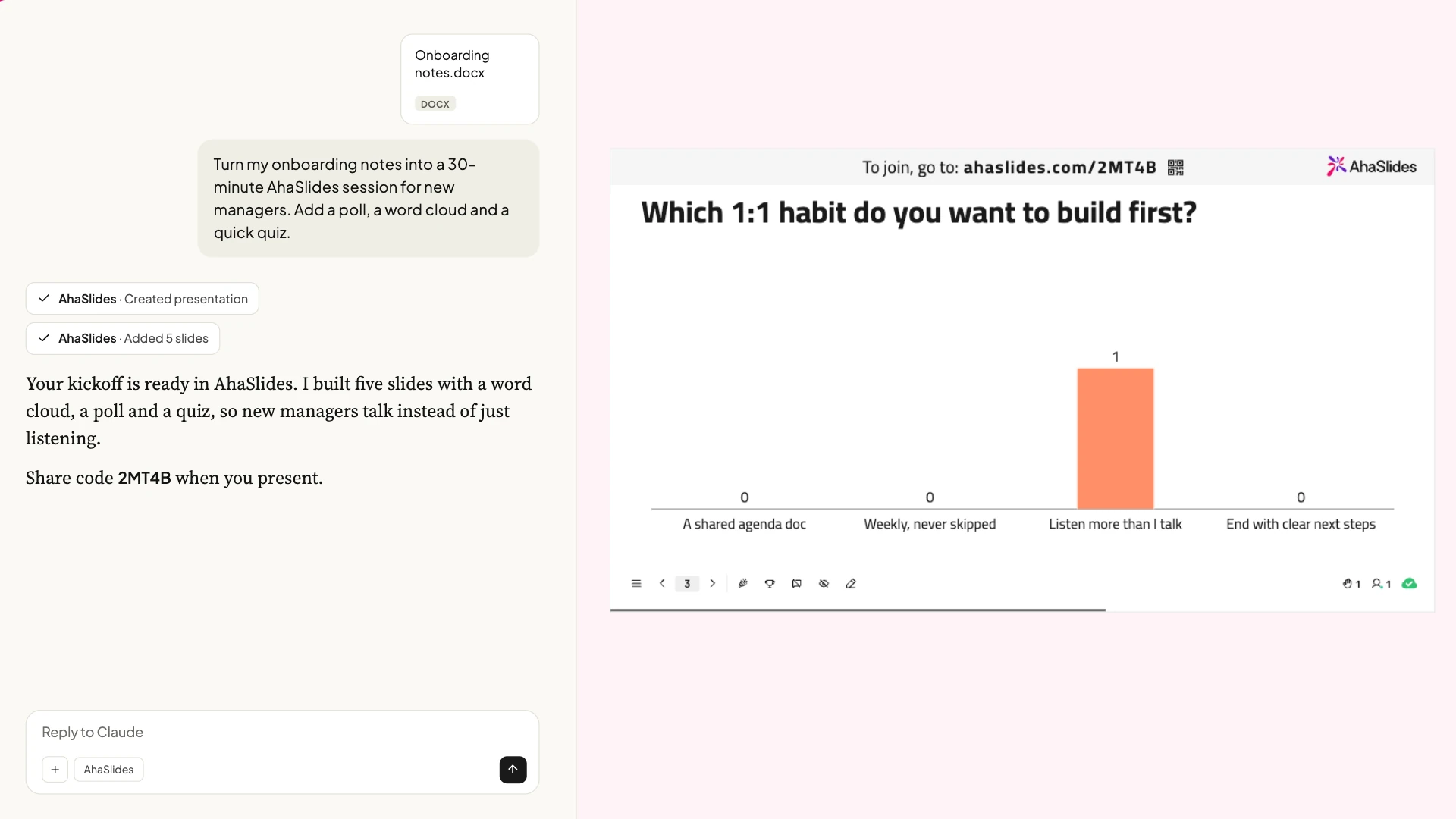
Claude chat on the left: an Onboarding notes document and the prompt Turn my onboarding notes into a 30-minute AhaSlides session for new managers, with AhaSlides showing Created presentation and Added 5 slides, and Claude replying that the kickoff is ready. On the right, the AhaSlides poll slide Which 1:1 habit do you want to build first? with one vote for Listen more than I talk
  • Abu Dhabi University logo
  • Airbus logo
  • Bend La Pine Schools logo
  • BMC logo
  • Bosch logo
  • Criteo logo
  • Ferrero Rocher logo
  • Intel logo
  • Ivy Tech Community College logo
  • Le Quiz Show logo

Build the deck, then reshape it by asking

  • Change any slide in plain words

    Turn a slide into a word cloud, reword a question, add speaker notes or switch to a darker theme. Claude makes the change in AhaSlides while you keep talking, and you can reorder or delete slides the same way.
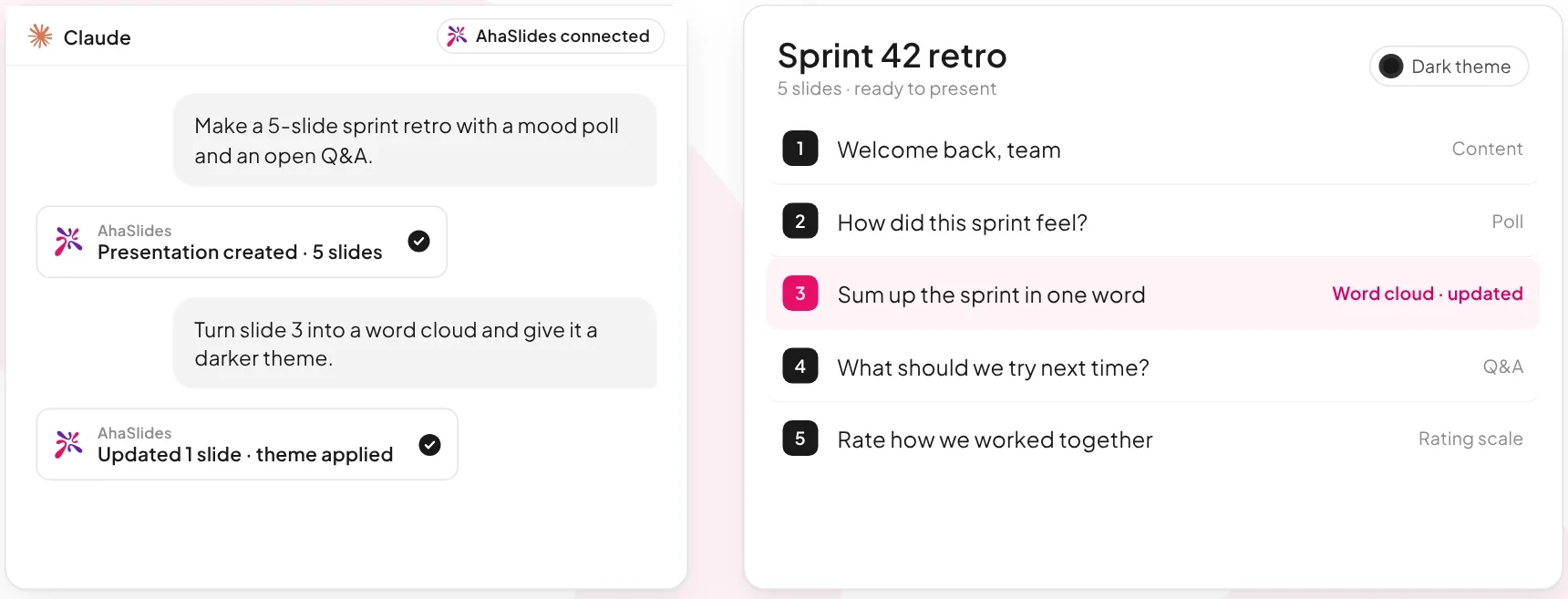
    Claude with AhaSlides connected next to the Sprint 42 retro deck it built: five slides, with slide 3 just changed to a word cloud and a dark theme applied
  • Quizzes that keep the room playing

    Ask for a quiz on any topic, then set the timers and scoring by asking. Your audience answers on their phones, and the live leaderboard keeps every question worth playing for.

    Live AhaSlides quiz leaderboard ranking five players, Maya, Leo, Priya, Sam and Omar, by points
Connect Claude

On the day and after it

  • Present live in AhaSlides

    Present the deck from your AhaSlides account. Claude can skip a slide for you, or approve audience questions when Q&A moderation is on.

  • Take it into PowerPoint

    Ask for a .pptx file with live AhaSlides quizzes and polls built in. They run in the PowerPoint desktop app with the AhaSlides add-in.

  • Ask what your audience said

    After the session, ask Claude for participation, quiz scores and poll results, then save the answer as a report you can pin or share.

Who it is for

  • Educators

    Turn lesson notes into slides with a quick quiz that shows what stuck.

  • Business teams

    Run kickoffs, retros and sales meetings where everyone gets a say.

  • Quiz masters

    Write trivia rounds and icebreakers your crowd plays on their phones.

More you can do with AhaSlides in Claude

Frequently asked questions

More than 17, including quizzes, polls, word clouds, brainstorms and content slides. Ask for the mix you want, or start from a built-in recipe such as Classroom lesson or Quiz game.

Yes. Ask Claude for a PowerPoint deck and you get a .pptx file with live AhaSlides quizzes and polls inside. They run live in the PowerPoint desktop app with the AhaSlides add-in installed.

Yes. The deck is saved in your AhaSlides account, so you can open it and change anything by hand, or keep asking Claude to change it.
Read the setup guide (opens in a new tab)