

Step 1: Add an Annotate slide
Click New slide, open the Poll tab and pick Annotate.
Ask a question on any image and watch every answer land on your screen, live.








New and live for everyone, free on every plan. Set it up in a few clicks.
Click New slide, open the Poll tab and pick Annotate.
Upload a picture, crop it to fit, then write one clear instruction.
People join with the code and draw on their phones. A live count shows the drawings.
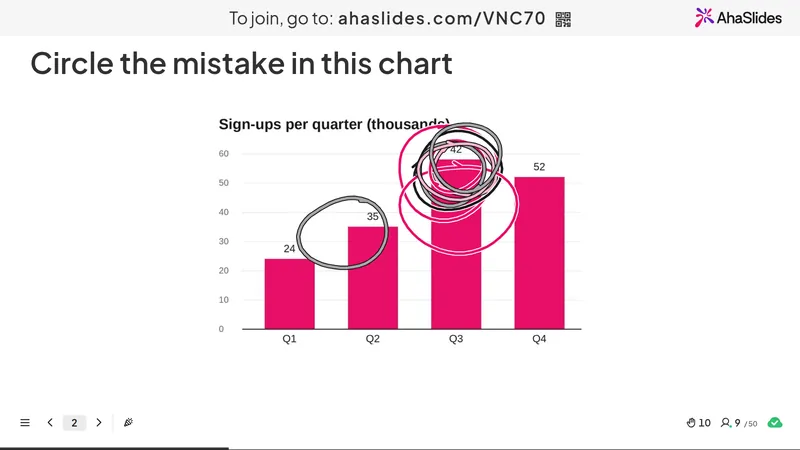
Show a chart, form or screen from real work and ask adults to circle what is wrong.
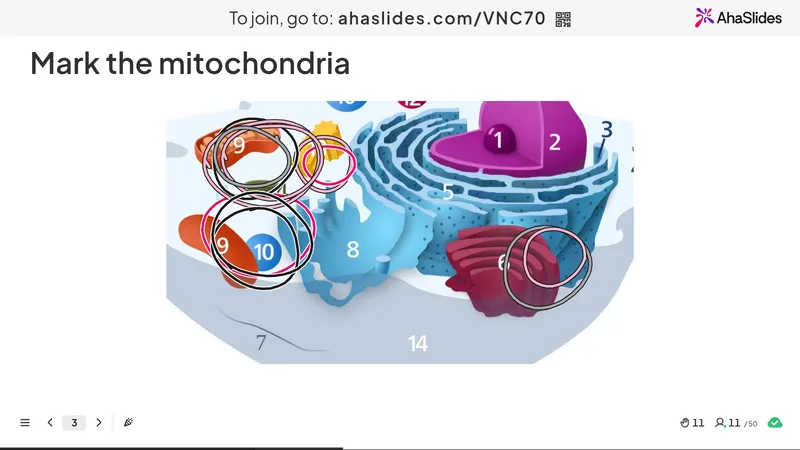
Students mark one part of a cell, a map or a circuit. Wrong answers stand out at once.
Ask people to mark where they are joining from, and the room sees itself on the map.
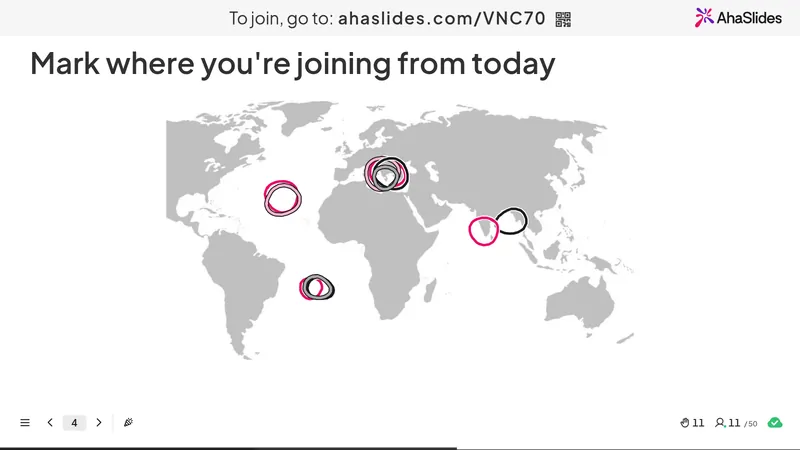
Everyone circles what catches their eye first, so the team sees where attention goes.
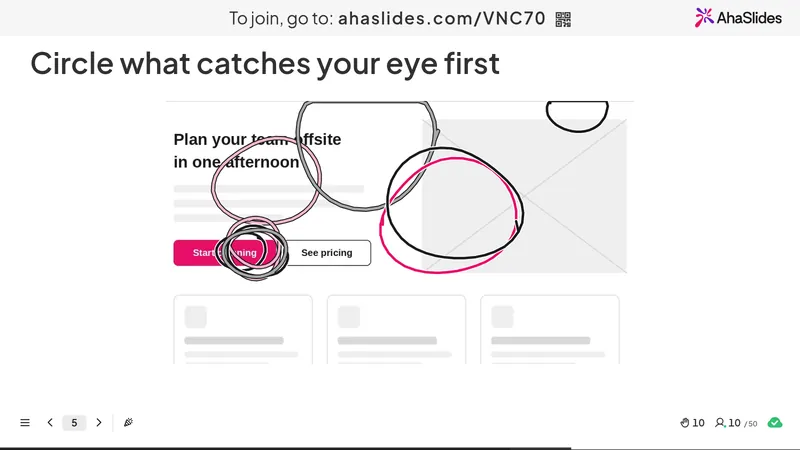
No app and no login. People join with the code and start drawing.
Taken from your presentation theme, so every mark matches your slides.
Take back the last stroke, or start again before sending.

Upload a PNG, JPEG, GIF or SVG up to 15 MB, then crop it to fit.
Add a time limit, or close submissions when you are ready to talk it through.