Drag and Drop
Quiz Slide

Hide the key words in a sentence and your audience drags the right tiles into place from their phones. Scored live, with a leaderboard.

Create your quiz free

Free plan for up to 50 participants.

Rated 4.7 out of 5 on G2, based on 408 reviews
  • Abu Dhabi University logo
  • Airbus logo
  • Bend La Pine Schools logo
  • BMC logo
  • Bosch logo
  • Criteo logo
  • Ferrero Rocher logo
  • Intel logo
  • Ivy Tech Community College logo
  • Le Quiz Show logo

Build, play and reveal in three steps

  1. Step 1: Write it

    Add Drag and Drop, type your sentence, select a word and click Make blank. Add decoy tiles to make guessing harder.
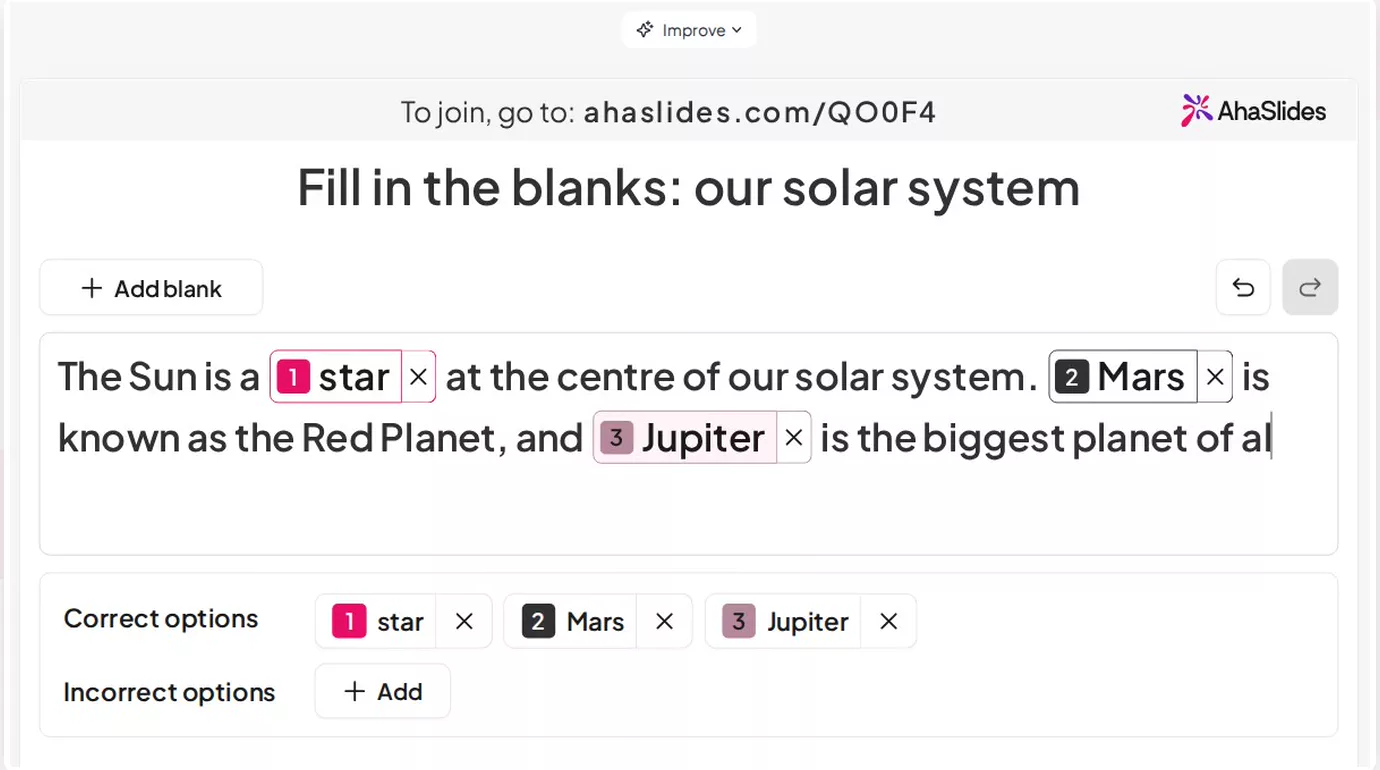
    The Drag and Drop editor with a solar system sentence, three blanks listed as correct options and an Add button for incorrect options
  2. Step 2: Let them drag

    Players drag or tap tiles into the blanks on their own phone. When time runs out, answers lock and placed tiles are submitted.
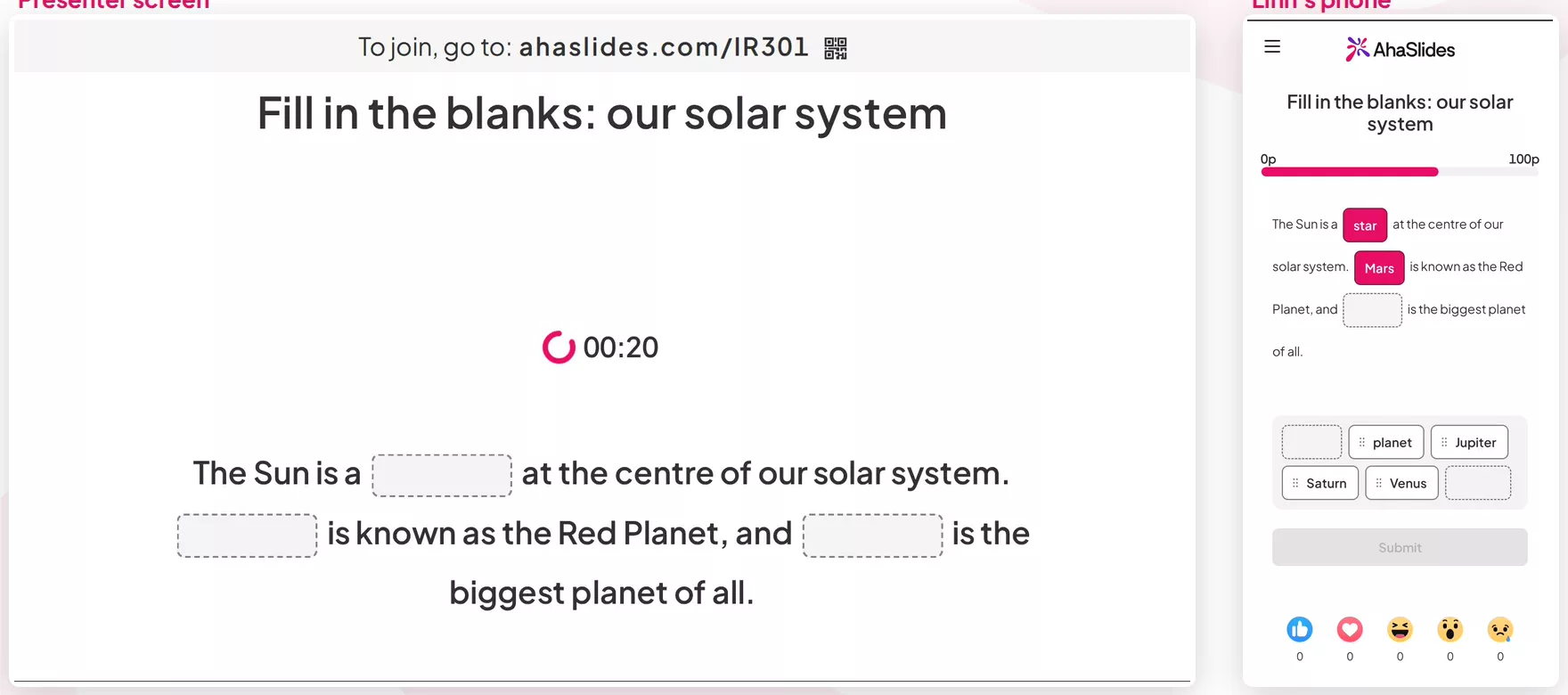
    The presenter screen with three empty blanks and a countdown, next to a player's phone with answer tiles to place
  3. Step 3: Reveal the answers

    See the completed sentence with the share of players who got each blank right. The leaderboard updates.
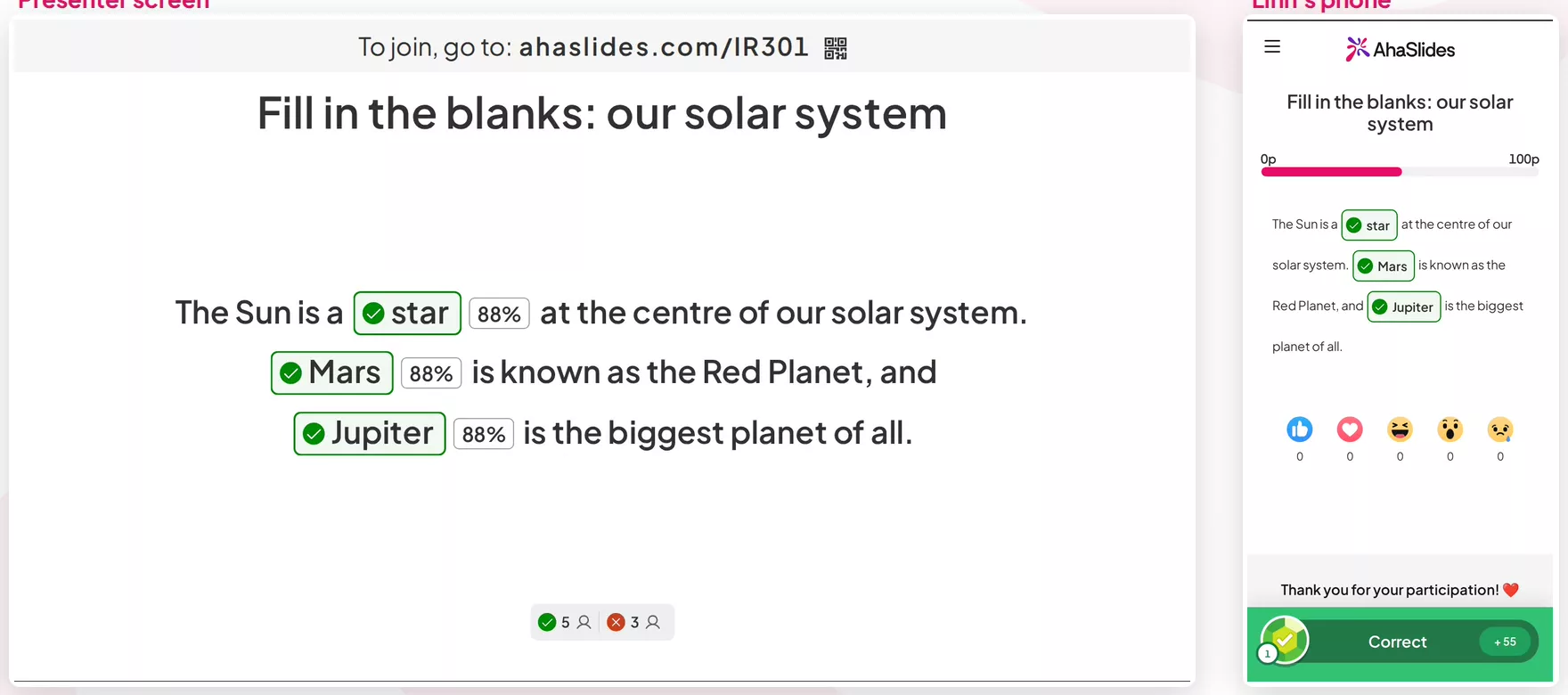
    The presenter screen showing the completed sentence with 88 percent correct on each blank, next to a phone showing a correct answer
Create your quiz free

Drag and Drop or Fill in the Blanks?

Both blank out words in a sentence and both are scored. They differ in how your audience answers.

Drag and Drop compared with Fill in the Blanks
Feature Drag and Drop A word bank and fast, typing-free answers Fill in the Blanks Players recall the word themselves
How players answer Tap or drag tiles into the blanks Type an answer or pick from a dropdown
Decoy options Yes No
Blanks per slide Up to 6 Up to 4
Several accepted answers per blank No Yes
Create your quiz free

Ideas for your next Drag and Drop round

A word bank lets everyone play, including people who would freeze at an empty box.

  • Classroom and revision

    Practise vocabulary, grammar or formulas with decoys that are near misses.

  • Training and onboarding

    Check that process steps and policy details landed, such as who approves a refund and by when.

  • Events and conferences

    Run a quick round a big audience can answer in a few taps, with no typing and no spelling to get wrong.

  • Fun and trivia

    Blank out the key words of song lyrics, famous quotes or movie taglines and let the room finish the line.

Create your quiz free

Questions before you start

Yes, always. Points, the timer and the leaderboard follow your quiz settings.

Up to 6 blanks and up to 8 decoy tiles. Each option can be up to 40 characters and the sentence up to 300.

Yes, and it is on by default. Each correct blank earns its share of the points. Switch it off to make it all-or-nothing.

To press Submit, yes. If time runs out first, the tiles already placed are submitted and empty blanks score nothing.

No. A tile counts as right when its text matches the blank's answer, ignoring capitals and extra spaces.

Once players have answered, the slide locks so scores stay fair. Use Reset results in the slide's three-dot menu to clear it and edit.

AhaSlides has 41 slide types, from quizzes and polls to games and content slides. See them all on the slide types page, grouped by what they do.

Read the docs (opens in a new tab)