
Technology-enhanced learning (TEL) means using digital tools on purpose to make teaching more effective and learning more active. A live poll, a self-paced quiz, a shared document and a virtual lab can all count, provided the tool serves a clear learning goal.
The label hides a catch. Technology does not improve learning by itself. In a meta-analysis of 225 studies of undergraduate science, technology, engineering and math courses, students in active learning classes scored about 6% higher on exams, and students in traditional lectures were about 1.5 times more likely to fail. The gain came from the active teaching, and TEL is one of the easiest ways to make that kind of teaching happen in a full room.
This guide gives you a plain definition, the benefits the evidence supports, 12 examples you can use this week, and four steps to start. It is written for teachers, lecturers and trainers.
Quick facts
| Question | Answer |
|---|---|
| What is TEL? | Using digital tools deliberately to support teaching and learning |
| Is it the same as e-learning? | No. E-learning is fully online. TEL also covers tools used in a physical classroom |
| Who uses it? | Schools, universities and workplace trainers |
| What makes it work? | Good teaching design first, then the tool |
| Can I try it free? | Yes. The AhaSlides free plan runs live polls and quizzes |
What is technology-enhanced learning?
Technology-enhanced learning is the use of digital technology to support and improve how people teach and learn. Researchers describe it as the application of information and communication technologies to teaching and learning. In their critical review of the literature, Adrian Kirkwood and Linda Price note that explicit statements about what the term means are rare, and that it is not evident higher education has a shared understanding of what counts as an enhancement of the student learning experience.
That is a useful test for you. A tool is enhancing learning only if you can say what students now do, understand or remember that they did not before.
TEL is not the same as:
- E-learning. E-learning happens entirely online. TEL includes it, and also covers a poll in a lecture hall or a tablet in a lab.
- Edtech shopping. Buying a platform is not a strategy. The strategy is the lesson design the platform supports.
- Replacing the teacher. In every example below, the teacher still sets the goal, asks the question and acts on the answers.
The three ways TEL is delivered
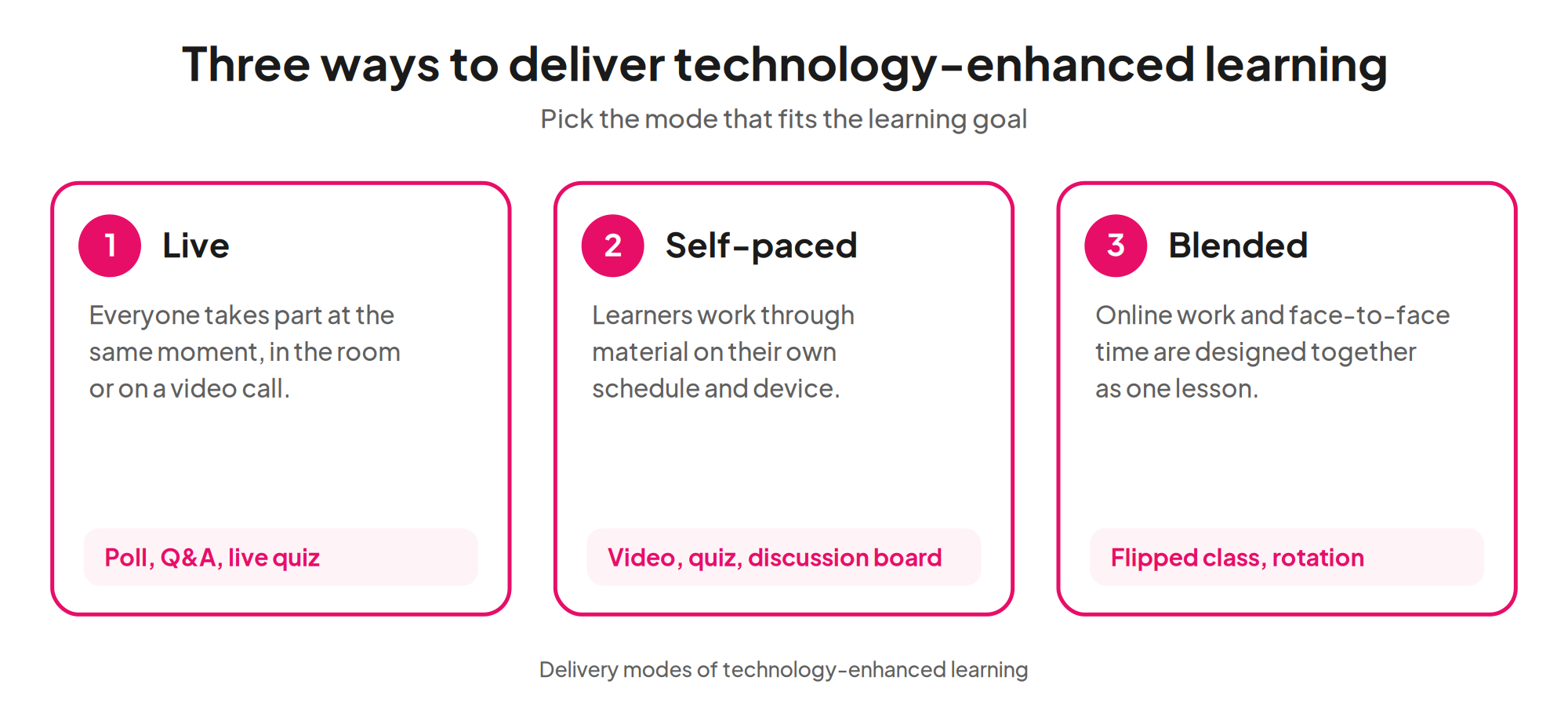
- Live (synchronous). Everyone takes part at the same moment, in the room or on a video call. Think live polls, quizzes and Q&A.
- Self-paced (asynchronous). Learners work through content on their own schedule: recorded video, quizzes, discussion boards.
- Blended. Online work and face-to-face time are designed together, as in a flipped classroom.
Benefits of technology-enhanced learning
Each benefit below is only as strong as the teaching behind it. The one with direct research support is linked.
- More active participation. A poll or word cloud lets every student respond, not only the two who always raise a hand. This matters because active learning is what the research rewards: about 6% higher exam scores in the 225-study analysis of undergraduate STEM courses.
- Faster feedback for you. Live results show what the room understood while you can still change the lesson, rather than at the marking pile on Friday.
- Safer for quiet students. Anonymous responses lower the cost of getting an answer wrong or asking a basic question.
- Flexibility. Self-paced material lets learners revisit a hard topic at their own speed, and helps those who miss a session.
- Richer ways to see an idea. Simulations, video and interactive images show things a textbook paragraph cannot.
- Evidence you can use. Reports show which questions most students missed, so the next lesson starts from real data.
Challenges to plan for
- Access. Not every learner has a device or reliable internet. Allow shared devices or a paper option.
- Training. Teachers need time to learn a tool before it helps a class. Start with one tool and one activity.
- Tool-led lessons. If the lesson was designed around the app, drop the app and redesign the lesson. Kirkwood and Price’s review asks how claims of enhancement are backed by evidence, which is a fair question to put to any tool.
- Privacy. Check what student data a tool collects and follow your school or organization’s policy. Anonymous participation helps.
- Distraction. Devices pull attention. Give each device a task with a short time limit.
12 examples of technology-enhanced learning
The examples are in three groups of four, matching the three delivery modes. Each group ends with our pick and the reason for it.
In the room (live)
- Opening poll. Ask one question that surfaces what students already think. Show the split, then teach to it.
- Word cloud for prior knowledge. Ask “What word comes to mind when you hear photosynthesis?” The biggest words show you the starting point.
- Anonymous Q&A. Students post questions during the lesson and upvote the ones they most want answered. You pick the top three.
- Quiz with a leaderboard. Five questions at the end of a topic check recall, and the friendly competition keeps energy high.
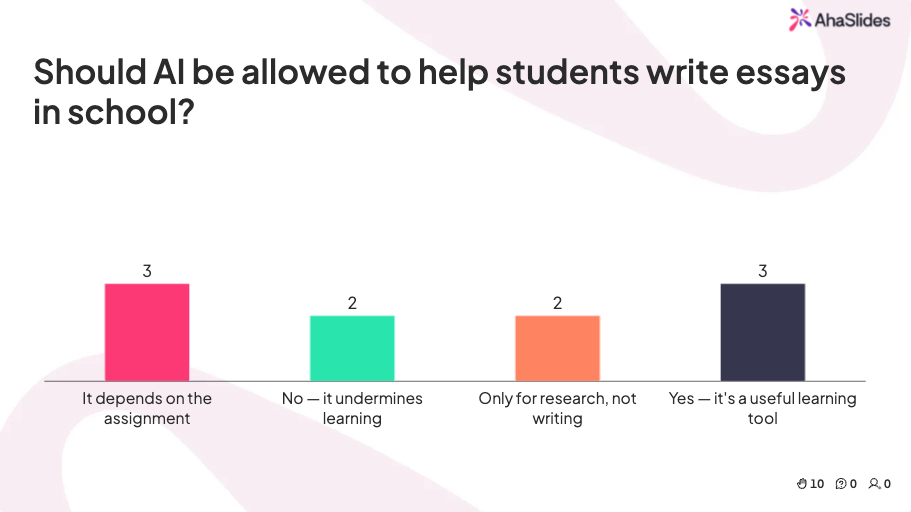
Our pick: the opening poll. It takes under two minutes, needs no preparation beyond one question, and gives you the one thing a lecture normally lacks, which is knowing where the room is.
Online and self-paced
- Self-paced quiz as homework. Learners answer in their own time and see their score straight away.
- Short video, then check questions. Keep the clip under ten minutes and follow it with three questions on the key idea.
- Discussion board with a prompt. Ask for one claim and one piece of evidence, and require a reply to a classmate.
- Virtual lab or simulation. Free tools such as PhET interactive simulations from the University of Colorado Boulder let students change variables in physics, chemistry, biology and math and see what happens.
Our pick: the virtual lab. It lets students do something no worksheet allows, which is experiment, fail and try again with no equipment budget.
Blended
- Flipped lesson. Students meet the new content at home, then spend class time on problems and discussion where you can help.
- Station rotation. Small groups rotate between a teacher table, a device task and an offline task.
- Collaborative document. Groups write or annotate a shared document, so the thinking is visible to you as it happens.
- Digital portfolio. Learners collect work and write a short reflection each week, which gives a record of progress that a single test cannot.
Our pick: the flipped lesson with a check-in poll. Start class with two poll questions on the pre-work. You find out at once who did it and who needs help.
How to implement TEL in four steps
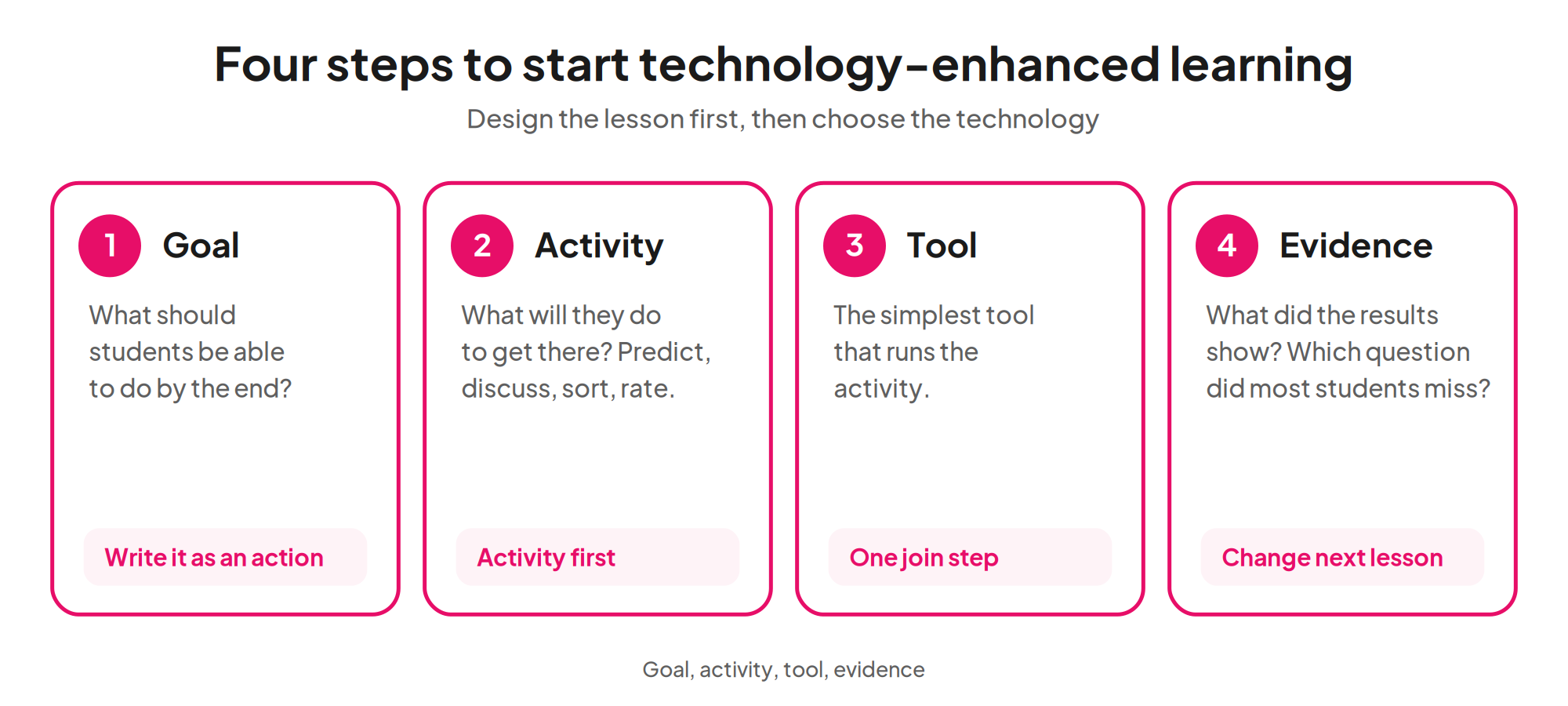
- Set one learning goal. Write it as what students will be able to do. “Explain why the seasons change” beats “cover the seasons”.
- Choose the activity before the tool. Ask what students should do to reach the goal: predict, discuss, sort, rate, answer. Active tasks pay off, as the 225-study analysis found.
- Pick the simplest tool that runs it. One tool your students can join in under a minute beats three they must learn.
- Check the evidence. After the lesson, look at what the results show. Which question did most students miss? Change next lesson’s start accordingly.
Start small. One technology-enhanced activity in one lesson a week is enough to learn what works in your setting.
TEL beyond school: higher education and the workplace
In universities, TEL often means recorded lectures, quizzes inside the learning management system and polling in large lecture halls, where it gives every student a voice. Kirkwood and Price’s review was about higher education, so the “what is enhanced?” test applies there too.
At work, the same ideas apply to training: a poll to open a compliance session, a quiz to close it, and a short self-paced module for new starters. Our guide on interactive classroom activities has more ideas you can adapt to a training room.
How to run TEL activities live with AhaSlides
AhaSlides lets you run most of the live and self-paced examples above from one deck. Students join with a code on their own phone or laptop, with no app to install.
| Example | AhaSlides slide type | What students do | What you learn |
|---|---|---|---|
| Opening poll | Poll | Pick the option closest to their view | Where the room starts |
| Prior knowledge | Word Cloud | Type a word or short phrase | Which ideas and gaps are common |
| Open question | Open Ended | Write a short answer | How students phrase the idea |
| Confidence check | Rating Scale | Rate how sure they feel from 1 to 5 | Who is secure and who is guessing |
| Anonymous questions | Q&A | Post and upvote questions | The questions that matter most |
| Recall check | Pick Answer quiz | Choose the correct option, with a leaderboard | What stuck from the lesson |
You can also let learners move through the questions on their own device, which suits the self-paced and flipped examples. The free plan includes up to 5 quiz questions and 3 poll questions per presentation, so you can test a TEL activity with one class before you commit to anything. For polls, see the online poll maker, and for quizzes the online quiz creator.
More guides on technology in teaching
- What is active learning? The teaching idea TEL is built to support.
- Best digital classroom tools A comparison of tools for different jobs.
- Classroom response systems How live responses work and which options exist.
- Examples of blended learning More on the flipped and rotation models.
- Formative assessment activities Quick checks you can pair with any tool.
Frequently asked questions
What is technology-enhanced learning?
Technology-enhanced learning is the deliberate use of digital tools to support teaching and learning. It covers live polls in a classroom, self-paced online quizzes and blended models such as the flipped classroom.
What is an example of technology-enhanced learning?
A live poll at the start of a lesson is a simple example. Students vote on their phones, the class sees the split at once, and the teacher adapts the lesson to it.
What are the benefits of technology-enhanced learning?
The main benefits are more active participation, faster feedback for the teacher and more flexibility for learners. The evidence supports active learning, with about 6% higher exam scores in a meta-analysis of 225 undergraduate STEM studies, and TEL is one way to make it practical.
What is the difference between e-learning and TEL?
E-learning takes place fully online, while TEL also includes digital tools used in a physical classroom. Every e-learning course is a form of TEL, but a classroom poll is TEL without being e-learning.
Does technology always improve learning?
No. Kirkwood and Price’s literature review found that a shared understanding of what counts as an enhancement is not evident. Results depend on the teaching design, so start with the learning goal and then pick the tool.
Is there a free tool for technology-enhanced learning?
Yes. AhaSlides has a free plan for live polls and quizzes, and PhET offers free simulations for science and math.
Sources
- Freeman et al. (2014), Proceedings of the National Academy of Sciences 111(23), 8410-8415: meta-analysis of 225 studies of active learning in undergraduate STEM courses.
- Kirkwood and Price (2014), Learning, Media and Technology 39(1), 6-36: critical review of what “enhanced” means in technology-enhanced learning.
- PhET Interactive Simulations, University of Colorado Boulder: free science and math simulations.
- AhaSlides pricing: free plan limits, checked 20 October 2026.