
Why interactive activities work: the neuroscience
Every educator knows the moment: you are mid-lesson, the content is solid, and half the room has mentally checked out. It is not a reflection of your teaching. It is a reflection of how human attention works. And it is a problem you can solve.
Neuroimaging research shows that brain connections form more readily when learners are relaxed, engaged, and emotionally invested. The dopamine released during active, enjoyable learning activates the brain's memory centers, meaning students who engage with an activity retain it better than those who passively observe it.
The evidence bears this out. A meta-analysis of 225 studies found that students in active learning classes outperformed lecture students on exams and were significantly less likely to fail [1]. Passive listening produces shallow encoding. Students can hear every word of a lecture and retain almost none of it an hour later. A landmark study by Donna Walker Tileston found that adult learners discard new information within 20 minutes unless they actively engage with it [2]. Interactive activities interrupt this pattern by requiring students to process, respond, and produce, all of which create stronger memory traces. It is the same principle behind retrieval practice: pulling information out of memory is what makes it stick.
This is not a case for entertainment over rigor. The most rigorous learning, the kind that actually sticks, requires active cognitive engagement, not passive reception.
Choosing the right activity for the moment
Not every activity fits every purpose. A quick framework:
If the goal is to introduce new concepts, use collaborative discussion, case studies, or concept mapping. These formats activate prior knowledge and create hooks for new information before it is formally presented. Tools like AhaSlides brainstorm slides or Mentimeter word clouds make this frictionless to run mid-lesson.
If the goal is to check understanding mid-session, use live polls, think-pair-share with response capture, or exit tickets. These give you diagnostic data in real time without stopping the session. AhaSlides live polls or Quizizz surface that data without leaving your slides.
If the goal is to apply or consolidate learning, use role play, simulation, scenario analysis, or quiz competitions. Application activities work best after initial understanding is established, not before. A shared board tool like Padlet works well for capturing scenario responses across a group.
If the goal is to re-engage a flagging room, use a word cloud, a quick quiz with a leaderboard, or a physical movement activity. These reset attention without requiring the facilitator to stop and acknowledge that the room has drifted. Kahoot! or AhaSlides quiz games are built specifically for this reset moment.
Interactive activities for learning
Collaborative discussion and Socratic seminars
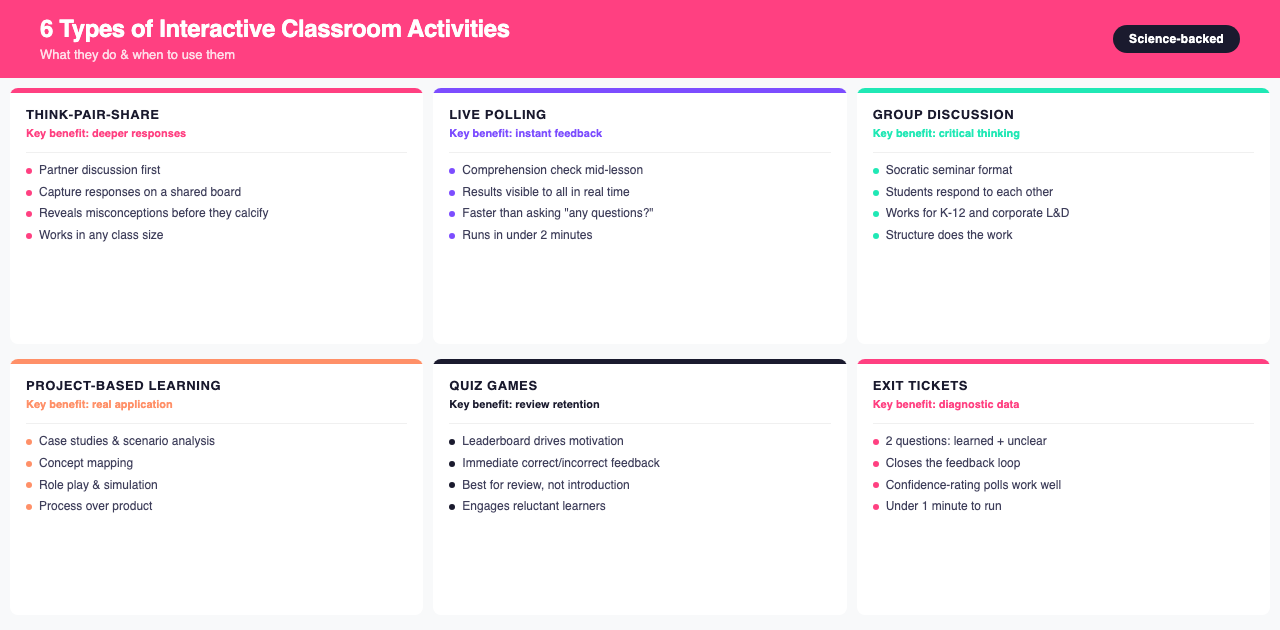
Structured discussion is one of the oldest interactive learning formats. The Socratic seminar model, where students respond to each other's ideas rather than directing questions to the facilitator, builds critical thinking and requires deep engagement with the material.
A simpler version: pair-share activities where students discuss a question with a partner before sharing with the group. Even 90 seconds of structured conversation significantly improves the quality of whole-class discussion.
This format works equally well for K-12 classrooms, university seminars, and corporate training sessions. The structure, not the subject matter, does the work.
Case study and scenario analysis
Present a real-world problem or situation and ask learners to analyze it using the concepts they are studying. Case studies work across subjects: a business ethics dilemma in leadership training, a patient case in biology, a primary source in history, a narrative choice in English literature.
Live polling makes this more interactive: after presenting the scenario, poll participants on what they would do, then discuss why responses differ. The gap between how different people interpret the same situation is itself a teaching opportunity.
Concept mapping and visual knowledge building
Students and participants create visual maps showing how concepts relate to each other. This can be done individually, in pairs, or as a group. The activity reveals how learners are structuring knowledge, which is diagnostic data a quiz will not give you.
Collaborative digital whiteboards let everyone contribute to a shared concept map in real time, showing where consensus exists and where confusion remains.
Role play and simulation
Assign participants roles in a historical event, business negotiation, scientific debate, or ethical dilemma. When learners embody a perspective, they develop deeper understanding of it than when they simply read about it. Role play also builds empathy and communication skills alongside content knowledge.
Even brief, structured role plays of 5 to 10 minutes can be more memorable than extended passive instruction. The key: clear roles, a specific scenario, and structured debrief time afterward.
Flipped classroom discussion
In a flipped model, participants engage with content (video, reading, podcast) before the session, which frees class time for discussion, application, and problem-solving rather than transmission. This works best when learners understand the purpose: pre-session time is for acquisition, session time is for making sense of it together.
The flipped approach works in university courses and corporate L&D programs where participants can be assigned pre-work. It typically reduces time wasted on passive content delivery during valuable live time.
Interactive assessment tools
Live polls and comprehension checks
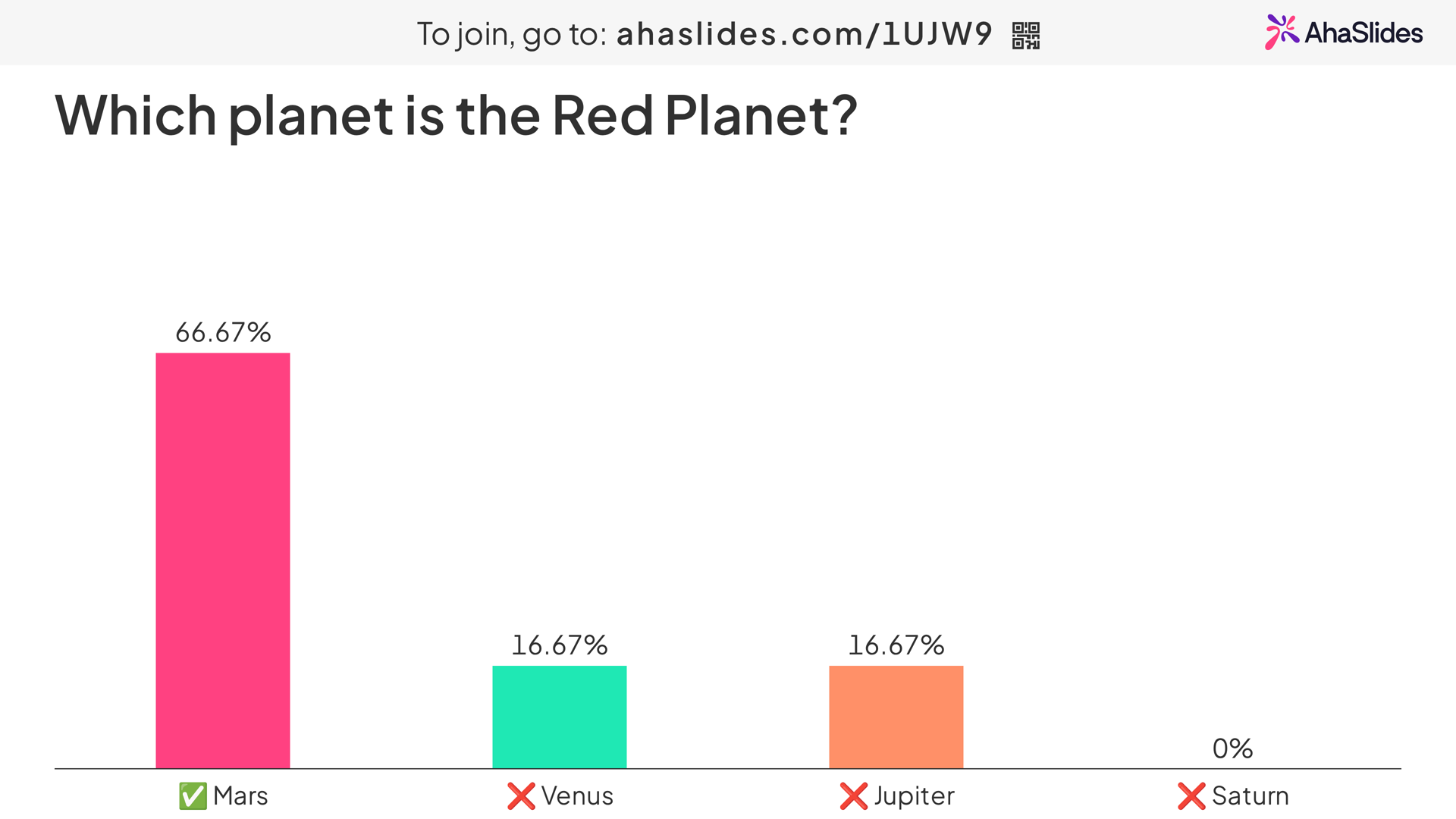
Drop a quick multiple-choice poll mid-lesson: "Which of these best describes X?" Participants respond on their devices; results display on screen immediately. You see in seconds how many people understood the concept and which misconception is most common. This is faster and more accurate than asking "any questions?" to a quiet room.
AhaSlides runs polls from participants' phones and results populate in real time. No separate platform, no login required. A comprehension check runs in under two minutes without breaking the flow of the session.
Exit tickets
A two-question check at the end of a session: one question about what was learned, one about what remains unclear. This closes the feedback loop for learners and gives facilitators specific data to open the next session with. An exit ticket does not need to be elaborate; a confidence-rating poll gives useful signal in under a minute.
Peer assessment activities
Learners review each other's work using a rubric or structured prompts. This gives insight into both the reviewer's understanding of quality criteria and the reviewee's work. Peer assessment works best as formative feedback on work in progress, before final submission.
Think-pair-share with response capture
The classic think-pair-share becomes significantly more useful with a response-capture step: after pairs discuss, each group submits their key takeaway to a shared board or open-ended poll. You can see patterns across the group and address misconceptions before they calcify.
Interactive activities for engagement and energy
Live quiz competitions
A timed, competitive quiz with a leaderboard consistently drives engagement in education and training settings. The game layer motivates participants who are otherwise disengaged, and the immediate feedback (correct/incorrect, with explanation) supports learning more than delayed grading.
The key: use quizzes for review and reinforcement, not initial introduction. Participants need enough familiarity with the material to engage meaningfully.
For language lessons, a fill in the blank round works especially well. Our complete the sentence game comes with a free template and printable worksheet.
Word clouds for collective thinking
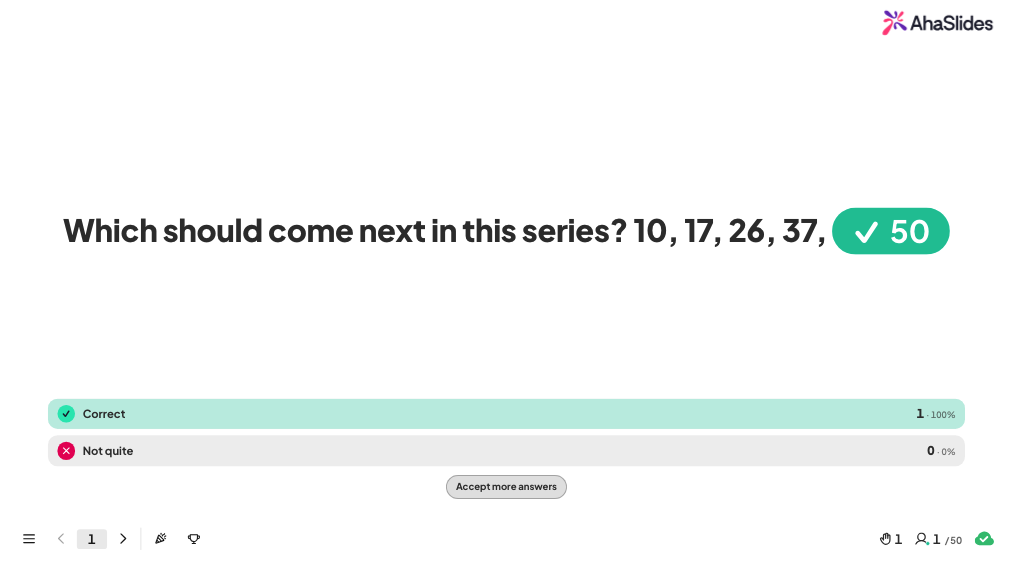
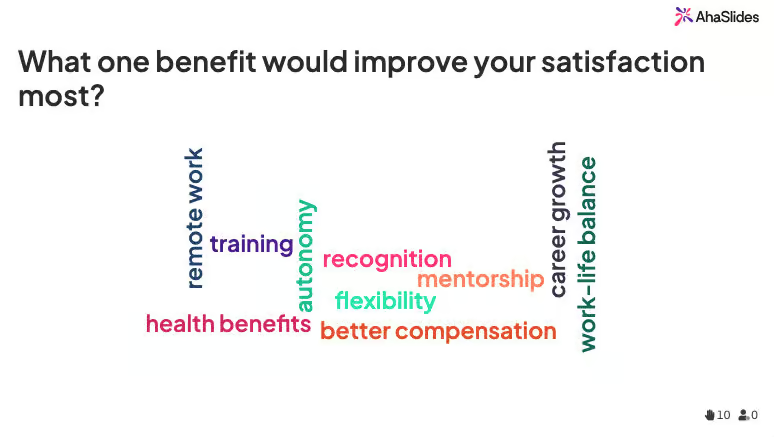
Ask everyone to respond simultaneously to an open-ended question. Responses appear on screen as a word cloud, showing the group's collective thinking in seconds. This works as a session opener (what do you already know about X?), a mid-session check (what is the most important thing we have covered?), or a closing reflection.
Debates and structured controversy
Assign participants to argue a position, even one they personally disagree with. Structured debate builds critical thinking by requiring evidence-based arguments and responses to counterarguments. Even a 10-minute mini-debate with live audience voting on which side made the stronger case creates genuine engagement.
Physical and movement-based activities
For in-person settings, physical movement resets attention effectively. Four Corners, where participants move to a labeled corner of the room to indicate their response, works for opinion questions and quick agreement checks. Gallery walks, where participants move around the room to review posted work or questions, add physical engagement to reflective activities.
These movement-based formats work well in both classrooms and training rooms. They are particularly effective as brain breaks in sessions longer than 90 minutes.

Interactive classroom tools that support these activities
The activity is only half the equation; the tool determines how much friction there is to run it. For a wider roundup, see our guide to the best tools for educators. Here is a practical breakdown of the tools mentioned above and what each is built for.
AhaSlides
Covers the widest range of activities in this guide: live polls, quizzes with leaderboards, word clouds, open-ended questions, and brainstorming, all inside a PowerPoint or Google Slides deck you already have. Participants join from a phone browser with no app download or account, which removes the setup step that kills momentum mid-lesson. The free plan supports up to 50 live participants per session.
Kahoot!
A game-based quiz platform built around timed questions and a leaderboard. It is a strong fit for the review and reinforcement quizzes described above, particularly in K-12 settings where the game format is familiar to students. The free tier caps the number of players and question types available per game.
Mentimeter
A presentation add-on focused on live polls, word clouds, and open-ended Q&A slides, commonly used in university lectures and corporate training. The free plan limits how many questions can be active in a single presentation, which matters for longer sessions with multiple check-in points.
Padlet
A shared digital board where participants post text, images, and links to a common canvas. It suits concept mapping, gallery walks, and brainstorming activities where you want a visual record of everyone’s contribution rather than a single aggregated result. The free plan limits the number of boards you can keep active at once.
Nearpod
Converts an existing slide deck into a guided lesson with quizzes, polls, and collaborative boards embedded between slides, plus a self-paced mode students can complete independently. It fits the flipped classroom model well, since students can work through interactive content before the live session.
Quizizz
A quiz platform built for self-paced, asynchronous play, so students can complete a quiz for homework and get immediate feedback without a facilitator present. This makes it a good complement to live tools like AhaSlides or Kahoot! when you need both a live and an independent-practice option.
Poll Everywhere
A polling tool that embeds directly as a live-updating slide inside PowerPoint, Google Slides, or Keynote, rather than requiring a separate app or browser tab during the presentation. It is used mainly for large lecture halls and conference sessions where minimizing clicks for the presenter matters more than variety of activity types.
Most classrooms do not need all seven. Pick one tool that covers live polls and quizzes for day-to-day comprehension checks, and add a board-style tool like Padlet only if concept mapping or gallery walks are a regular part of your sessions.
Tips for making interactive activities work consistently
Start with the simplest version: a partner discussion or a quick poll requires no setup and no technology. Build complexity once the habit of interaction is established in the room. Match the activity to the moment too: a 10-minute role play is not useful when you have 5 minutes left, and a competitive quiz is not appropriate immediately after presenting difficult emotional content.
Clear instructions matter more than most facilitators realize. Take 30 seconds before any activity to explain what participants will do, how long it will take, and what you will do with the responses. Ambiguity causes hesitation more reliably than difficult content does.
The debrief is where the learning actually happens. Ask what participants noticed, what surprised them, and how it connects to the session's main idea. Without a debrief, even a well-run activity can feel like a distraction. Finally, use activities consistently rather than occasionally: a room where interaction is the norm accepts it without friction, and it makes classroom management easier too. The first few sessions are the hardest. It gets easier.
Get started with AhaSlides
If you want to add interactive moments to your lessons or training sessions without overhauling your materials, AhaSlides integrates directly with PowerPoint and Google Slides. Add a poll, quiz, word cloud, or open-ended question in minutes. Participants join from their phones with no account required.
Frequently asked questions
What are the most effective interactive classroom activities?
Research consistently supports live polls for comprehension checks, peer assessment for formative feedback, collaborative problem-solving for application, and quiz games for review and reinforcement. The most effective activity depends on the learning goal and the point in the session.
How often should I use interactive activities?
A useful guideline: add at least one interactive moment for every 15 to 20 minutes of instruction. This does not need to be elaborate. A quick poll or partner discussion is enough to reset attention and improve retention.
Do interactive activities work online and in person?
Yes. Digital tools like AhaSlides, Padlet, and Mentimeter work equally well in physical classrooms, virtual sessions, and hybrid setups. Movement-based activities like Four Corners are easier in person, but most digital activities are format-agnostic.
Are these activities only for K-12 classrooms?
No. The same principles apply in university courses, corporate training, L&D programs, and professional development sessions. The formats scale to adult learners; in some cases, adults respond more strongly to activities that treat them as active contributors rather than passive recipients.
What tools should I use for interactive classroom activities?
Start with one tool that covers live polls and quizzes, such as AhaSlides or Kahoot!, for day-to-day comprehension checks. Add a board-style tool like Padlet if concept mapping or gallery walks are a regular part of your sessions, and a self-paced platform like Quizizz if you need students to complete activities independently between live sessions.
Sources
[1] Freeman, S., et al. (2014). Active learning increases student performance in science, engineering, and mathematics. Proceedings of the National Academy of Sciences, 111(23), 8410-8415.
[2] Tileston, D. W. (2010). Ten best teaching practices: How brain research, learning styles, and standards define teaching competencies (3rd ed.). Corwin Press.