



Most online training has a quiet problem: participants show up, cameras off, muted, and mentally somewhere else.
You deliver the content. You ask if everyone's following. Silence. A polite "yes" in the chat. And you have no idea if anything landed.
The cost is measurable: AhaSlides research found that 66.1% of professionals say distraction reduces information retention, and 63.3% report it produces weaker learning outcomes.
This guide covers 20 specific practices that L&D professionals and corporate trainers can use to change that pattern, from pre-session prep through measurement.
💡Quick tips: Use these five practical tips for interactive virtual training for your team.
What virtual training actually is
Virtual training is instructor-led learning delivered live through video conferencing, where trainers and participants connect remotely in real time. It is not the same as self-paced e-learning.
The distinction matters. Virtual training preserves the real-time interaction of classroom instruction: live Q&A, group discussion, skills practice, immediate feedback. What changes is the delivery medium, and that medium introduces specific challenges that require specific responses.
For most L&D teams, virtual training runs through Zoom, Microsoft Teams, or Google Meet, with supplementary tools handling polls, whiteboards, and audience response.
Why organizations have kept virtual training after the pandemic ended
The pandemic accelerated adoption, but cost and scale arguments have kept it in place.
The cost case is straightforward. Eliminating travel, venue hire, and printed materials reduces per-head training spend significantly. For organizations training hundreds or thousands of employees annually, that difference compounds quickly.
Scale is the other driver. A trainer who can reach 30 people in a classroom can reach 300 in a virtual session without a proportional increase in cost or effort. For compliance training, onboarding, and skills updates that need to reach a distributed workforce, virtual delivery is simply more practical than the alternative.
Flexibility matters too. Participants in different time zones, different offices, or different work schedules can all access the same session. Recording the session extends its reach further: people who could not attend live can watch afterward, and the content becomes a reusable asset rather than a one-time event.
The tradeoff is that online delivery is harder to make engaging. That is the problem this guide addresses.
Common challenges and what to do about them
The absence of physical presence and body language cues is the most fundamental difference from classroom delivery. High-quality video, a camera-on norm, and frequent comprehension checks compensate for what you cannot read in the room.
Home and workplace distractions are predictable. Setting participation norms upfront, building in regular breaks, and using activities that require an active response rather than passive listening all reduce the pull of competing attention.
Technical failures will happen. Testing everything 48 hours before the session, keeping a backup plan for each interactive element, and having a secondary contact method ready means a technical problem becomes a brief delay rather than a derailed session.
Low participation is usually a structural problem, not a motivation problem. Adding an interactive moment every 10 minutes rather than every 45 changes the default from passive to active.
Full-group discussion is hard to manage virtually. Breakout rooms with clear tasks and assigned roles produce better output than open conversation with 20 people and one unmute button.
Attention fatigue sets in faster online than in person. Capping sessions at 90 minutes and splitting longer content across multiple shorter sessions is not a compromise, it is better instructional design.
Pre-session preparation
1. Master the platform before participants log in
Platform fumbles erode trainer credibility fast. Run at least two full rehearsals on your actual platform before delivery. Test every interactive element, every video embed, every transition. Keep a one-page troubleshooting guide for the five most likely technical failures open during the session.
A ResearchGate study on online training found that technical difficulty during instruction raises dropout rates and reduces knowledge transfer [1].
2. Invest in equipment that does not fight you
Poor audio is the fastest way to lose a virtual room. Participants will endure slightly grainy video far longer than choppy audio.
Minimum setup for professional delivery: a 1080p webcam positioned at eye level, a headset or external microphone with noise cancellation, a stable wired internet connection with a mobile hotspot as backup, and a well-lit space where the light source is in front of you rather than behind. A second monitor or device for monitoring chat and participant reactions without switching windows is worth adding if you run sessions regularly.
The audio matters most. Participants will tolerate slightly degraded video far longer than they will tolerate choppy or echo-prone audio. If you are choosing where to spend, spend on the microphone.
3. Send pre-session materials that prime learning
Engagement can start before anyone logs in. A short pre-session poll asking participants to rate their current confidence on the topic gives you baseline data and gets participants thinking about the subject beforehand.
Other options: a two-minute explainer video covering platform navigation, a single reflection question sent by email, or a brief reading that gives the group shared vocabulary.
For a longer primer, build it as a short self-paced course in AhaSlides, so you can see who has finished it before the live session starts.
4. Build a session plan with contingencies
A session plan is a minute-by-minute map that tells you which segment comes next, what the intended activity is, and what you do if it runs long or technology fails.
A session plan has five elements. Learning objectives come first: specific, measurable outcomes that define what participants should be able to do or explain by the end. Vague objectives like 'understand the topic' are not useful; 'explain the three stages of the process and identify which stage is most relevant to their role' is.
Timing per segment comes next: a planned duration for each block plus a flex window that absorbs overruns without compressing everything that follows. Delivery method follows: whether each segment is a presentation, a discussion, an activity, or an assessment, written out explicitly so there is no ambiguity about what happens when.
Interactive elements need their own column: the specific tool and prompt for each touchpoint, not just 'poll here.' A prompt written in advance is always sharper than one improvised under pressure.
Finally, backup plans for each step where technology could fail. What happens if the poll does not load? What happens if a participant cannot access the breakout room? A plan written before the session takes two minutes. An improvised response during the session takes ten and costs the room's attention.
If you have 90 minutes allocated, plan for 75 minutes of content. The 15-minute buffer absorbs questions, technical delays, and conversations worth extending.
5. Log in 15 minutes early
Arrive before participants. Those early minutes let you test audio and video, help participants troubleshoot connection issues before the session starts, and build informal rapport. Participants who feel seen before training starts are more likely to contribute once it does.
Session structure
6. Set expectations in the first five minutes
The opening minutes determine the participation pattern for everything that follows. If you spend them talking at people, you establish a passive experience. If you run an interactive activity, you establish the opposite.
Open with the session agenda, how participants should engage, which tools they will use, and ground rules for discussion. Sessions that open with clear participation norms see meaningfully higher engagement throughout [2].
7. Keep sessions to 90 minutes or less
Participants are managing home environments, notifications, and the cognitive load of extended screen time. For content requiring more than 90 minutes, break it into multiple shorter sessions across consecutive days. Four 60-minute sessions consistently produce better retention than a single four-hour block because spaced learning gives the brain time to consolidate information between exposures [3].
8. Build in breaks every 30-40 minutes
Breaks are a cognitive necessity, not schedule padding. The brain consolidates information during rest, and sustained focus without interruption produces diminishing returns on retention [3]. Five minutes every 30-40 minutes is the minimum. Tell participants the break schedule upfront so they can plan around it, and end on time.
9. Manage timing with precision
When a trainer consistently runs long, participants start disengaging before the session ends because they know they are late for their next commitment. Assign realistic time estimates to each segment. Use a silent timer. Identify two or three flex sections that can be shortened if needed, and tell participants explicitly when you are extending a discussion and what you are cutting to compensate.
10. Apply the 10/20/30 rule to presentations
No more than 10 slides, no longer than 20 minutes, no font smaller than 30 points [4]. The font constraint naturally limits slide density: if your font is large enough to read on a small laptop screen, you cannot fit paragraphs of text, which forces you to present ideas rather than transcribe them. Use slides to frame concepts; move to activities for application.
Driving participation
11. Create an interactive moment in the first five minutes
A quick poll, a word cloud activity, or a single chat prompt gets participants responding immediately. Participants who contribute once early are significantly more likely to keep participating throughout.
12. Add an interaction point every 10 minutes
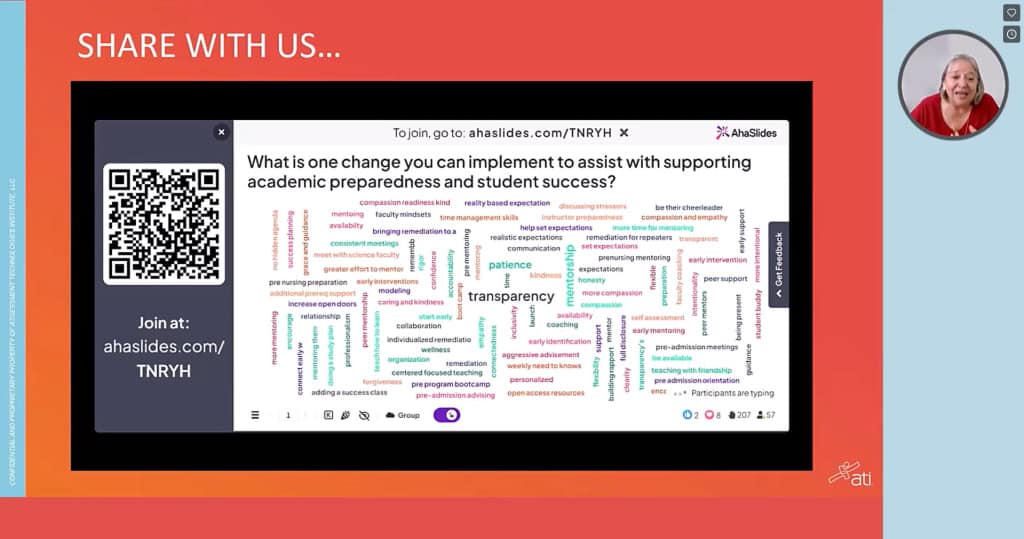
Engagement drops sharply after 10 minutes of passive content. The problem is compounded in virtual settings: AhaSlides research found that 41.9% of participants cite screen fatigue as a leading cause of distraction, making remote training particularly high-risk for attention loss. A reasonable cadence: one interactive moment in the first five minutes to establish participation, then an interaction point every 10 minutes throughout the session. That means a 60-minute session has roughly five to six touchpoints, not one poll at the end.
The format can vary: a quick poll, a word cloud, a chat prompt, a breakout room task, or an anonymous Q&A submission. Rotating the format prevents the interactions from becoming predictable, which is what makes them lose their effect over time.
13. Use breakout rooms for application, not just discussion
Small groups of three to five people create psychological safety for participants who do not speak in full-group settings. The mistake most trainers make is sending people to breakout rooms with a vague discussion prompt. Give them a task with a deliverable: a case study to resolve, a problem to diagnose, a draft to produce. Assign roles, give at least 10 minutes, then debrief outputs with the full group.
14. Ask for cameras on, without demanding them
Video presence increases accountability, but camera mandates create resentment when participants have legitimate reasons to decline: shared home spaces, bandwidth constraints, or back-to-back video calls. Explain why cameras help, ask rather than require, and offer camera breaks during longer sessions. Sessions where 70% or more of participants have cameras on tend to generate more discussion and higher post-session satisfaction scores [2].
15. Use names
Calling on a participant by name converts a broadcast into a conversation. "Great point, Sarah, who else has run into this?" signals that you are reading the room. Participants who feel individually recognized are more likely to contribute again.
Tools and activities
16. Use icebreakers with a professional purpose
Icebreakers earn skepticism because many are frivolous. The ones that work connect directly to the training topic.
For a session on communication skills: 'Describe your communication style in one word.' Display responses as a word cloud. The spread of answers immediately shows the group that people approach communication differently, which is the premise of the entire session.
For a session on change management: 'What's one change at work that turned out better than you expected?' Collect responses anonymously. The answers prime people to think about change positively before you introduce the frameworks.
For a compliance training session: 'On a scale of one to five, how confident are you that you could explain this policy to a new colleague?' The baseline data shapes how you pace the session, and participants who rate themselves low are already primed to pay attention.
The principle is the same in each case: the icebreaker does real work, not warm-up work.
17. Run live polls to adapt in real time
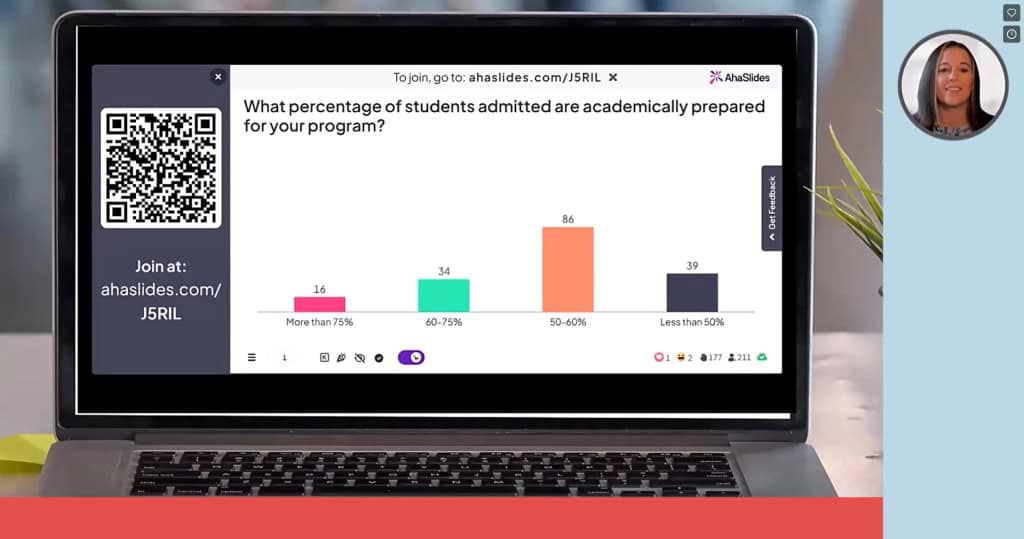
Polls are most valuable when you act on the results. An interactive poll showing that 60% of participants rate their confidence at 3 out of 10 is a signal to slow down before moving on. Effective polling moments: pre-training baseline, mid-session comprehension checks, scenario-based application questions, and a post-session confidence and takeaway check.
18. Use open-ended questions to surface real thinking
Polls efficiently collect data. Open-ended questions reveal how people actually think about a problem. "What challenges do you anticipate when applying this?" surfaces real obstacles that a standardized comprehension check would miss. Open-ended prompts work well in chat, on collaborative whiteboards, or as breakout discussion starters.
19. Build anonymous Q&A into the session structure
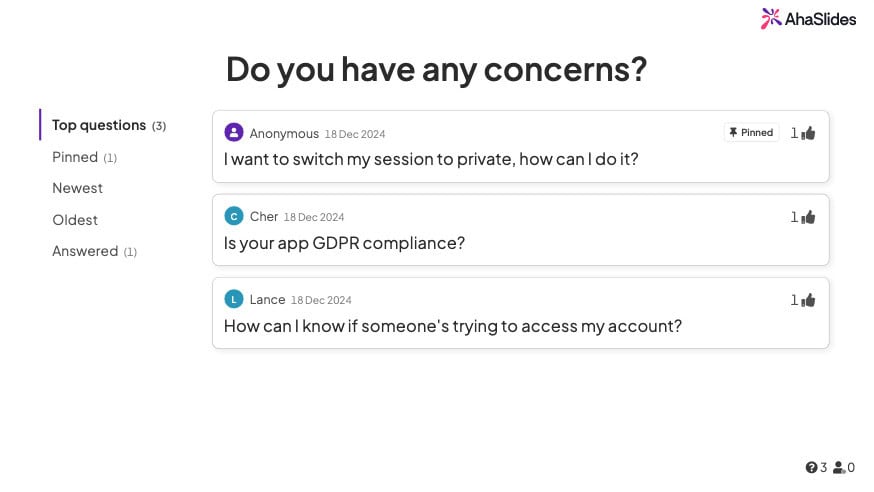
"Any questions?" at the end reliably produces silence. The fear of looking uninformed is real, and it is stronger online because questions feel more visible. AhaSlides' Q&A feature lets participants submit questions anonymously and upvote the most relevant ones. Anonymous submission consistently generates more questions than verbal-only formats, and building Q&A checkpoints throughout the session means concerns get addressed while the topic is still on screen.
20. Use quizzes as a learning tool, not a test
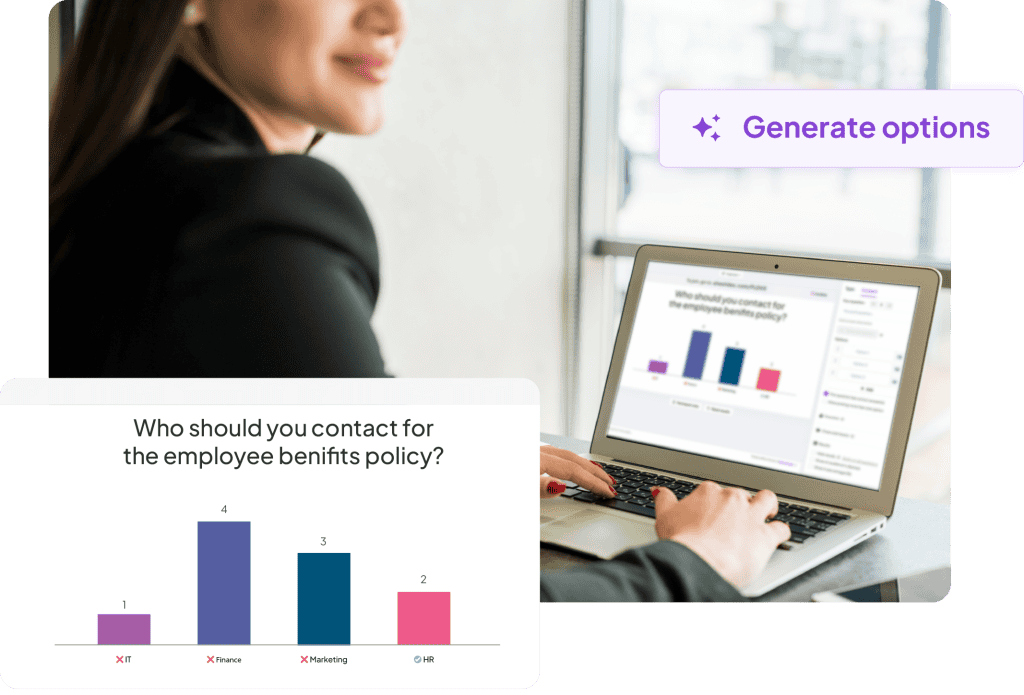
The testing effect, one of the most replicated findings in cognitive psychology, shows that retrieving information from memory strengthens it more than reviewing the same material again [5]. A two-question quiz after each major concept does more for retention than summarizing the concept a second time.
Practical formats for knowledge-check quizzes: a two or three question multiple choice quiz after each major concept, a type-the-answer question where participants recall a specific term or framework without prompts, a scenario-based question that asks participants to apply what they just learned to a realistic situation, or a match-pairs activity where participants connect concepts to definitions or examples.
Keep each quiz short. Two questions after a concept block is enough to activate retrieval without turning the session into an exam. The goal is to strengthen memory, not to assess performance, so low-stakes framing matters. 'Let's see how this lands before we move on' works better than 'time for a quiz'.
Measuring whether training worked
Collecting feedback immediately after a session captures satisfaction data. It does not tell you whether learning transferred to work.
A complete measurement approach covers four levels, drawn from the Kirkpatrick model, which remains the most widely used framework for training evaluation.
The first is reaction: did participants find the session valuable? A short post-session survey covering content relevance, trainer effectiveness, and overall satisfaction captures this. It is the easiest level to measure and the least predictive of actual learning.
The second is learning: did knowledge or confidence change? A pre and post confidence rating on the core topic, combined with a short knowledge check, gives you a before-and-after comparison. AhaSlides makes this straightforward: run the same poll at the start and end of the session and compare the distributions.
The third is behavior: are participants applying what they learned? A 30-day follow-up survey asking one or two specific questions about on-the-job application is the minimum. Manager observation or peer feedback adds more signal.
The fourth is results: did the training move a business metric? This is the hardest level to measure cleanly because many variables affect outcomes. Where possible, identify one metric that the training is meant to influence, baseline it before the program, and check it 90 days later.
Most training programs measure level one only. Adding level two takes 10 minutes. Adding level three takes one follow-up email. The gap between what organizations measure and what would actually tell them whether training worked is almost entirely a matter of habit, not effort.
The 30-day and 90-day follow-ups are where most training measurement programs fall short. A single follow-up survey is low effort and reveals whether the session had any durable effect.
Using AhaSlides for virtual training delivery
The engagement practices above work best when integrated into the session rather than requiring participants to switch between platforms. Juggling multiple tools creates friction that undermines the interaction it is supposed to enable.
AhaSlides handles polls, word clouds, Q&A, and knowledge-check quizzes in one place. Trainers build interactive elements alongside their presentation content, participants respond from any device in real time, and the analytics dashboard shows response distributions as they come in. When poll results show that most of the room is at 4 out of 10 on confidence, you can see it and respond immediately rather than finding out in a feedback report three days later.
When a topic needs splitting across several shorter sessions rather than one sitting, the AhaSlides Online Course Builder lets you carry the same quizzes and polls into a self-paced course participants can pick up between live calls.
Frequently asked questions
What is the ideal length for a virtual training session?
60 to 90 minutes. For content that requires more time, split it into multiple shorter sessions across consecutive days. Spaced delivery improves retention compared to single long blocks [3].
How do I get quiet participants to contribute?
Offer multiple contribution channels beyond verbal: chat, anonymous polls, emoji reactions, collaborative whiteboards. Breakout rooms in groups of three to four also encourage participation from people who stay quiet in large group settings.
Should I require cameras on?
Ask rather than require. Explain the benefit, acknowledge legitimate reasons for declining, and offer camera breaks in longer sessions. Leading by example, keeping your own camera on consistently, does more than any policy.
What equipment do I actually need?
A 1080p webcam, a headset or external microphone with noise cancellation, a stable internet connection with a mobile backup, adequate lighting, and a second device for monitoring chat.
Sources
[1] Sitzmann, T., Ely, K., Brown, K. G., & Bauer, K. N. (2010). The effects of technical difficulties on learning and attrition during online training. Personnel Psychology. ResearchGate
[2] Training Industry. Research on virtual facilitation best practices and camera participation rates. trainingindustry.com
[3] Cepeda, N. J., Pashler, H., Vul, E., Wixted, J. T., & Rohrer, D. (2006). Distributed practice in verbal recall tasks: A review and quantitative synthesis. Psychological Bulletin, 132(3), 354-380. APA PsycNet
[4] Kawasaki, G. The 10/20/30 Rule of PowerPoint. guykawasaki.com
[5] Roediger, H. L., & Karpicke, J. D. (2006). Test-enhanced learning: Taking memory tests improves long-term retention. Psychological Science, 17(3), 249-255. PubMed