Adult ESL classes run on conversation. Your learners need to say things, hear each other and get their mistakes fixed while they are still in the room. Wordwall is strong at self-marking word games, so it covers the drill side of a lesson better than the talking side.
This guide is for teachers of adult learners who want more speaking in their lessons. We compare 8 Wordwall alternatives by classroom need: speaking practice, vocabulary review, grammar drills, homework and printables. We checked every free plan and price on the vendor's own website on 15 November 2026, unless we say otherwise. Prices are in US dollars where the vendor shows them, and they can change.
What Wordwall does well for adults, and where it stops
Wordwall lets you type in a word list once and turn it into many activity types. Its features page lists 34 interactive and 20 printable templates.
Where it works well:
- Fast set-up. Templates such as Match up, Anagram, Unjumble and Complete the sentence turn one vocabulary list into several self-marking games.
- Live or on devices. Activities play on the class screen, or students play on their own devices from a link, and players do not need an account.
- Results you can export. An assignment records up to 500 submissions, and My Results shows scores per student and per question, with time taken, as an Excel or CSV file (Wordwall help centre).
- Printables. The same content prints as worksheets, which suits classes where not everyone brings a phone.
On Trustpilot, Wordwall scores 4.3 from 293 reviews (checked 15 November 2026). Reviewers praise how quick it is to build activities and how responsive the support team is. The complaints are about price rises and limits on how many answers or how long an answer some templates allow.
Where it stops for an adult speaking class:
- It checks answers more than it collects opinions. We found no poll, word cloud or audience Q&A template in Wordwall's template lists. Its Speaking cards template deals out random prompt cards, but what learners say is not collected or shown.
- Free use is small. The free Basic plan lets you create 3 activities with 12 templates (Wordwall price plans).
- Real-time multiplayer is a Pro feature. Wordwall's help centre says the Pro plan is required for its live multiplayer games, where students compete against each other in real time.
Wordwall plans, checked 15 November 2026:
- Basic: free, 3 activities, 12 templates.
- Standard: unlimited activities and AI lesson content. $57.60 billed yearly ($4.80 a month), or $7.20 month to month.
- Pro: adds 22 templates and live multiplayer. $86.40 billed yearly ($7.20 a month), or $10.80 month to month.
When Wordwall is still the right pick: you want printable worksheets from the same list, self-marking vocabulary games for homework, or a quick drill on the class screen. Plenty of teachers keep it for that and add a second tool for the speaking part of the lesson.
Choose by classroom need
| Classroom need | Best pick | Why |
|---|---|---|
| Speaking practice | AhaSlides | Open Ended, Word Cloud and Q&A collect what every learner says and show it on the big screen, so you can correct language live |
| Vocabulary review | Quizlet or AhaSlides | Quizlet suits solo flashcard study between classes; AhaSlides Missing Letters and Crossword turn the same words into a class game |
| Grammar drills | Wordwall or Educaplay | Self-marking templates such as Unjumble and Complete the sentence give quick, repeatable practice |
| Homework | Gimkit, Wordwall or AhaSlides | Gimkit Pro and Wordwall have assignments; AhaSlides Retake lets learners replay a class session at their own pace |
| Printables | Wordwall or Flippity | Wordwall has 20 printable templates; Flippity builds printable and on-screen games from a Google Sheet |
AhaSlides for adult ESL
AhaSlides is an all-in-one engagement platform for teams and classrooms. For an ESL teacher, that means building the whole lesson in one deck: warm-up, vocabulary, speaking practice and review. Learners join on their phones with a code, and their answers appear on your screen as they arrive.
You shouldn't have to be a mind reader to know what your learners are thinking. Typed answers on the big screen show you which phrases the class is using, and which mistakes keep coming up, while there is still time to fix them.
Speaking practice
- Open Ended. Ask a speaking prompt. Learners type a short answer of up to 500 characters, then say it aloud to a partner. You pick two or three answers from the screen to improve together.
- Word Cloud. Ask for one word, such as "one adjective that describes your last job". Repeated words grow bigger, so the class vocabulary is visible at a glance.
- Q&A. Learners send questions at any point in the lesson, anonymously if you allow it. Adults who would not ask "What does 'notice period' mean?" in front of the group often will here.
- Spinner Wheel. Fill the wheel with learners' names or discussion topics and spin to choose who speaks next.
Vocabulary practice
- Missing Letters. Learners drag the missing letters into a word, with an optional hint or picture. Fast correct answers score the most.
- Crossword. Add 2 to 6 words with hints, AhaSlides builds the grid, and the class solves it on their phones.
- Fill in the Blanks. Learners type the missing word in a sentence, which tests recall.
- Drag and Drop. Learners drag word tiles, with decoys, into the gaps. It tests recognition, which suits lower levels.
Review games
- Bubble Rush. A quiz race on multiple-choice questions. Everyone answers at their own pace, each right answer lights a bubble, and the big screen shows who is ahead. It runs in a live session.
- Guess the Number. Learners type a number on their phones and the closest guesses score. For ESL, read a number aloud ("thirty-two thousand five hundred") and ask learners to type what they heard.
Practice after class
Retake lets learners replay a presentation at their own pace after the live session, so the vocabulary from Tuesday's class becomes Thursday's revision.
AhaSlides also works where you already teach. You can add AhaSlides slides to PowerPoint with the PowerPoint add-in, present live inside Canva, or ask for a lesson in ChatGPT with the AhaSlides app for ChatGPT.
- Free plan: 2 activities in each presentation, unlimited presentations and up to 50 participants live (AhaSlides pricing, checked 16 November 2026). Wordwall's free plan caps you at 3 activities in total and keeps live multiplayer for Pro.
- Keep in mind: AhaSlides is built for lessons and live practice, not printable worksheets. Keep Wordwall or Flippity for paper.
Seven more Wordwall alternatives for adult classes
2. Baamboozle
Baamboozle is a team quiz game played on one shared screen, so learners do not need their own devices.
- Best for: in-person classes where teams discuss each answer aloud before they choose.
- Free plan: a free-forever Basic plan.
- Price: Baamboozle+ is $59.88 a year ($4.99 a month), or $7.99 month to month (Baamboozle pricing, checked 15 November 2026).
- Keep in mind: editing any game in the library, the + game modes and private games are Baamboozle+ benefits.
3. Quizlet
Quizlet is a flashcard app for studying alone.
- Best for: adults who revise vocabulary on their commute between classes.
- Free plan: a free account can study with flashcards, practice questions and activities (archived copy of Quizlet's help centre, 10 February 2026).
- Price: Quizlet Plus is billed at €35.99 a year on an archived copy of Quizlet's upgrade page from 10 October 2026. Quizlet blocks automated checks, so check the price in your own currency.
- Keep in mind: even Plus caps Learn at 20 rounds a month, according to that archived page. It is a self-study tool, so speaking practice happens elsewhere. See our full list of Quizlet alternatives.
4. Kahoot!
Kahoot! is the game-show quiz: questions on the big screen, answers on phones, points for speed and accuracy.
- Best for: a fast vocabulary or grammar quiz at the end of a lesson.
- Free plan: Kahoot! Go. The plans page lists 10 participants per game in its FAQ and 40 in its comparison table (checked 15 November 2026).
- Price: Kahoot!+ Bronze is $36 billed yearly ($3 a month), a Black Friday price that ends on 27 November (Kahoot! plans for schools, checked 15 November 2026). Bronze caps a live game at 50 participants.
- Keep in mind: speed scoring rewards quick readers, so slower readers at lower levels may stop answering. If Kahoot! is on your list, see our roundup of Kahoot alternatives.
5. Educaplay
Educaplay builds self-marking activities, much like Wordwall, with an AI assistant called Ray.
- Best for: grammar and listening drills learners can do alone.
- Free plan: Basic, with unlimited games and players and text-to-speech for up to 1,000 characters.
- Price: Advanced is $57 a year ($4.75 a month), or $9.50 month to month (Educaplay plans, checked 15 November 2026).
- Keep in mind: on Basic, from the fifth game on there is a one-hour pause between creations and an advert before you create.
6. Gimkit
Gimkit is a quiz game where players earn in-game money for right answers and spend it on upgrades.
- Best for: competitive review with a group that enjoys strategy games.
- Free plan: Gimkit Basic, with about three rotating game modes, any number of students, classes and reports.
- Price: Gimkit Pro is $59.88 a year or $14.99 a month (Gimkit Pro FAQ, checked 15 November 2026).
- Keep in mind: assignments for homework, and images and audio on questions, are Pro features. More options are in our list of games like Gimkit.
7. Genially
Genially makes interactive slides, images and escape-room style games.
- Best for: a story-based activity, such as a job-hunt escape room, that you reuse every term.
- Free plan: 1,000+ templates, 500 AI credits a year and live sessions with 50 participants.
- Price: Pro is €6 a month, billed yearly; the page shows prices in euros (Genially pricing, checked 15 November 2026).
- Keep in mind: it is a design tool first, so you build each activity from interactive slides rather than picking a game template.
8. Flippity
Flippity turns a Google Sheet into flashcards, a quiz show, a random name picker, word games and more.
- Best for: teachers who already keep word lists in Google Sheets.
- Free plan: the site lists no paid plan (checked 15 November 2026).
- Price: no price shown.
- Keep in mind: you build everything from a Google Sheet, so it suits teachers who already work in Google Sheets. Its flashcards can read cards aloud, with audio in thirteen languages.
One lesson built in AhaSlides: job interview English
Here is a 30-minute lesson for an intermediate adult class, built from the slide types above.
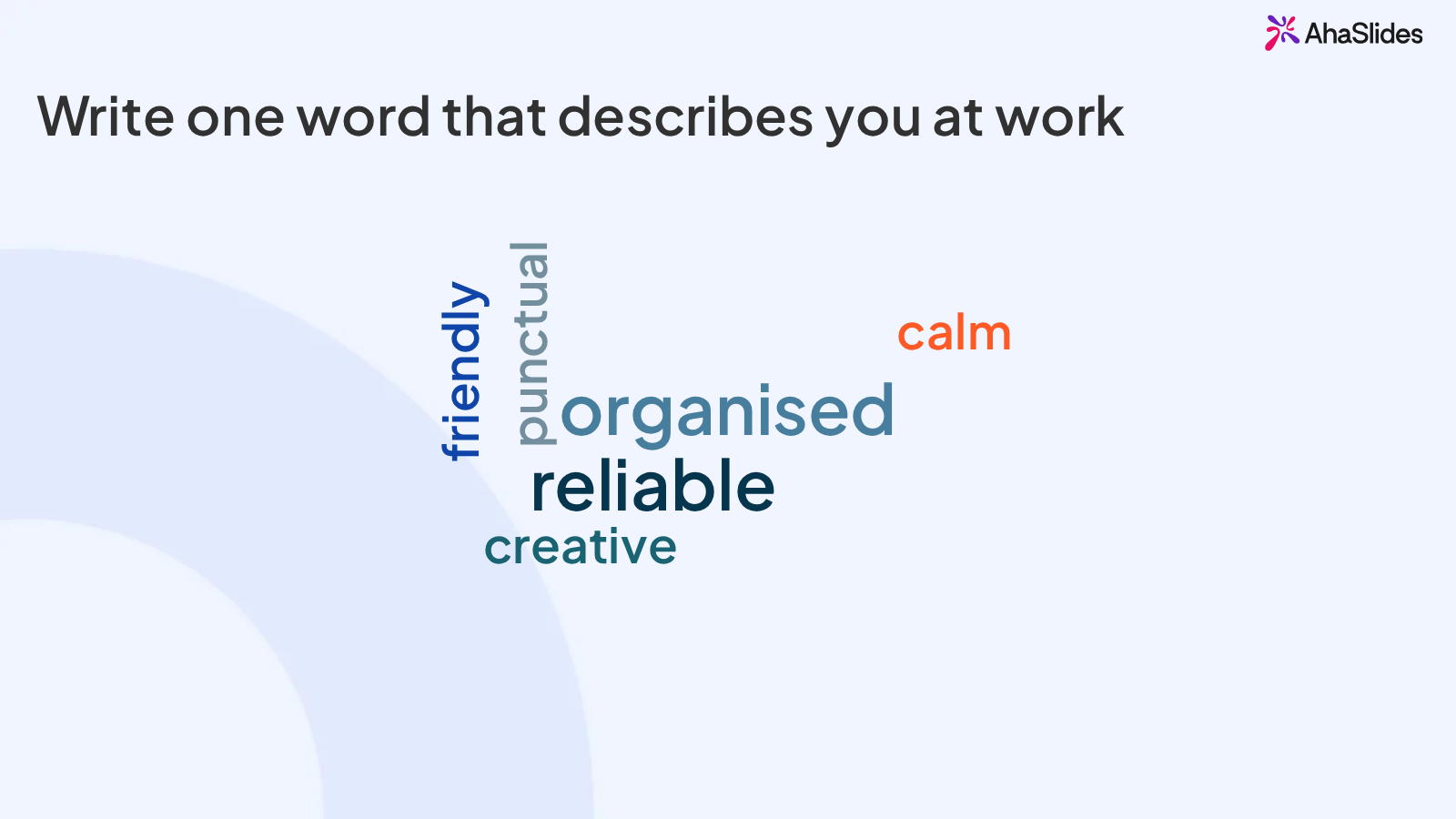
- Warm-up, Word Cloud. "Write one word that describes you at work." Recycle the top words straight away: "Who said 'reliable'? Give us an example."
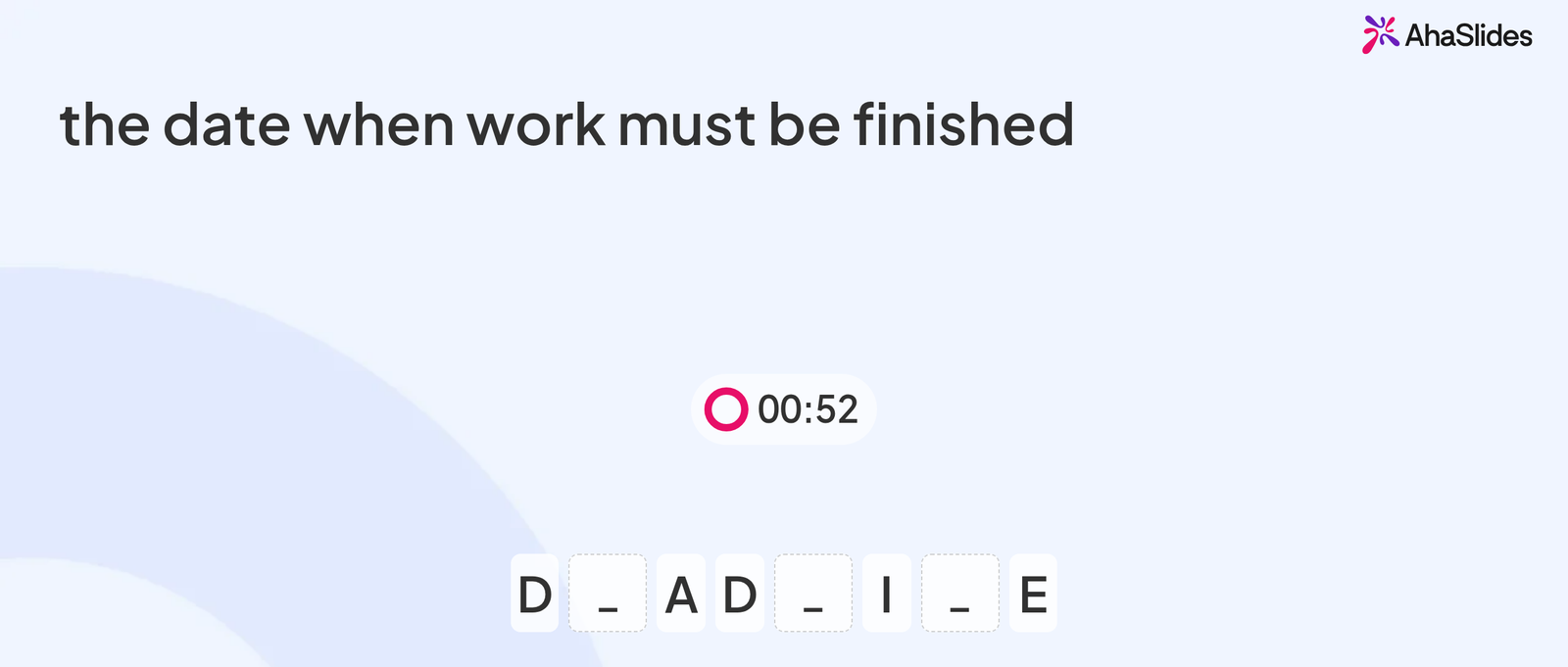
- Vocabulary, Missing Letters. Five words from the lesson: STRENGTH, DEADLINE, COLLEAGUE, SALARY and RESPONSIBILITY, each with a one-line hint such as "the money you earn in a year".
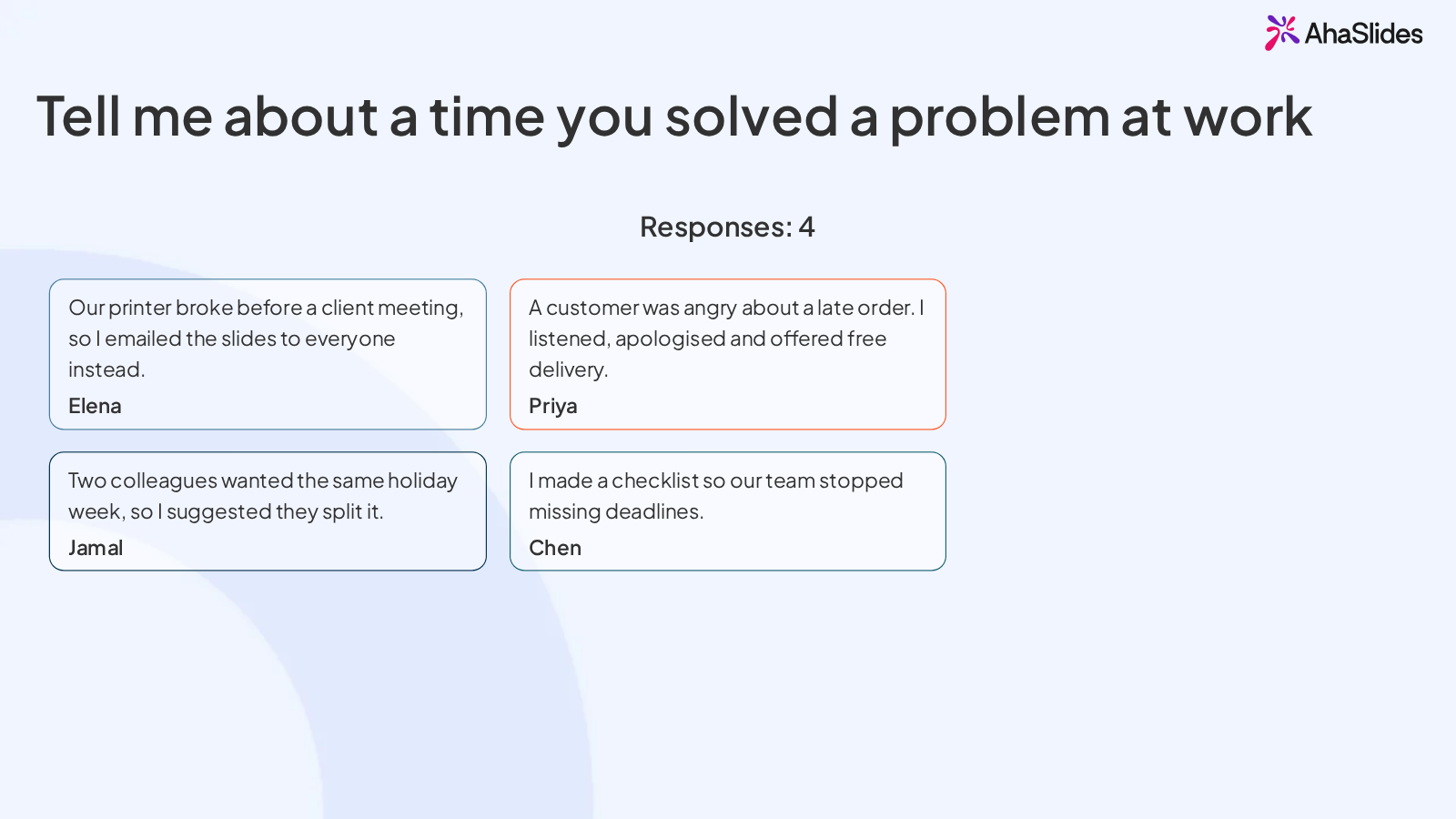
- Speaking, Open Ended. "Tell me about a time you solved a problem at work." Learners type two or three sentences, then practise saying them to a partner. Show the answers, and improve two of them together on screen.
- Mock interview, Spinner Wheel. Spin for who answers the next interview question aloud.
- Review, Bubble Rush. Five multiple-choice questions, such as "Which is the most polite way to ask about pay? A) How much money do I get? B) Could you tell me about the salary range? C) What's the pay?"
After class, turn on Retake so learners can replay the vocabulary and review slides before the next lesson.
Frequently asked questions
Is Wordwall good for adults?
Yes, for vocabulary and grammar drills. Its self-marking games and printables work at any age. For speaking practice, pair it with a tool that collects what learners say, such as AhaSlides Open Ended or Word Cloud.
Is Wordwall free?
Partly. The free Basic plan lets you create 3 activities with 12 templates. Standard costs $57.60 a year and Pro $86.40 a year, billed yearly (Wordwall price plans, checked 15 November 2026).
What is the best free alternative to Wordwall for adult ESL?
It depends on the skill. For speaking practice, the AhaSlides free plan gives you 2 activities in each presentation, unlimited presentations and up to 50 participants live, enough for a Word Cloud warm-up and an Open Ended speaking prompt. For printables, Flippity lists no paid plan. For self-marking drills, Educaplay's free Basic plan has unlimited games.
What are good online ESL games for adults?
Team quizzes such as Baamboozle, vocabulary games such as Missing Letters and Crossword, and quiz races such as Bubble Rush. For online classes, choose a tool where learners answer on their own devices, so everyone takes part, not only the most confident speakers.