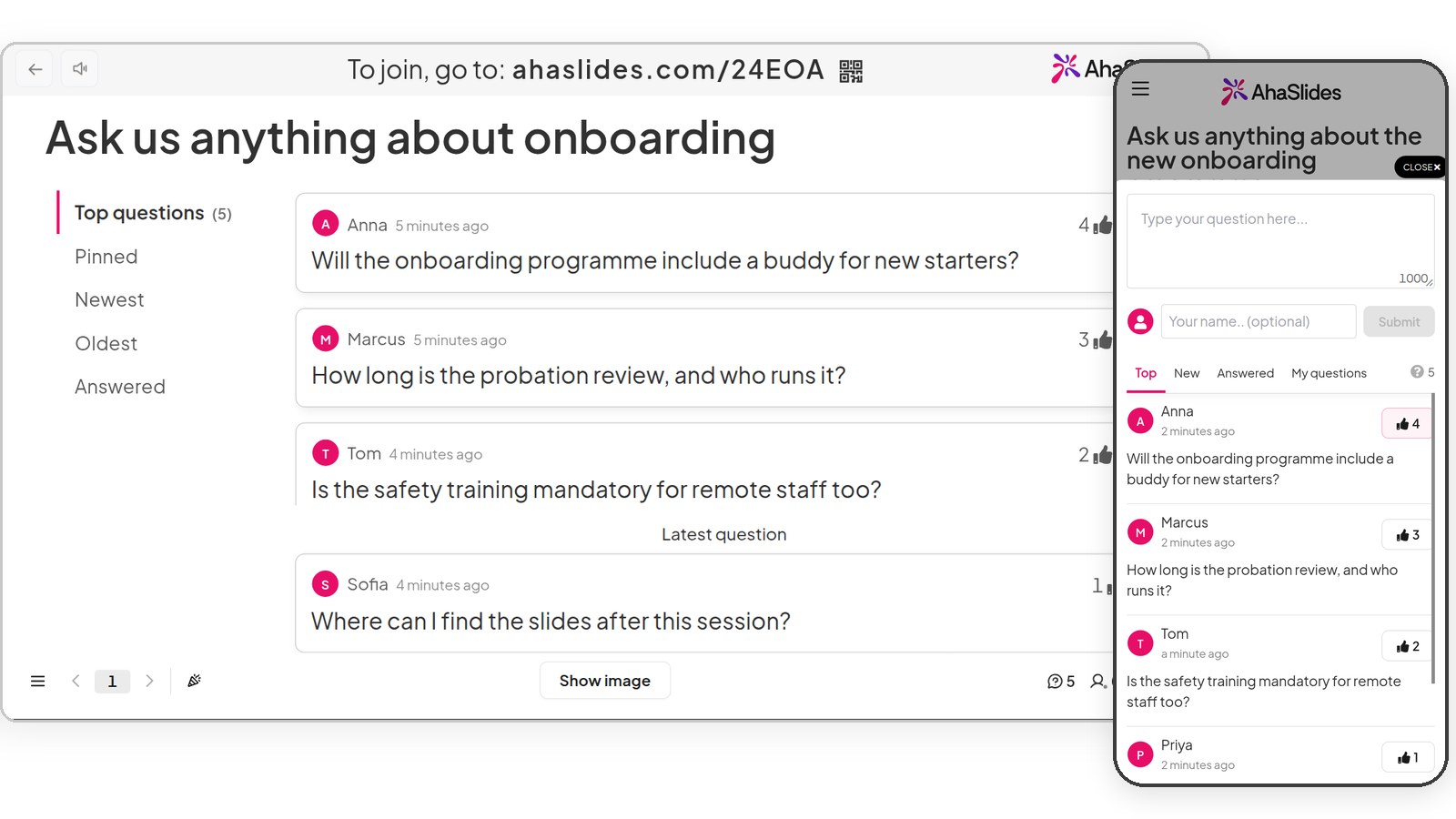
Interactive presentations your audience answers on their phones

Everything your presentation needs, already in AhaSlides.

Create your presentation free

Free to try

Rated 4.7 out of 5 on G2, based on 428 reviews
  • Abu Dhabi University logo
  • Airbus logo
  • Bend La Pine Schools logo
  • BMC logo
  • Bosch logo
  • Criteo logo
  • Ferrero Rocher logo
  • Intel logo
  • Ivy Tech Community College logo
  • Le Quiz Show logo

Pick a slide type and watch it run

30+ quiz, poll, survey and game slides.

Poll

Ask one question and watch the bars move as people vote.

Create your presentation free

Use AhaSlides inside the tools you already use

Add it to PowerPoint, Google Slides, Teams or Zoom, and pull files in from Google Drive.

See all integrations (opens in a new tab)

Build an interactive presentation in three steps

Nothing for your audience to install.

  • Step 1: Start with your slides or a topic

    Import a file, or describe your idea and let AI draft it.

  • Step 2: Add activities

    Drop polls, quizzes and word clouds in between your slides.

  • Step 3: Present

    Share the join code. Everyone answers on their phone and you see results live.

Create your presentation free

Bring your slides, or let AI draft them

Start with a file you already have, or just a topic.

  • Import

    Upload a PowerPoint or PDF and add activities between your slides.

  • AI

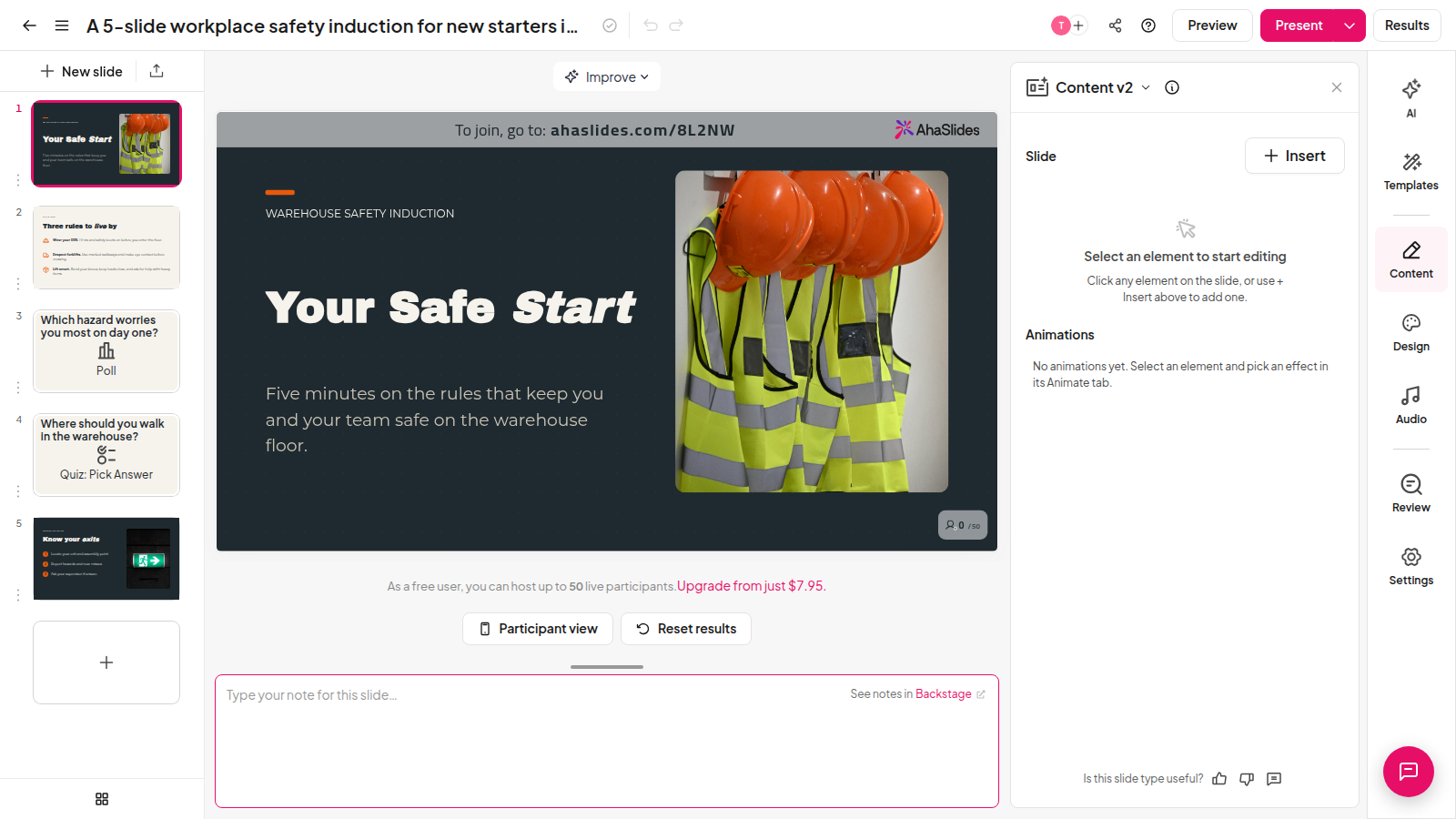
    Describe your topic and AI drafts slides, polls and quiz questions for you to edit.

  • Edit

    Change anything in the editor before you go live.
Create your presentation free
The AhaSlides editor after an AI prompt: five generated slides including a poll and a quiz question

AhaSlides in numbers

Real figures, checked October 2026.

  • 30+

    Slide types

    Polls, quizzes, word clouds and more.

  • 4.7

    G2 rating

    Based on 428 reviews.

  • 50

    Free live participants

    Join from any phone, no app.

Create your presentation free

What our users say

Real feedback from teachers, trainers and teams.

  • “Thanks to AhaSlides for the app to help boost engagement - 90% of attendees interacted with the app.”

    Ken BurginEducation & Content Specialist
  • “It's a very very fun way to build teams. Regional managers are super happy to have AhaSlides because it really energises people. It's fun and visually attractive.”

    Gabor TothTalent Development & Training Coordinator
  • “We love AhaSlides and we run entire sessions inside the tool now.”

    Christopher YellenWorkplace L&D Leader
Read customer stories (opens in a new tab)

Frequently asked questions

A presentation your audience takes part in. They answer polls, quizzes, word clouds and Q&A on their phones, and you see the results on your slides as they arrive.

You build your slides, share the join code or QR code, and your audience answers in their browser. Results appear on your screen as people respond.

Yes. Use the PowerPoint add-in, or embed and present AhaSlides in Google Slides. It also runs inside Zoom and Microsoft Teams meetings.

Yes. Upload a PowerPoint or PDF, or pull the file in from Google Drive, then add activities between your slides.

More than 30, from polls and quizzes to word clouds, Q&A, surveys and a spinner wheel.

No. They join in a browser with a code or QR code.

Yes. The free plan lets up to 50 people join a live session. Paid plans add more participants and features.
Read the docs (opens in a new tab)