
Run the 100 point method live

Everyone splits 100 points across your options on their own phone. One chart shows what really matters to the room.

Run a 100 point vote free
Rated 4.7 out of 5 on G2, based on 386 reviews
  • Abu Dhabi University logo
  • Airbus logo
  • Bend La Pine Schools logo
  • BMC logo
  • Bosch logo
  • Criteo logo
  • Ferrero Rocher logo
  • Intel logo
  • Ivy Tech Community College logo
  • Le Quiz Show logo

Set up a 100 point vote in seconds

  1. Step 1: Write your question

    Add your options. Random order stops the first one winning by position.
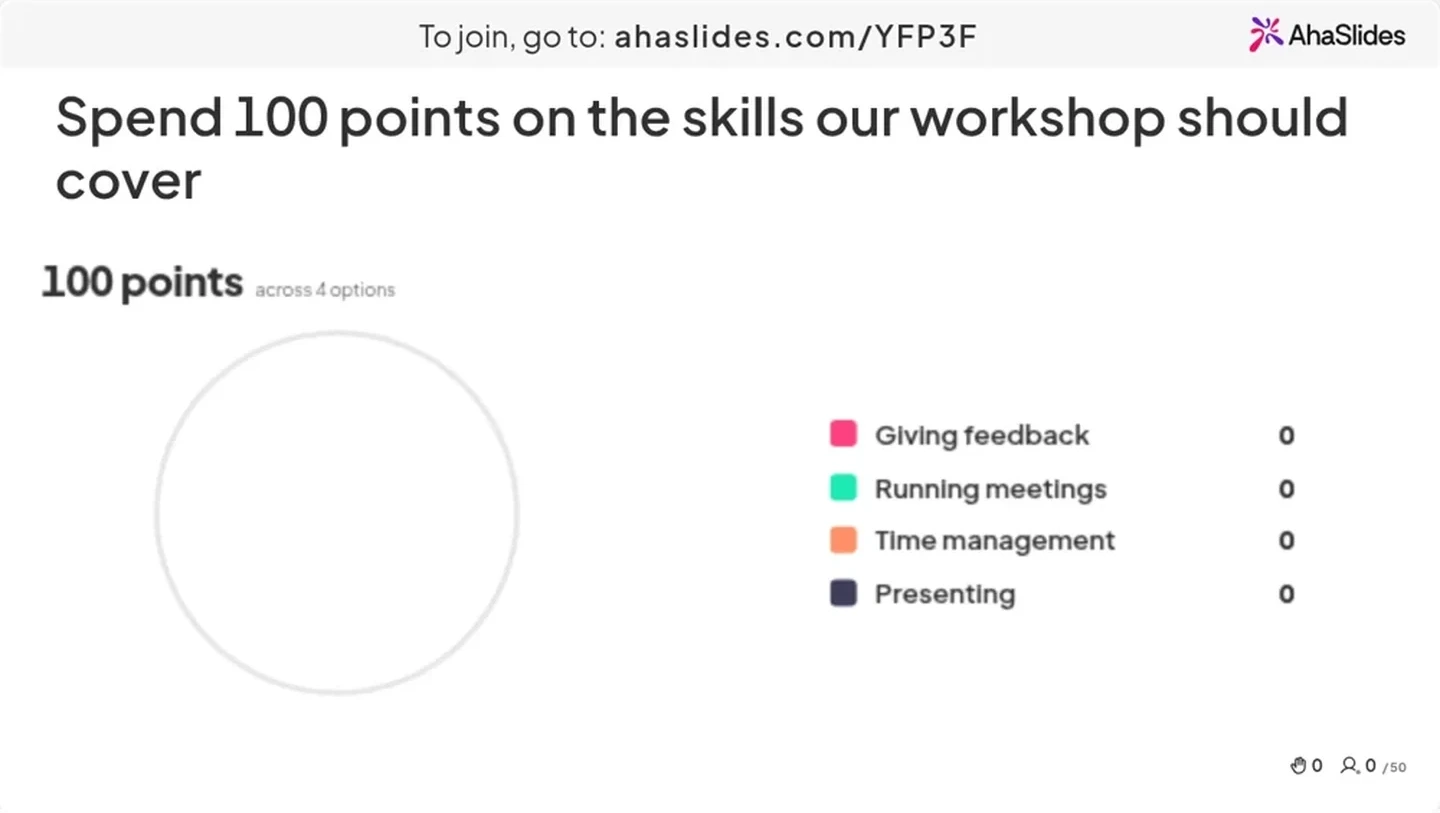
    A Split the Points slide in the editor asking which skills a workshop should cover, with four options
  2. Step 2: Set the points

    Split 100%, points or your own unit, such as euros, hours or credits.
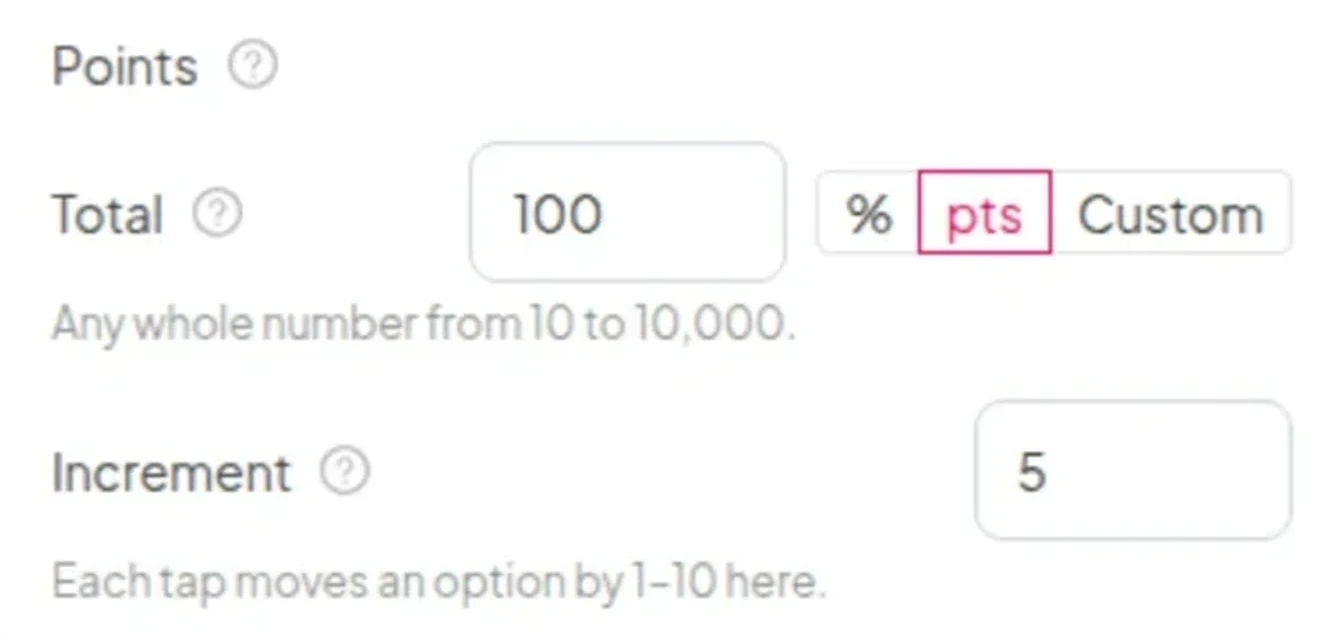
    The Points settings: a total of 100, the unit switch for percent, points or custom, and an increment of 5
  3. Step 3: Present

    People scan the QR code and split. No app, no sign-up for them.
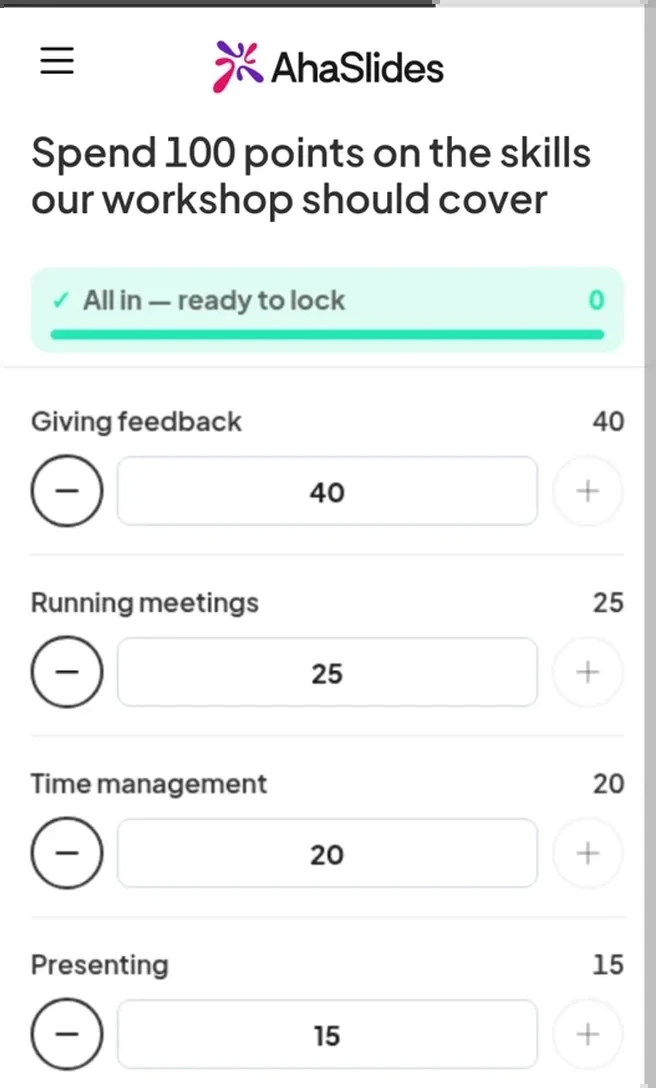
    A participant’s phone splitting 100 points across the four workshop skills
  4. Step 4: Watch priorities form

    The average updates with every split. The report keeps each person’s split.
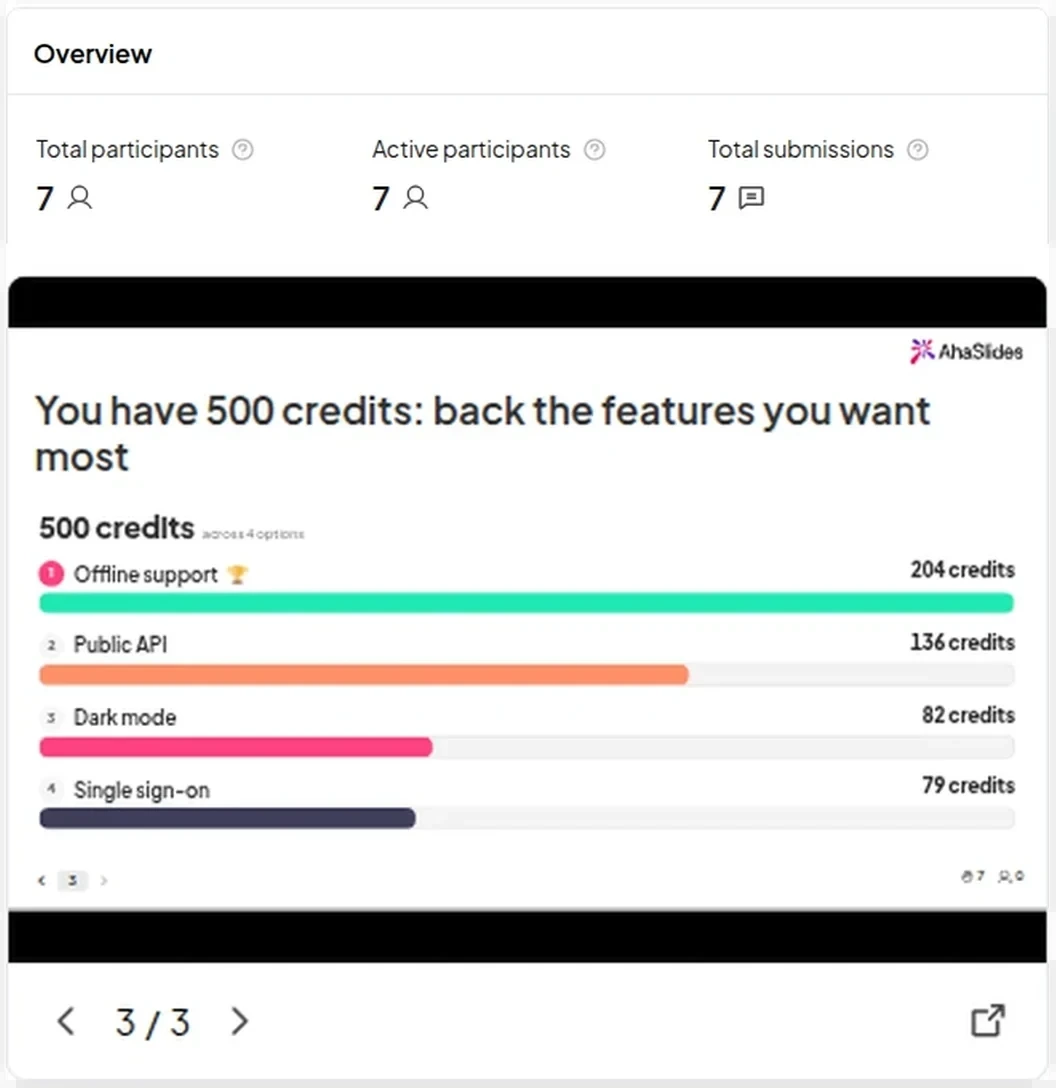
    The session report: seven participants and the final split of 500 credits across four features
  5. Step 5: Or let AI build it

    Describe the decision in one sentence. AI writes the question, the options and the unit.
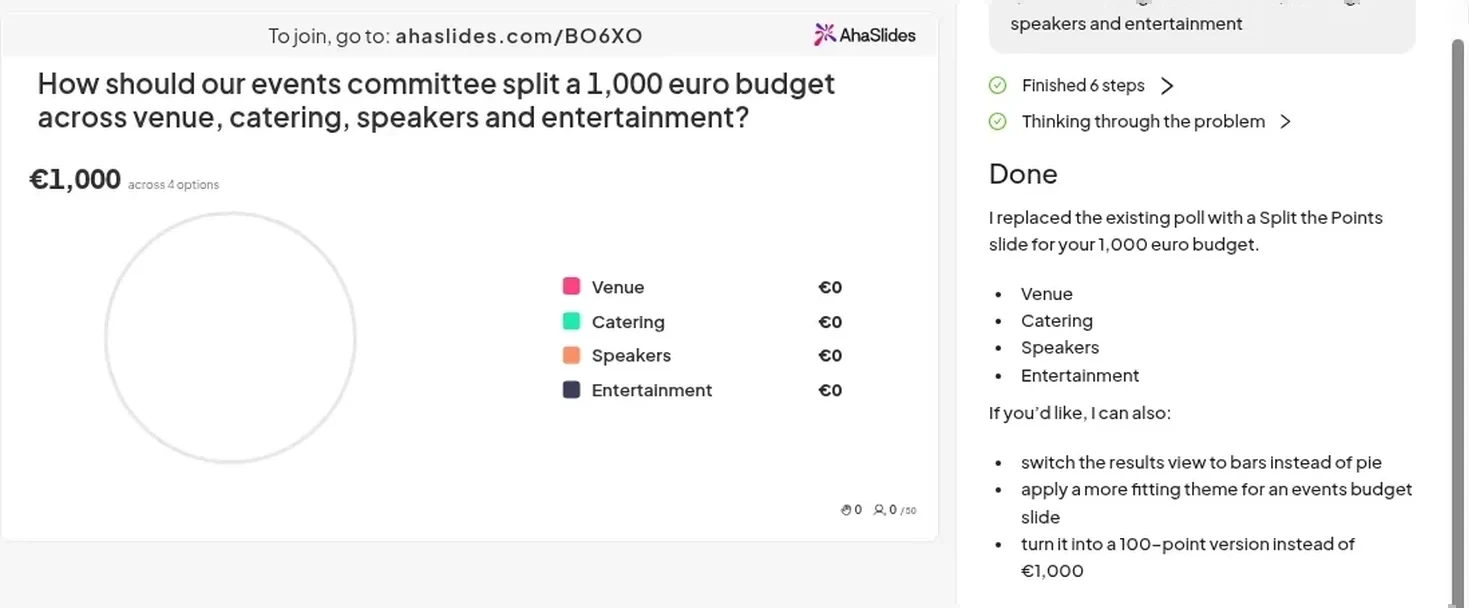
    The AI assistant building a Split the Points slide for a 1,000 euro events budget from a one-sentence description

Run a 100 point vote free

4 Split the Points exercises to run this week

Prioritise the sprint

“You have 100 points. Which features should we build next?”

A 40, 30, 15 split says build two things, not five.

Run a 100 point vote free
A team at round tables answering a ranking question on their laptops and phones, with the AhaSlides slide on the wall screens

Loved by teachers and trainers

What two education customers measured with AhaSlides.

  • 95%

    Student engagement rate at Academic Tutoring Centers

  • 600,000

    Students and teachers in Denmark reached through SkoleTube

Run a 100 point vote free

What our users say

Hear from the teachers, trainers and teams who use it every day.

  • “Instant reporting and data exports are the most valuable for our clients.”

    Rachel LockeCEO of Virtual Approval
  • “It’s a very very fun way to build teams. Regional managers are super happy to have AhaSlides because it really energises people.”

    Gabor TothTalent Development and Training Coordinator, Ferrero
  • “Without a doubt it gives a voice to my students to speak and feel valued.”

    Jo PattonRemote Teacher for Church of England
Read customer stories (opens in a new tab)

Questions about the 100 point method

Each person gets 100 points to split across a set of options. Every point given to one option is taken from another, so you see how much each option matters, not just which one wins. It is also called the 100 dollar test.

A poll shows the favourite. A ranking shows the order, not the gaps. Dot voting shows rough popularity. The 100 point method shows how much each option matters.

Yes. Choose Custom, type $ as the unit and set the total to 100.

From 2 to 8, each up to 30 characters.

Yes. With points or your own unit, any whole number from 10 to 10,000. With % it stays at 100.

No. Each phone shows only its own split. The big screen shows the average.

Yes. The Free plan hosts up to 50 participants with up to 3 unscored slides per presentation. Time limit, Close submission, Show results manually and report export are on paid plans.
Read the docs (opens in a new tab)