



The presentation game has changed. While traditional tools like PowerPoint and Google Slides still dominate (500M+ users can't be wrong), they're increasingly feeling like digital dinosaurs in a world where attention spans have dropped 80% in just two decades. Here's what actually works now:
- Interactive platforms (AhaSlides, Mentimeter) turn audiences into participants with live polls, Q&A, and real-time engagement
- Design-first tools (Visme, Canva) create visually stunning experiences that capture attention
- Creative formats (Prezi) break the linear slide prison with zoomable, story-driven presentations
- Specialised solutions exist for every industry—sales, education, events, you name it
Types of Presentation Software
Interactive Presentation Software
An interactive presentation has elements the audience can interact with, such as polls, quizzes, word clouds, and more. It turns a passive, one-way experience into an authentic conversation with everyone involved.
- 64% of people believe that a flexible presentation with two-way interaction is more engaging than a linear presentation (Duarte).
- 68% of people believe interactive presentations are more memorable (Duarte).
Ready to boost audience engagement in your presentations? Here are a couple of interactive presentation software options for you to try for free.
1. AhaSlides
What makes AhaSlides different: While other tools add interaction as an afterthought, AhaSlides was built interaction-first. Every slide type—from word clouds to spinner wheels—is designed to turn passive audiences into active participants.
Human brains are wired for interaction. When we're passive observers, we use minimal cognitive resources. But when we participate—answering polls, asking questions, contributing ideas—multiple brain regions activate simultaneously.
That’s where having a free interactive presentation tool such as AhaSlides comes in handy. It engages the crowd with its free, feature-rich and action-packed content. You can add polls, fun quizzes, word clouds, and Q&A sessions to hype up your audience and have them interact with you directly.

✅ Pros:
- A library of pre-made templates that’s ready to use to save you time and effort
- Quick and easy AI slide generator to make slides in an instant
- AhaSlides integrates with PowerPoint/Google Slides/Zoom/Microsoft Teams so you don't need to switch between multiple software to present
- No learning curve if you know PowerPoint
- The customer service is super responsive
❌ Cons:
- Since it's web-based, the internet plays a crucial role (test it out always!)
- It's not heavily aesthetic-focused
💰 Pricing:
- Free plan: host up to 50 live participants per session
- Paid plan: from $7.95/month
✌️ Ease of use: ⭐⭐⭐⭐⭐
👤 Perfect for:
- Educators, trainers, and public speakers
- Individuals who want to host quizzes but find software with annual plans too much
2. Mentimeter
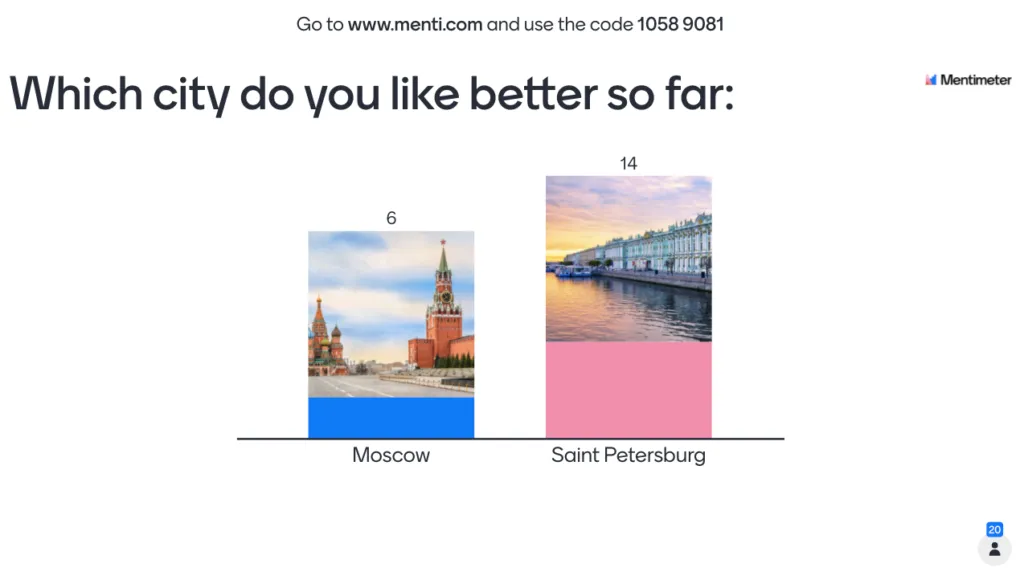
Mentimeter is another interactive presentation software that lets you connect with the audience and eliminates awkward silences through a bundle of polls, quizzes, or open-ended questions in real time.
Many praise Menti for its simplicity, but it's not without its own hurdles. Check out these Mentimeter alternatives if you're weighing each option.
✅ Pros:
- It’s easy to get started right away
- A handful of question types can be used in any scenario
❌ Cons:
- They only let you pay annually (a bit on the pricier side)
- The free version is limited
💰 Pricing:
- Free plan: host up to 50 participants per month
- Paid plan: from $13/month
✌️ Ease of use: ⭐⭐⭐⭐⭐
👤 Perfect for:
- Educators, trainers, and public speakers
3. Crowdpurr
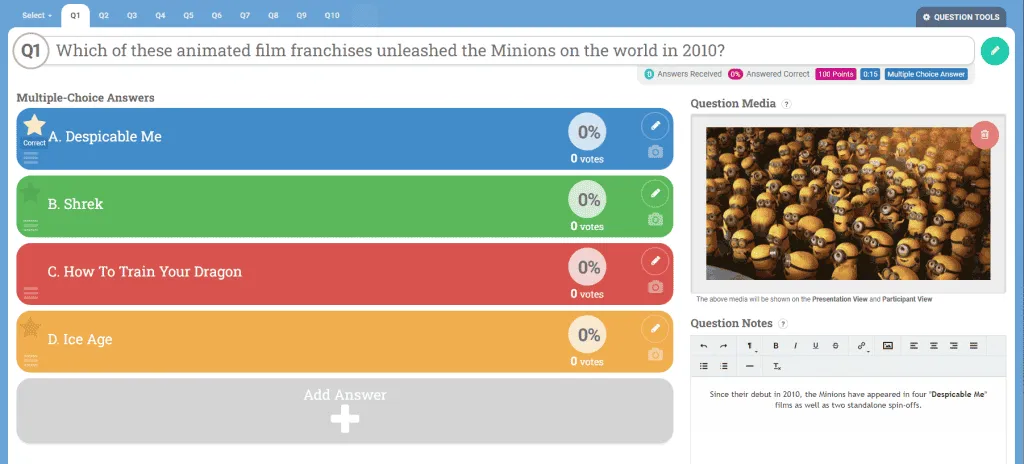
Crowdpurr helps events become more interactive through activities like trivia, bingo and social walls.
✅ Pros:
- Many types of questions, such as multiple-choice, true/false, and open-ended
- Can host up to 5,000 participants per experience, making it suitable for large events
❌ Cons:
- Some users may find the initial setup and customisation options slightly complex
- The higher-tier plans can become costly for very large events or organisations with frequent usage
💰 Pricing:
- Free plan: host up to 20 live participants per experience
- Paid plan: $24.99/month
✌️ Ease of Use: ⭐⭐⭐⭐
👤 Perfect for:
- Event organisers, marketers, and educators
Non-Linear Presentation Software
A non-linear presentation is one in which you don’t present the slides in a strict order. Instead, you can jump into any chosen fall within the deck.
This type of presentation software allows the presenter more freedom to tailor content relevant to their audience and let their presentation flow naturally. They work best with story-driven content. See these non-linear presentation software examples that aren't just about delivering information—they are about creating experiences.
4. RELAYTO
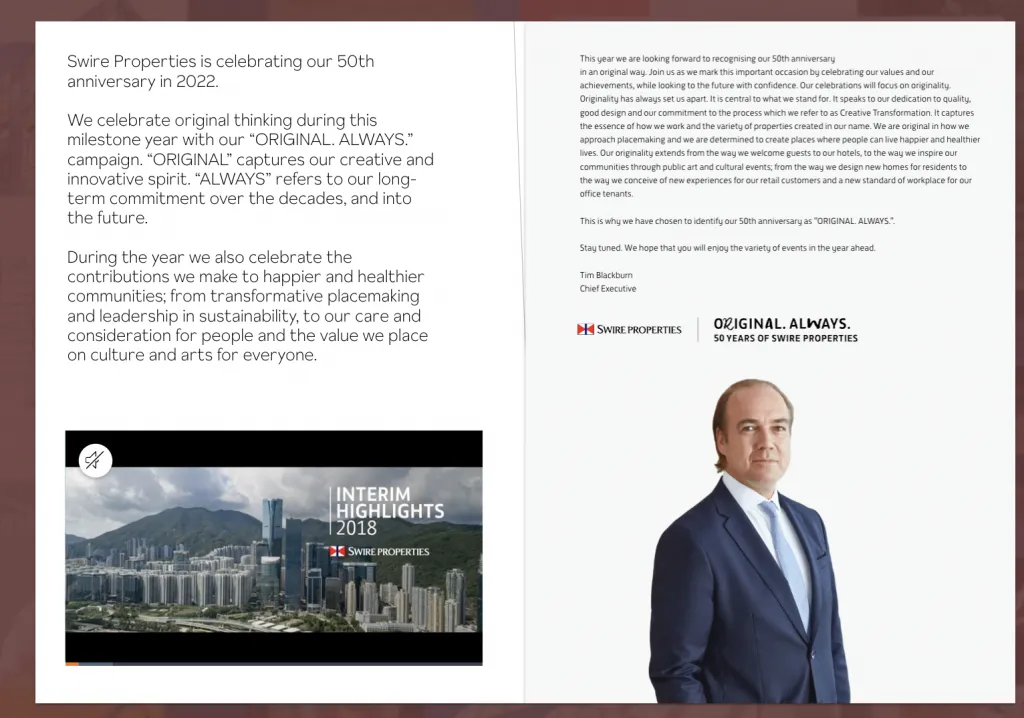
Organising and visualising content has never been easier with RELAYTO, a document experience platform that transforms your presentation into an immersing interactive website.
Get started by importing your supporting content (text, images, videos, audio). RELAYTO will piece everything together to form a complete presentation website for your purposes, whether a pitch or a marketing proposal.
✅ Pros:
- Its analytics feature, which analyses viewers’ clicks and interactions, provides real-time feedback on which content is engaging to the audience
- You don’t have to create your presentation from scratch since you can upload existing presentations in PDF/PowerPoint format and the software will do the work for you
❌ Cons:
- The embedded videos have length restrictions
- You’ll be on a waitlist if you want to try RELAYTO’s free plan
- It’s pricey for occasional uses
💰 Pricing:
- Free plan: users can create 5 experiences
- Paid plan: From $65/month
✌️ Ease of use: ⭐⭐⭐
👤 Perfect for:
- Small and medium businesses
5. Prezi
Widely known for its mind map structure, Prezi lets you work with an infinite canvas. You can alleviate the boredom of traditional presentations by panning between topics, zooming in on details, and pulling back to reveal context.
This mechanism helps the audience see the whole picture you’re referring to instead of going through each angle individually, which improves their understanding of the overall topic.
✅ Pros:
- Fluid animation and eye-catching presentation design
- Can import PowerPoint presentations
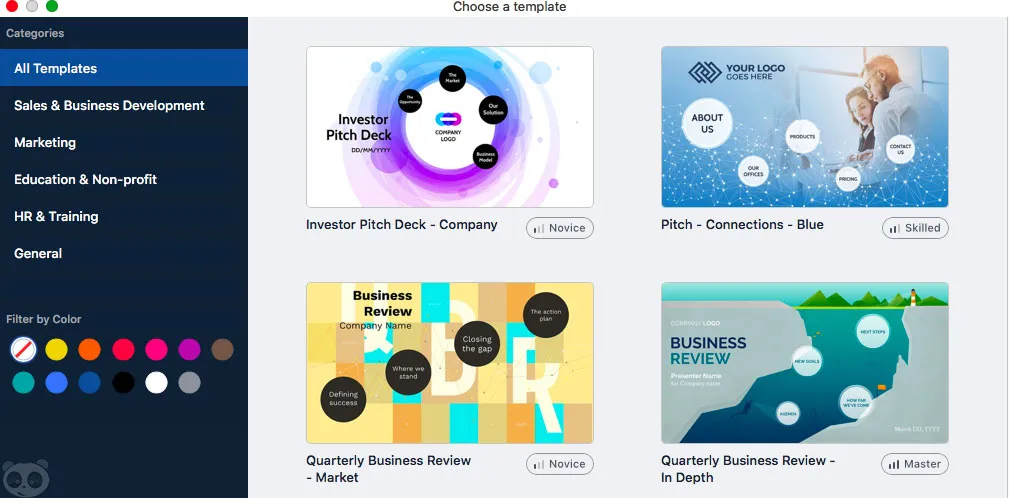
- Creative and diverse template library
❌ Cons:
- It takes time to do creative projects
- The platform sometimes freezes when you’re editing online
- It can make your audience dizzy with its constant back-and-forth movements
💰 Pricing:
- Free plan: Create up to 5 projects
- Paid plan: From $19/month
✌️ Ease of use: ⭐⭐⭐
👤 Perfect for:
- Educators
- Small to large businesses
AI-Powered Presentation Software
Traditional presentation creation goes like this: You write content → struggle with design → spend hours making it look professional → hope it doesn't look terrible.
AI-powered tools flip this process: You provide content/ideas → AI automatically creates professional design → you get beautiful slides in minutes.
The key difference is that these tools use artificial intelligence to handle the visual design, layout, color schemes, and formatting automatically, so you can focus on your message rather than wrestling with slide layouts.
6. Slides
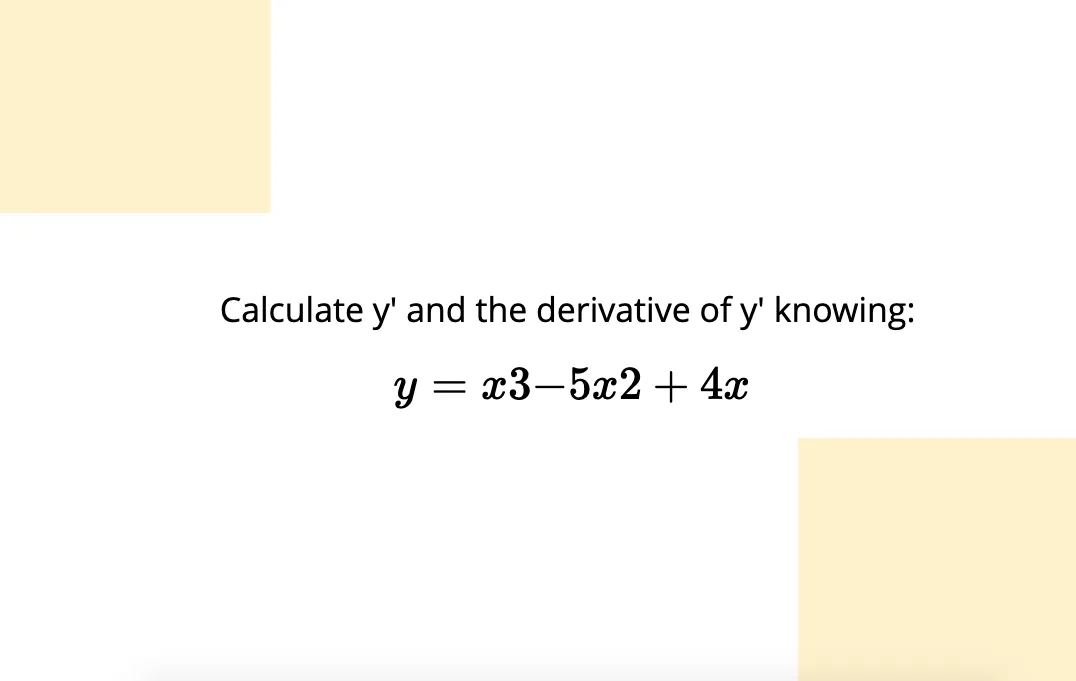
While other AI tools focus on automating design for non-designers, Slides empowers designers and developers to create presentations that are impossible with traditional tools - think interactive demos, live code examples, and presentations that are actually web applications.
✅ Pros:
- Full access to HTML, CSS, and JavaScript for unlimited customisation
- Drag-and-drop interface for non-coders
- Mathematical formula support (LaTeX/MathJax integration)
❌ Cons:
- Limited templates can be a hassle if you want to create a quick presentation
- If you’re on the free plan, you won’t be able to customise much or download the slides to see them offline
- The website’s layout makes it hard to keep track of drops
💰 Pricing:
- There's no free plan nor free trial unfortunately
- Paid plan: from $5/month
✌️ Ease of use: ⭐⭐⭐⭐
👤 Perfect for:
- Educators.
- Developers with HTML, CSS and JavaScript knowledge.
7. Gamma
Instead of starting with blank slides, you literally have a conversation with AI. Tell Gamma what you want to present, and it creates everything—content, design, and structure—from scratch. It's like having a personal presentation assistant that never gets tired of your revisions.

✅ Pros:
- Unlike tools that just handle visuals, Gamma writes your content too
- Intelligent questioning: AI asks clarifying questions to understand your specific needs
- Presentations are automatically responsive and shareable via simple links
❌ Cons:
- Hard to make specific design tweaks without going through AI conversation
- Takes practice to prompt the AI effectively for best results
💰 Pricing:
- Free plan: Users can generate up to 10 cards with 20,000 AI token inputs
- Paid plan: From $9/month
✌️ Ease of use: ⭐⭐⭐⭐
👤 Perfect for:
- Consultants and analysts
- Content marketers
8. Visme’s AI Presentation Maker
Powered by AI, Visme’s presentation maker is a great choice for building stunning, interactive presentations and professional pitch decks across all industries.
Visme’s AI presentation maker helps you design beautiful presentations using creative prompts. Choose the right template based on your brand style, and taste, and use a prompt to improve its results. Visme helps you get over your creative blocks even when you are dealing with the hardest project. Just put in your draft to create a minimal, or a highly sophisticated presentation.
✅ Pros:
- Visme is home to thousands of ready to use templates across various industries to choose from. This saves time from designing anything from scratch
- Just write a prompt and let the Visme’s AI do magic for you. Use AI to give life to your ideas to create various elements for your presentation
- Creative features of Visme help you take your presentation to the next level. You can seamlessly add beautiful slide transitions for subtle effects. You can also add animated elements to quickly grab your audience’s attention and build a strong brand personalit
- Make sure your text in the presentation is error free with Vis
- Irresistible integrations across various platforms like Mailchimp, HubSpot, Zapier, etc
- 100% fully customisable presentations. You can pick up the right image, tool, or element from Visme’s library of graphics, videos, or free-stock photos
- Access to your brand kit, where you can place everything in one place and share it with your team
- 24*7 customer support ensures irresistible communication until your project is done
❌ Cons:
- It's a desktop and web-based tool, so it’s a little bit infeasible for those who are habitual of using apps for design work
- You need continuous internet connection to create presentations with Visme
- Pricing is in USD only, it’s a little inconvenient for those dealing in other currencies
💰 Pricing:
- Free: Access to limited design assets and templates
- Paid plan: from $12.25/month
Ease of use: ⭐⭐⭐⭐⭐
Perfect for:
- Small businesses, and startups
- Teams
- Big organisations
- Schools
- Hobby projects
Visual Presentation Software
9. Beautiful.ai
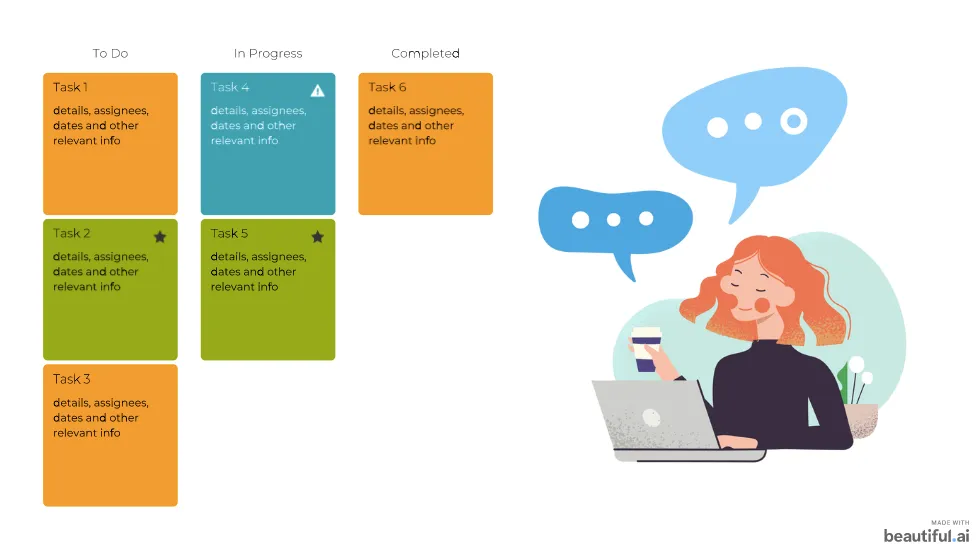
Beautiful.ai is a presentation software with a brain. It uses artificial intelligence to automatically handle all the design decisions that usually take hours—layout, spacing, color coordination, and visual hierarchy. It's like having a professional designer built into the software, constantly making micro-adjustments to keep your slides looking polished.
✅ Pros:
- Every slide maintains high design standards regardless of user skill level
- Built-in brand kit enforcement ensures company guidelines are always followed
- Multiple team members can edit simultaneously without conflicts
❌ Cons:
- Limited images that support corporate settings
- Harder to create truly unique designs outside of provided frameworks
💰 Pricing:
- Beautiful.ai doesn’t have a free plan; however, it lets you try the Pro and Team plan for 14 days
- Paid plan: from $12/month
✌️ Ease of use: ⭐⭐⭐⭐⭐
👤 Perfect for:
- Startup founders are going for a pitch
- Sales teams with constrained time
10. Canva
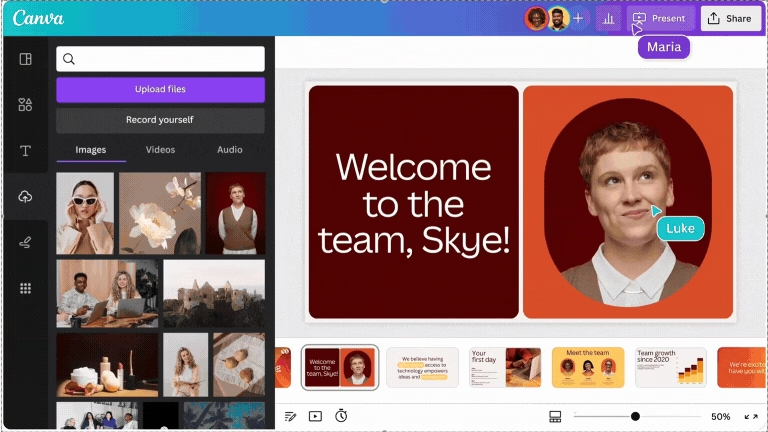
Want to create stunning presentations without the hassle? Canva is the go-to tool for designing eye-catching slides with zero design experience needed. Its drag-and-drop interface, AI-powered design features, and massive template library make it super easy to put together professional-looking presentations in minutes. Plus, with tools like Canva’s AI Art Generator, you can create unique, trend-inspired visuals to make your presentations stand out even more. Whether you're crafting a business pitch, a lesson plan, or a social media deck, Canva has you covered.
✅ Pros:
- Super easy to use – no design skills needed
- Tons of beautiful templates for any occasion
- AI-powered tools to speed up the design process
- Collaboration features for teams
- Free version available with solid features
❌ Cons:
- Customisation can be limited for advanced users
- Some premium elements require a paid plan
- No offline editing
💰 Pricing:
- Free – Access to basic templates and design tools
- Canva Pro ($12.99/month per user) – Premium templates, branding tools, and advanced features
- Canva for Teams (Starting at $14.99/month for 5 users) – Collaboration tools for teams and businesses
🎯 Perfect for:
- Educators & students who need quick, stylish slides
- Small businesses & startups looking for polished presentations
- Social media marketers creating engaging content
- Anyone who wants pro-level slides without the learning curve
Frequently Asked Questions
What's the difference between interactive and traditional presentation software?
Traditional tools create linear, one-way presentations. Interactive platforms enable two-way dialogue with features like live polls, Q&A, and real-time feedback.
Can interactive features work for large audiences?
Absolutely. Digital interaction actually works better for large groups than traditional Q&A, since everyone can participate simultaneously without time constraints.