
Remote work and virtual events are now a permanent fixture for most teams. Whether you're running a weekly standup, a virtual team day, or an online class, keeping people engaged on Zoom takes more than a good agenda.
That's where Zoom games come in. These aren't filler activities; they're practical tools for connecting people who work, learn, and socialize across different locations. Here are 41 Zoom games for small groups, families, students, and colleagues.
About Zoom games
Zoom is a video conferencing tool, yes, but it's also a capable platform for running interactive group games. Here's why they're worth adding to your agenda:
Zoom games foster teamwork - Distributed teams often miss the informal moments that build trust. Structured games create that space.
Zoom games add variety - No meeting or class is too tight to benefit from a few minutes of activity. Participants notice the change of pace.
Zoom games are fun - A quick game at the start or end of a session leaves people with a better experience than another slide deck would.
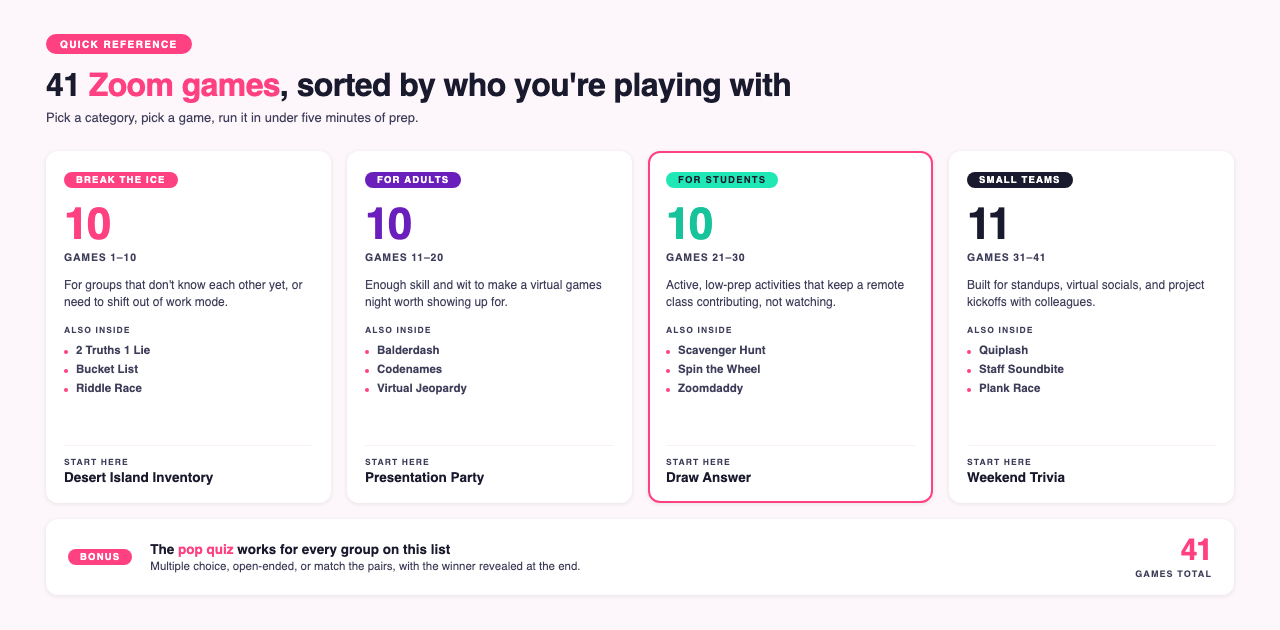
We've split the 41 games below into categories: icebreakers, adult games, student activities, and small team games.
Zoom games to break the ice
Icebreakers are useful any time you have people who don't know each other well, or a group that needs to shift from "work mode" before the real session begins.
Looking for more? Grab 21 icebreaker games today!
1. Desert Island Inventory
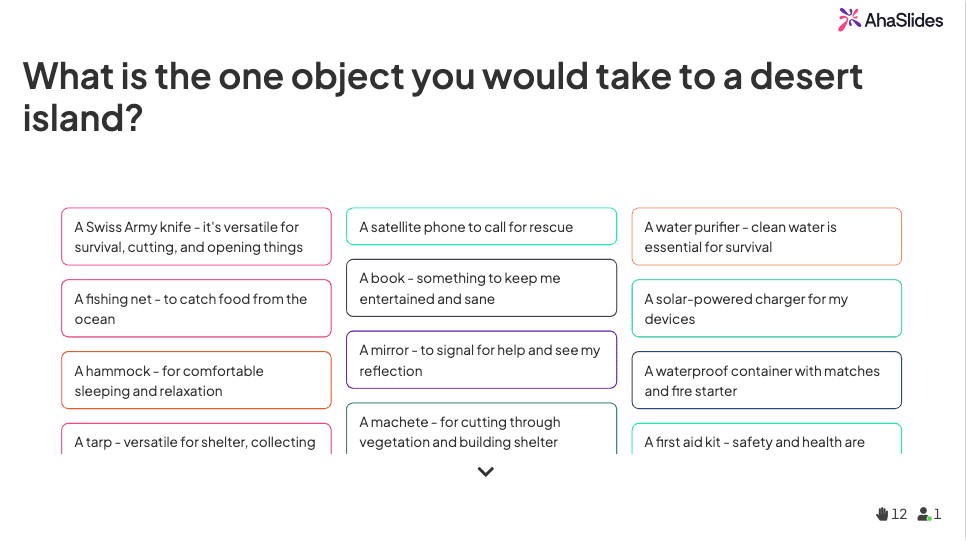
Playing Desert Island Inventory and voting for favorite answers.
Kick off the meeting by asking everyone to submit one object they'd take to a desert island. Reveal answers one by one and vote for the most sensible or funniest. The winner gets crowned the ultimate survivalist.
2. Yikes, that's embarrassing
Ask everyone to submit an embarrassing story anonymously before or during the meeting. Reveal each story one by one without naming anyone. After each story, the group votes on who they think it happened to. Kellogg School of Management professor Leigh Thompson recommends the embarrassing-story exercise as a warm-up for new teams, on the grounds that it lowers the social risk of speaking up before the real work starts [1].
3. Movie Mates
Split into groups of 2 to 4 and send each group to a breakout room for 5 minutes. Their task: pitch an original movie, complete with plot, characters, actors, and location.
Bring everyone back to the main room, hear each pitch, then vote on the best one. The winning team gets the prize.
Other icebreaker Zoom games we love
2 Truths 1 Lie - Each person gives 3 facts about themselves, one of which is a lie. Players ask questions to work out which one it is.
Bucket List - Everyone anonymously submits their bucket list. The group goes through each one and tries to match it to the right person.
Paying Attention? - Each player writes down one thing they will (or won't) do to stay focused in the meeting.
Height Parade - Put the team into groups of 5. Each person writes a number from 1 to 5 based on how tall they think they rank in their group. No talking allowed.
Virtual Handshake - Pair up players at random and send them to breakout rooms. They have 3 minutes to create a virtual handshake to perform for the whole group.
Riddle Race - Give everyone a list of 5 to 10 riddles. Pair players up and send them to breakout rooms. First pair back with all riddles solved wins.
Most Likely to... - Pose "who is most likely to..." questions with 4 team members as options. Everyone votes, then explains their choice.
Zoom games for adults
Nothing inappropriate here; these are games with enough skill and wit to make a virtual games night worth attending.
Looking for more? Get 17 Zoom games for adults
11. Presentation Party

A Presentation Party can get pretty niche. Image credit
Each person prepares a 5-minute presentation on any topic they choose. And when we say anything, we mean anything: the romantic subtext of a Pixar film, the philosophy of Karl Marx, or a definitive ranking of airport food.
Have everyone prepare their Zoom presentation in advance. On the night, presenters go one by one and stick to a strict 5-minute limit. Vote at the end to recognize whoever nailed it.
12. Balderdash
A word trivia game built on creative bluffing. The host picks a genuinely obscure English word and everyone, including the host, submits what they think it means. Players vote on which definition is the real one.
Use a random word generator to find unusual words (set the word type to "extended").
Everyone anonymously submits a definition.
The host also submits the real definition anonymously.
Reveal all definitions and vote.
1 point for voting for the correct definition; 1 point for every vote your fake definition receives.
13. Codenames
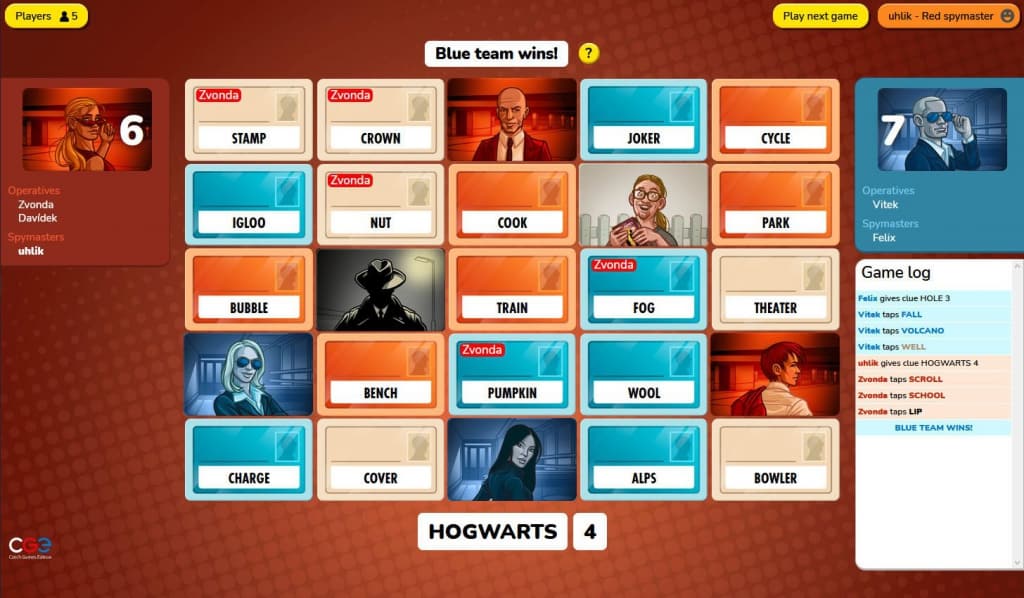
Codenames is one of several virtual games to play on Zoom.
A team word-association game with a spy theme. Each team has a "code master" who gives one-word clues to help their team uncover their hidden words on the board. Guess wrong and you might reveal the other team's words, or hit the instant-loss word.
Head to codenames.game to create a room.
Invite players and set your teams.
Choose a code master per team.
Follow the on-screen instructions.
Other adult Zoom games we love
Virtual Jeopardy - Build a free Jeopardy board on jeopardylabs.com and play the classic format.
Drawful 2 - A modern take on Pictionary with cryptic prompts and a bluffing element.
Mafia - A social deduction game where players try to identify who among them is the Mafia.
Bingo - A free Bingo app is available directly through Zoom for groups who enjoy the classic format.
Heads Up! - Fast-paced celebrity-guessing that works well over Zoom with screen sharing.
GeoGuessr - Drop into a random street view location and see who can identify it fastest. Multiplayer requires a Pro subscription; share your screen on Zoom and play as a group.
Board games - Pandemic, Shifting Stone, Azul, Settlers of Catan: Board Game Arena has a wide selection to play for free.
Bonus game: pop quiz
A quiz fits almost any occasion: a team warm-up, an end-of-term celebration, or a virtual social. Running a Zoom quiz keeps colleagues, classmates, and friends engaged and mildly competitive at the same time.
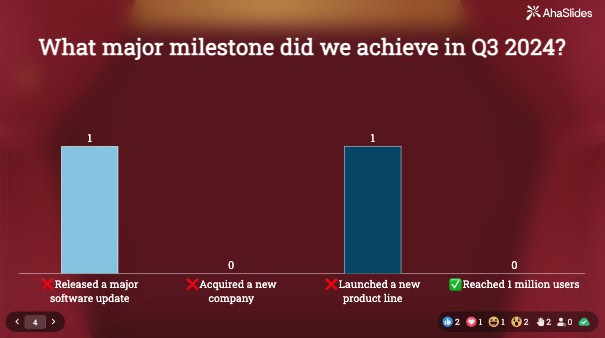
There's plenty of online quiz software available for free. Here's how it works with AhaSlides:
Create an account on AhaSlides and install the AhaSlides app for Zoom, available free on the Zoom App Marketplace.
Build quiz questions in formats like multiple choice, open-ended, match the pairs, and more.
Participants join automatically or via QR code when you start your Zoom session.
Everyone answers in real time as you navigate through slides.
Reveal the winner with a confetti animation at the end.
Looking for question ideas? We've got 50 Zoom quiz ideas with free templates.
Zoom games for students
These 10 Zoom games give students something active to do while keeping the session on track.
Looking for more? Check out 20 icebreaker games to play with students!
21. Zoomdaddy
A quick warm-up that works at any level. Find an image related to what you've been teaching and create a zoomed-in version using a tool like Pixelied.
Show the cropped image and let the class guess what it is. Students can ask yes/no questions for hints, or you can slowly zoom out to reveal more. Keep it going long-term by having the previous round's winner create the next image.
22. Draw Answer
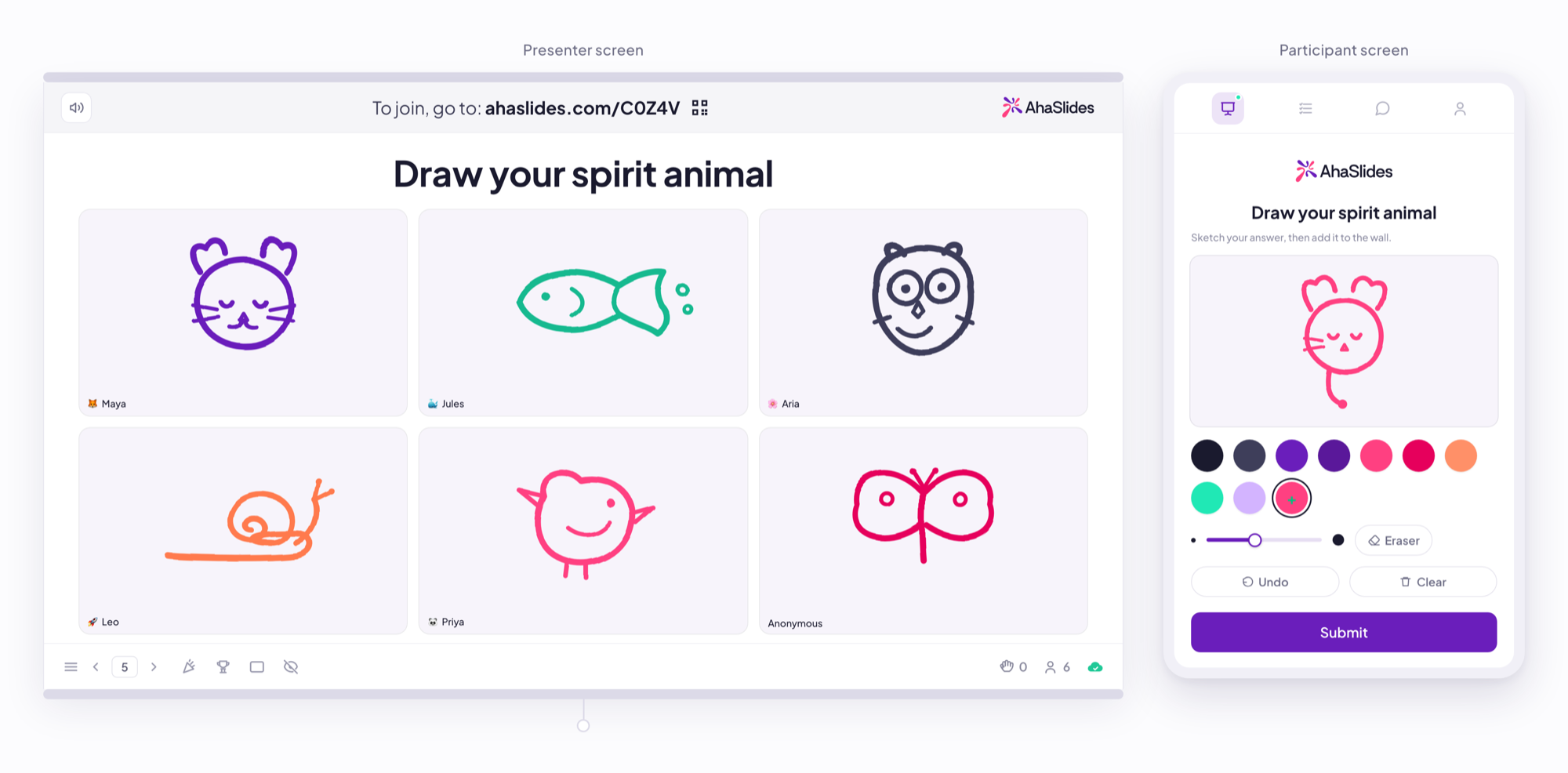
Everyone draws at the same time, and every sketch lands on the presenter screen labeled with a name.
Pictionary on Zoom has one structural problem: one person draws while everyone else watches. Draw Answer removes it. You ask a question, and the whole class answers by drawing at once.
Add a Draw Answer slide and type your prompt as the question. Students join on their phones and each get a blank canvas with pen colors, a brush-size slider, an eraser, and undo. They sketch, hit Submit, and every drawing appears on your screen together, labeled with the student's name.
Three ways to use it:
Comprehension check - "draw what the water cycle looks like."
Mood read - "draw how this unit is going so far."
Warm-up - "draw your weekend in one picture."
Keep prompts to one idea and set a hard 60-second limit. Rough sketches read better on screen than detailed ones, and the time pressure stops students worrying about whether they can draw. Because every sketch is submitted at the same time, a class of 30 gets through a full round in about a minute, including the students who never raise a hand.
If you want the classic guessing format instead, drawasaurus.org lets you set custom word lists for vocabulary practice, Drawful 2 adds cryptic prompts for older students, and Gartic Phone has more than a dozen drawing modes. We've got the full guide on how to play Pictionary on Zoom right here.
23. Scavenger hunt
Short movement breaks are an evidence-based way to reset attention when students have been sitting still and concentrating for a stretch [2]. Tell students to find something in their home that meets a specific criterion. Tailor the prompts to your subject:
Find something concave.
Find something symmetrical.
Find something luminescent.
Find 3 things that spin.
Find something that symbolizes freedom.
Find something older than the Vietnam War.
You can find great scavenger hunt lists for download here.
24. Spin the wheel
A free interactive spinner wheel opens up a range of classroom games. Students add entries to the wheel before you spin at random.
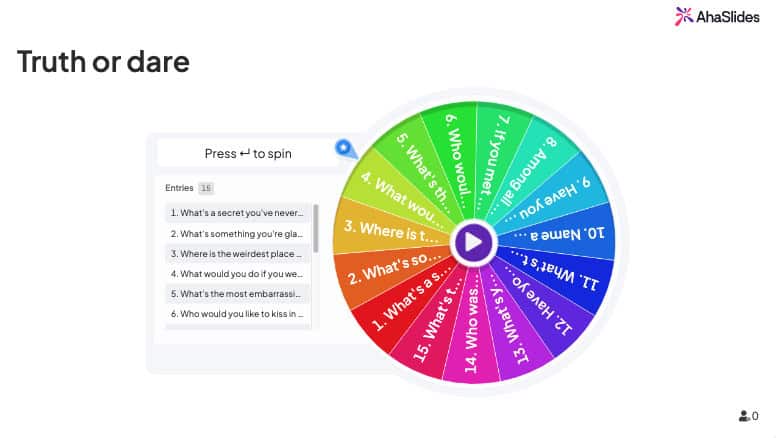
Some ideas:
Pick a student - Each student adds their name. The wheel selects who answers the next question.
Who is it? - Students add a famous figure to the wheel. One student sits with their back turned while others describe whoever the wheel lands on.
Don't say it! - The wheel lands on a common word. A student has 30 seconds to explain a concept without using that word.
Scattergories - The wheel lands on a category. Students have 1 minute to name as many items in that category as possible.
The tool also works as a yes/no wheel, a magic 8-ball, a random letter selector, and more.
Other student Zoom games we love
Mad Gab - Give students a jumbled sentence and ask them to unscramble it. For a harder version, scramble the letters within each word too.
Top 5 - Use a Zoom word cloud to collect students' top 5 in a category. The most popular answer earns 5 points, the second most popular earns 4, and so on.
Odd one out - Show 3 images with something in common and 1 that doesn't belong. Students identify which one is out and explain why.
Bring the house down - Assign each group a scenario and send them to breakout rooms. They practice using household props and then perform for the class.
Draw a monster - List a body part and roll a virtual die. The number determines how many of that part students draw. Repeat until everyone has a fully absurd monster.
What's in the bag? - Students ask yes/no questions to guess what you have in your bag. Whoever guesses correctly gets to reveal it on camera.
Zoom games for small teams
These games are built for keeping colleagues connected and engaged during remote work, whether that's a team standup, a virtual social, or a project kickoff.
31. Weekend Trivia
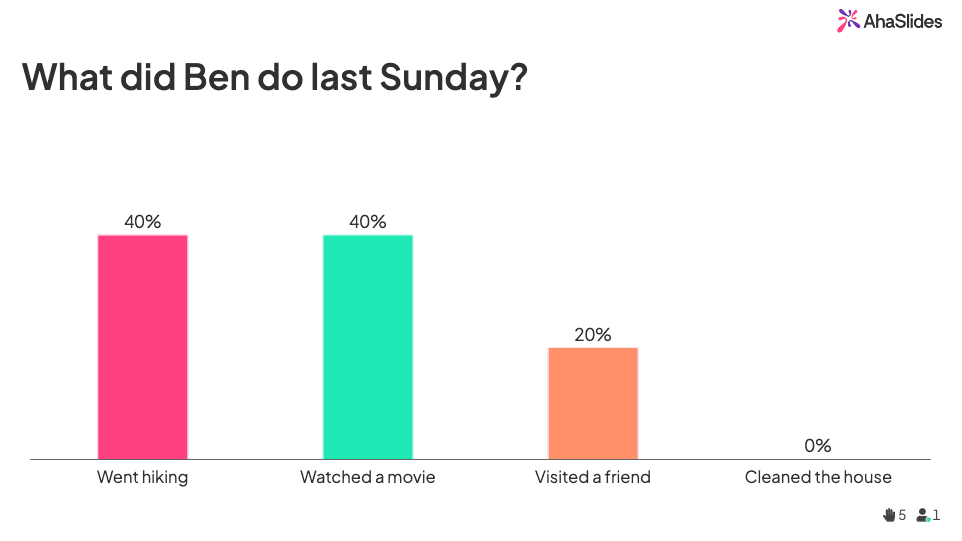
Playing Weekend Trivia using an AhaSlides interactive slide.
Ask everyone what they did over the weekend. All answers go in anonymously. Display them all at once and get everyone to vote on who they think did each activity. Effective at surfacing hobbies and stories that colleagues wouldn't otherwise share.
32. Where's this going?
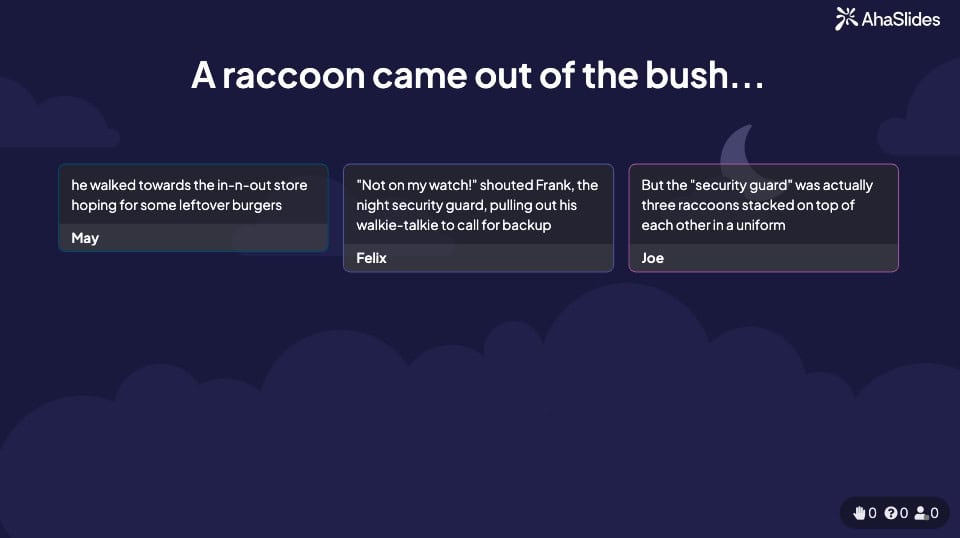
Building a team storyline using AhaSlides' interactive board.
A collaborative storytelling game that can run in the background across a meeting. Start with half a sentence, such as "the frog came out of the pond...", then nominate someone to add to the story in the chat. They nominate the next person when done. Read the whole story aloud at the end.
33. Staff Soundbite
Ask colleagues to record a short audio impression of one other team member, keeping it good-natured. Collect the impressions and play them one by one. Everyone votes twice: once for who the impression is of, and once for who made it. One point per correct answer. The winner becomes the office impression champion.
34. Quiplash
A fast-paced battle of wit and creativity. Players respond to prompts like "An unlikely luxury item" or "Something you shouldn't Google at work." All responses are displayed and everyone votes for their favorite. No right answers, just funny ones.
Other Zoom games we love
Baby Pictures - Collect a baby photo from each team member. Show them one by one and vote on who each one grew up to be.
They said what? - Pull up old social media posts from 2010. Reveal them one by one and vote on who wrote each one.
Emoji Bake-Off - Walk through a simple cookie recipe together and get everyone to decorate their cookie with an emoji face. Vote for the best one.
Street View Guide - Send each person a random Google Street View link. They have to pitch their random patch of Earth as the ultimate tourist destination.
Theme Park - Announce a theme in advance, like Space, the Roaring 20s, or Street Food. Everyone comes up with a costume and virtual background for the next meeting. Vote for the best combination.
Plank Race - At a random point in the meeting, shout "Plank!" Everyone has 60 seconds to find the most creative place in their home to plank, take a photo, and show the group.
Everything but the Word - Put teams together and give each speaker a word list to describe to their teammates without using the actual words. The team that identifies the most words in 3 minutes wins.
The final word
Virtual meetings, classes, and team hangouts are a permanent part of how people work and connect. A well-chosen game doesn't just kill time; it builds familiarity, lifts energy, and gives people a reason to show up engaged. Pick one from the list above and try it in your next session.
Sources
Leigh Thompson, "Research: For Better Brainstorming, Tell an Embarrassing Story," Harvard Business Review, October 2017. hbr.org
"Brain Breaks: An Evidence-Based Behavior Strategy," Understood.org. understood.org